Hey together, I recently installed Zorin OS 18.1 Core on my old media pc, specs:
Intel® Core™2 Quad Q9550
8 GB RAM
BIOS (not UEFI)
MBR SSD Disk
Dual Boot with Windows 10
GeForce 8400 GS
Realtek ALC1200
Its totally fine that the OS does not run super smooth, but I encountered a way more issues than I would hoped for. The main points are:
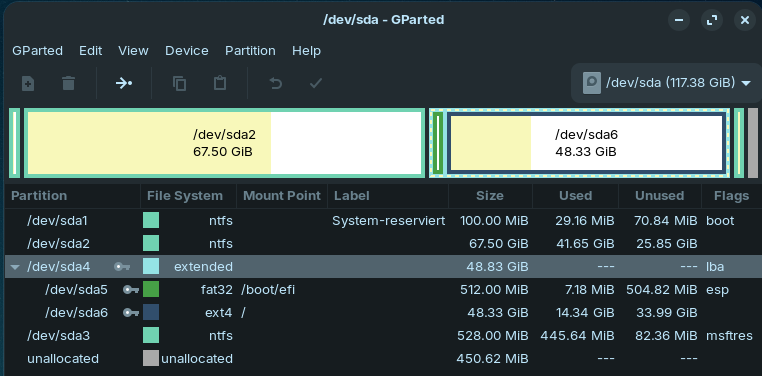
After installing Zorin OS next to my Windows 10 in Dual Boot, using the build-in option (i cleared a partition in advance for Zorin sda4), I ended up with a bootscreen of my Mainboard telling me no OS, nor Windows or Linux are found. Yikes #1.
The empty partition was sda4 before the install. After install the boot flag was on sda5 which was causing the issue. I changed it back to sda1 and the next boot throw me inside Zorin OS. Good, but no dual boot. Yikes #2.
I had to manually tell grub to include Windows in my boot-menu and to even show the boot-menu at all:
vim /etc/default/grub
GRUB_TIMEOUT_STYLE=menu
GRUB_DISABLE_OS_PROBER=false
sudo os-prober
sudo update-grub
Now I was able to see the boot-menu with Zorin OS and Windows 10. But when I selected Windows I got a short black screen and was again back in the boot-menu. Big Yikes #3.
This took me a hour to figure out that the following line was missing in one of the grub config files, right after chainloader +1
ntldr /bootmgr
Now Windows booted again. But I had to find a place where to persist this change permanently. Yikes #4. I didn't liked to add a whole separate static entry inside /etc/grub.d/40_custom, so I modified /etc/grub.d/30_os-prober to include the line by default, executed update-grub again and done.
I finally had Zorin OS next to Windows running, which took way too long imho.
But we are not done, now I encountered two even bigger issues I didn't solved until now. Yikes #5.
On each sound output after no sound was played for a few seconds, my whole sound system always outputs first a big "peng" like the sound card is enabled/disabled all the time. Best way to reproduce when taking a screenshot in Zorin OS.
This took me quite some time to write and I hope it was not for nothing at the end. Keep the good work up.
This looks like GPU driver mismatch.
What GPU are you using? Is it just Intel or do you have a dedicated AMD or Nvidia card?
A lot of your previous headaches are a result of upstream disabling os-prober by default as a rather Blunt Force fix, instead of making use of a logical and practical fix.
For the whole Installation Process Issues: What Install Option did You choose during Installation? ''Install Zorin alongside Windows'' or the ''Something else'' Option to create manually the Partitions?
Also: What Program did You use the create the Bootstick with Zorin?
For the Flickering: What Graphics Card do you use? If Nvidia: What driver do You use? Does Your System run in Wayland or X11? You can check that with the Command echo $XDG_SESSION_TYPE via Terminal. Also: What Kernel is in Usage? For this, You can use the Command uname -r
Because Your Hardware is older, maybe an older Kernel would offer a better Performance.
If you're running on Wayland, switch to Xorg (=X11): Logout and at login click on your username, then a cog wheal appears at the bottom right corner. There you can switch between two options, Wayland and Xorg. Only one of them is named.
The graphics drivers are the one installed by Zorin OS by default, I did not modify anything ("NVA8"), if you want any details tell me how to see them
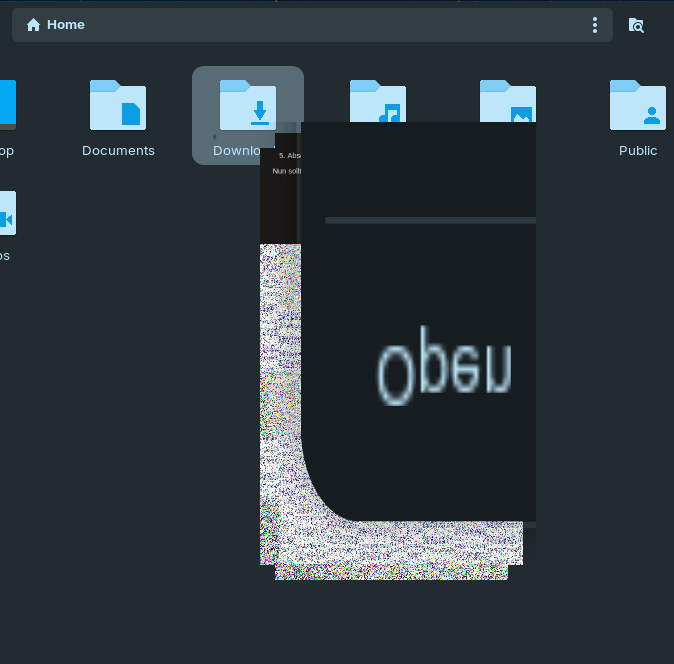
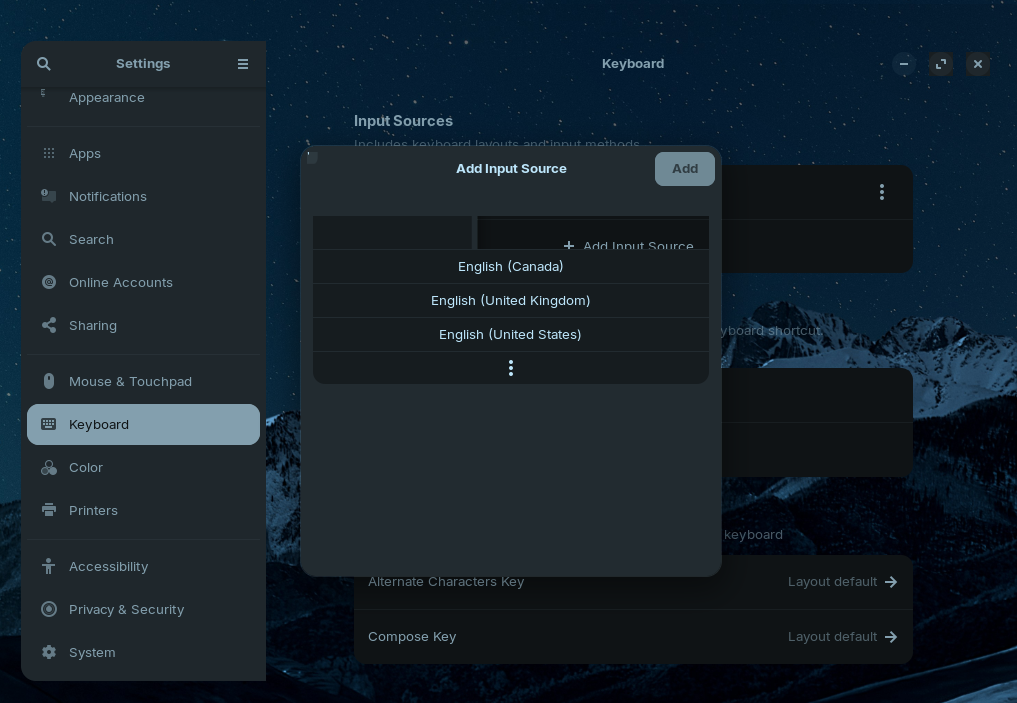
echo $XDG_SESSION_TYPE returns x11. I first started with wayland, which was horrible, switched to X11 which is better, but some menus are still un-useable because of flickering. Best example is Settings -> Keyboard -> Input Sources
uname -r returns 7.0.0-29-generic
Mainboard is a P5Q-PRO (specs), the sound device thus a Realtek ALC1200
To be honest the biggest problem is the sound, as this is a media pc for playing videos / music.
Edit:
I fixed the sound issue with the following command. Seems like the audio card was send to power saving mode directly after playback stopped.
echo "options snd_hda_intel power_save=0 power_save_controller=N" | sudo tee /etc/modprobe.d/disable-audio-powersave.conf
Got a new issue with the X11 desktop, where after logging in as a user no desktop appears, just the mouse courser as "X" is displayed. Only restarting the pc resolves this.
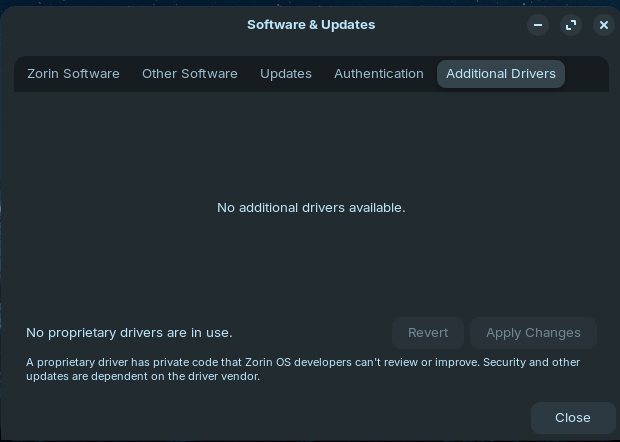
When You go to the ''Additional Drivers'' Tab in Software & Updates, You should see a Driver Choice or at least what is in Usage.
I checked that and it seems the latest Driver is the 340. Which is bad because it is an old one and not available on Zorin 18. You could use the built-in Nouveau Driver an d see if it is enough for You.
And when I see Your Mainboard
which has DDR2 then I think Your Hardware is too old for the 7.0 Kernel in Zorin 18. I would think that even the 6.8 Kernel could be too new.
My Suggestion would be: Try Zorin 17. When the Defaults there are not working, You could install there the older Kernel 5.15 and there should be the Nvidia Driver 340 available, too.
and then reboot.
After reboot, go to Advanced options for Zorin in grub menu and select kernel 6.8 (not the recovery kernel) to boot from.
If you like, you can set this kernel as default, but after each kernel update you would need to go to Advanced options and select the latest version of the 6.8 kernel (or you remove the hwe-kernel-stack entirely because you don't need it for your old hardware).
But as Ponce-De-Leon wrote, you'll probably have a better experience with Zorin 17 or Zorin 17 Lite. It will be supported until next year.
Zorin 17 is not really an option for me, because it would be literally like using an unsupported Windows version, at least starting next year.
It is good to know that also some Linux distros are not that backward compatible as I thought. I only read the Minimum hardware specifications and there is nothing metioned about too old hardware, maybe it would be good for example at least for Nvidia graphics cards to list the oldest official supported model.
I also was not aware of that switching the kernel between major versions is possible without breaking stuff. Because for my understanding I thought the newer kernels also provide new features which didn't exist in an older one. How "backward compatible" is Zorin OS or linux in general with just using an old kernel?
I guess you could be lucky that all works, but also encounter issues.
My conclusion at the end is that Zorin OS is not the right distro for particular old hardware. Most likely I will try some other distros, in live mode first, like plain Ubuntu or Mint.
When the kernel is newer than your hardware, it is good enough. Your hardware is more than 10 years old, and kernel 6.8 has been released 2024. So, older kernel will give you better driver support than new kernels (in most cases). New kernels are better for new hardware.
Use the kernel 6.8 or 5.15, it are LTS kernels which are still supported (5.15 until next year).
You don't know if your device will even still work next year. If Zorin 18 runs well, use it - if not, it makes more sense to switch to Zorin 17 and use it for as long as possible.
Zorin isn't worse than Mint or Ubuntu, you will have the same problems there when you choose a current version. You'll go better with ubuntu 22.04 or LM 21.
I understand that older kernels may contain better support for older hardware. But the question was how does Zorin OS 18 work in case you switch to such an ancient kernel. Is there a minimum Kernel Version which Zorin OS 18 requires?
Zorin works fine with kernel 6.8. Ubuntu 24.04, Zorin 18 is based on, has been released with that kernel. Kernel 6.8 is the oldest kernel in the repositories for Zorin 18.
Kernel can cut Support for Hardware. And when You have a relatively new Kernel but Hardware that is as old as Yours, there is of Course a Lack of Support. With an older Kernel, You can get back the Support You need for the Hardware.
You can try it with the 6.8 Kernel like @Forpli suggested but I'm not sure if this will bring better Performance. That is the Reason why I suggested Zorin 17 where You can get the 5.15 Kernel and the Nvidia Driver.
Or: When the 6.8 Kernel works, You stay on the Nouveau Driver when that should be enough for You.
No, not directly. There is the 6.8 Kernel which is the oldest in the Repo. But that is not the same as a ''Minimum Requirement''. You can use other Kernels.
This is more a Nvidia decision, but while many things can remain supported for a couple of decades, graphics in general are not currently one of them. In time, Graphics processing will plateau.
I would give Q40S, currently at release 6.8. It is based on Debian 13 ("trixie") uses Plasma DE and comes with a third party LookSwitcher (think Zorin Appearance but different. It's end of life is around 2029/30.
It uses a much lower kernel (6.1). Just because something is a lower kernel does not mean that it is using an insecure one - it gets updates regularly, and is a rolling release, so any major updates, say to Q406 6.9, take place through updates.
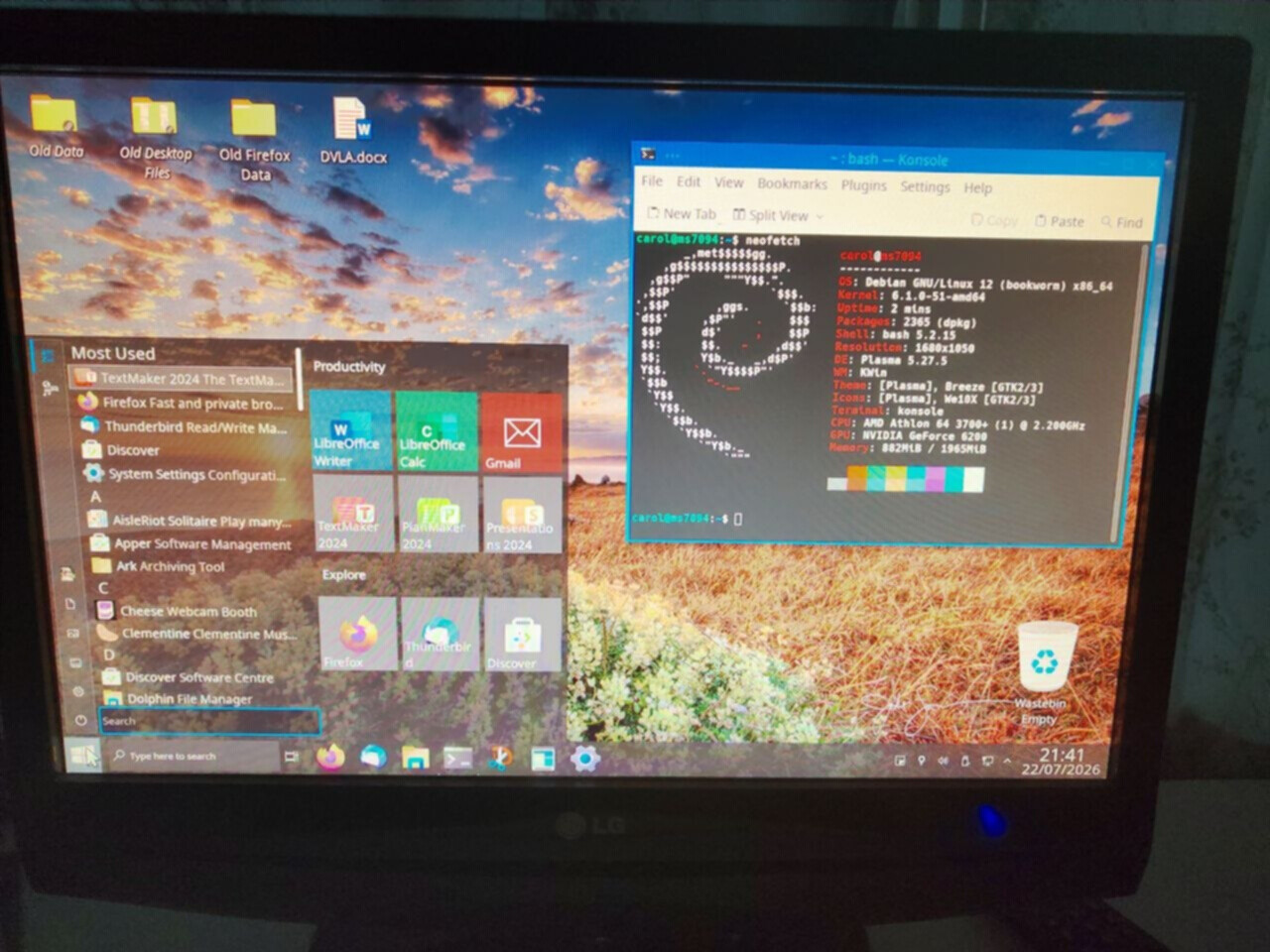
I installed Q40S at 5.6 (Based on Debian 12, good until June 2028) on a rig I built in 2006 with a single Athlon 64 Processor, 2 Gb RAM (400 MHz), a 500 Gb WD HDD, and a 512 Mb EVGA nvidia card 8x AGP - it is currently on version 5.9 of Q4OS. Here is a picture:
I figured out that the graphics bugs depend on the desktop environment used. Tried out the listed ones here and most of the desktops do not show the graphic artifacts. Only Zorin Desktop and Gnome with their "fancier" graphic elements do.
Ah, the 6.8 kernel did not change anything, so i stayed with the 7.x one.
Telling me now that I "literally using unsupported hardware" is easy for a linux novice. Yes, the hardware is old, but should I only have known that its not supported just based on the age? Where is the step from unsupported to supported then? GeForce-100-Series? GeForce-400-Series? "Old" is a flexible term. In fact the hardware works well, with the right choice of desktop environment.
At the end I stay at the point that it would have helped me a lot, when on the hardware requirements page a sentence about Nvidia graphics support could have been found with a concrete series. Please consider to add it. You can also say something like "older cards may also work".
I have to say that unfortunately, some GNU/Linux distros are better than others when it comes to "breathing new life into old computers".
I feel that the Linux kernel is having to keep up with the other OS on newer hardware for the gaming community, condemning older kit to e-waste. And that is the disappointment with Zorin dropping xfce when Zorin 19 comes around.
It's not just about what distro you use it is also about what lightweight DE's are available. The alternatives I posted above do work on older kit, and whilst Q4OS does not have xfce, it does have both a 64-bit and 32-bit version of TDE (Trinity Desktop Environment) which is basically what KDE looked like prior to Plasma.
I wouldn't think that. The Thing is: You have the older LTS Kernels. You still have a supported 5.10 and 5.15 Kernel. Only until December 2026 this Year but it is there. And then You still have 6.1, 6.6 and 6.12 aand the newest 6.18.
So, the Kernels are there. But: A Distro needs to offer these Kernels. And that is the Main Point. I can understand that on ''Gaming Distros'', You don't have older LTS Kernels. The Focus and the Usage is different and specified to new Hardware.
But Systems like Linux Mint, Zorin, or an MX Linux would be Candidates for this. But that would mean that they have to Care about the Kernels.