I'm trying to set up a VM via virtual box for windows 7 pro. I got passed the create virtual machine step and an trying to start it. When I do and get to select a dvd (I have an install disk) I'm told the DVD is not selected and I can't get an option to do so. Have read various different forums trying to figure this out myself but I can't seem to figure out what I'm doing wrong.
Hi and welcome.
It is a while since I used VB, but I think your issue might be the lack of the virtual-box extension pack. I've left VB behind since discovering virt-manager, much easier and VM's give the graphical impression of a bare metal install. Virt-manager also has better USB 3.0 support and you can redirect USB devices on-the-fly while VM is in use.
I tested Wine, VirtualBox and also finally landed at QEMU / KVM (VirtManager). It runs all Windows releases since XP. It's performance feels native on an Intel Core I3
Just follow these instructions (in german, pls use Google Translator). The TPM part is not needed for Win7:
So I tried Virt-manager and got windows 7 installed. However it can't seem to install programs via install disks. They either are not recognized at all or end up with errors during the install process. I'm assuming it is partly due to my gpu not being recognized. Not sure how to get it recognized. Thank you for your help!
So I followed the steps and I keep getting stuck being told VirtualBox can't enable the AMD-V extension. Please disable the KVM kernal extension, recompile your kernel and reboot. I did enable the virtual machine option via bios (I got 16 when running the test to make sure the virtualization was on) I also installed KVM via the steps mentioned in the article and rebooted my computer just for kicks. Thank you for your help!
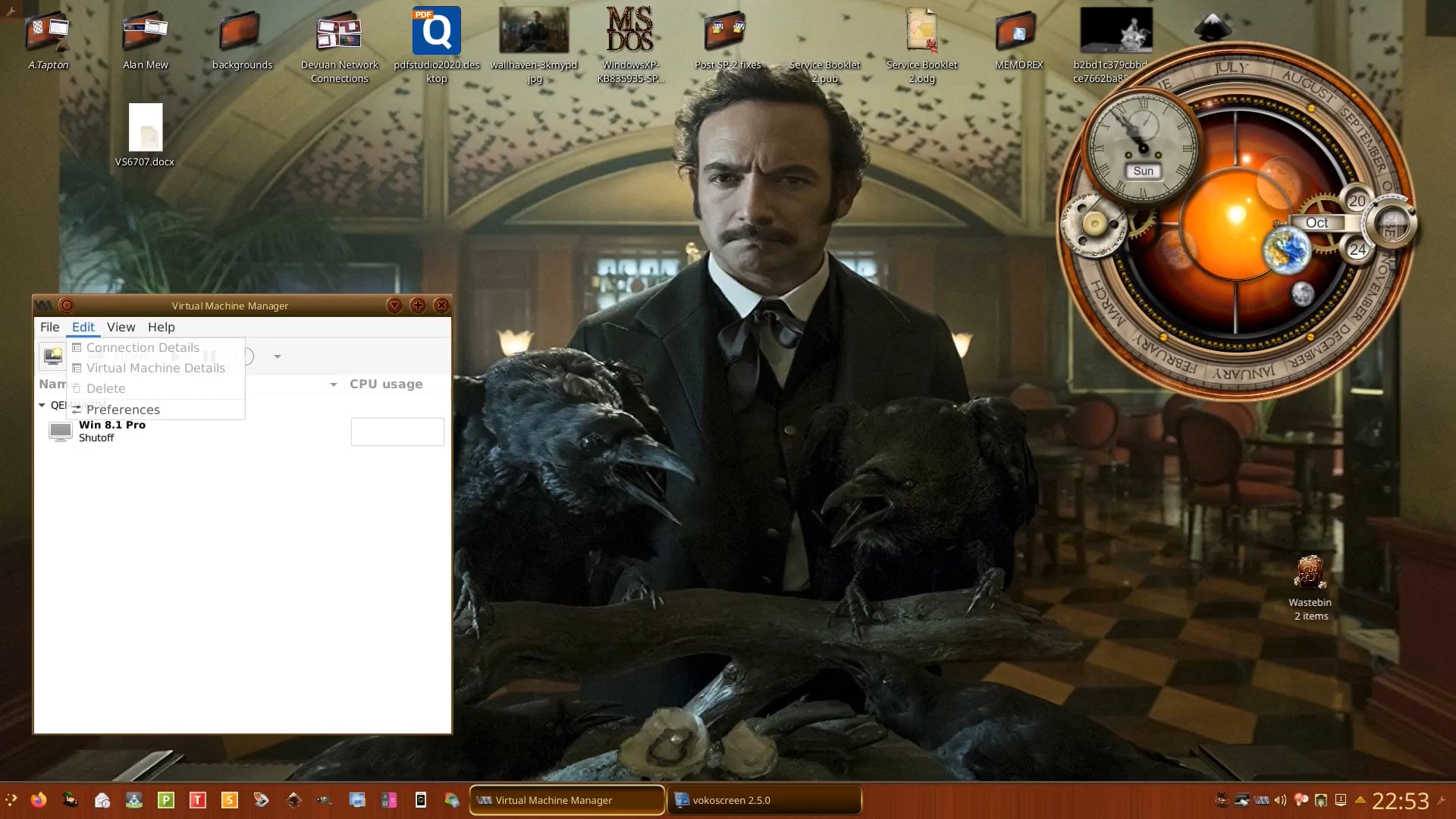
Hi, Click on the Windows 7 icon in virthmanager, but do not hit 'Run' on the next screen. Instead, view machine details and look for Drives at boot in left pane and check CD.
With regards to graphics, virt-manager defaults to 'virtio'. My monitor is connected by VGA, not HDMI, so I choose VGA from the drop-down list. Give each option a try to see which works best for you. Take a look at my video showing VM ofcWindows 8.1 Pro 32-bit inside Devuan 3.0 here as a guide:
So I think I messed up something, just not sure how or what. I was installing a game onto win 7 and it seemed to be working. Display turned off ,I think due to inactivity, I went to wake my computer up virthmanager seemed to force close. I then lost my taskbar on Zorin and the desktop short cuts. I've shut my computer down a few times and they haven't come back and under win7 nothing seems to happen when I try and install the game (installation being via a disk).
Thank you for your help.
Virtual-Machines won't play games very well as is. I tried to get virt-manager to access a second graphics card (not for gaming) to see if I coul get better performance.
You would be better running your game under Wine. I did this with Homeworld many years ago that requires the CD Drive to be present while playing.
How I did it.
Had to install gCDemu (CD emulator), created a folder in WINE's fake C:\ drive labeled with the same name the game CD had, then copied the entire contents of the CD into the folder I created in WINE, right clicked everything (being lazy) and globally made everything with permission to run as a program. I then used K3b to burn a TOC.bin which then became the CD launcher via gCDemu. It also worked for BlackHawk Down and another game that was free with an nvidia card I bought years ago. There should be a more detailed tutorial/post I wrote about on here somewhere.
Sorry for the beyond late reply, got super sick, then my depression kicked in bad. Slowly trying to learn how to install game disks as you described. Once I understand it and get it working, can your method apply to multi disk installs?
Hi, Sorry to hear you have been under the weather. I have not tried anything that requires multiple CD's. I would try creating separate TOC.bin s with K3b and see what happens.