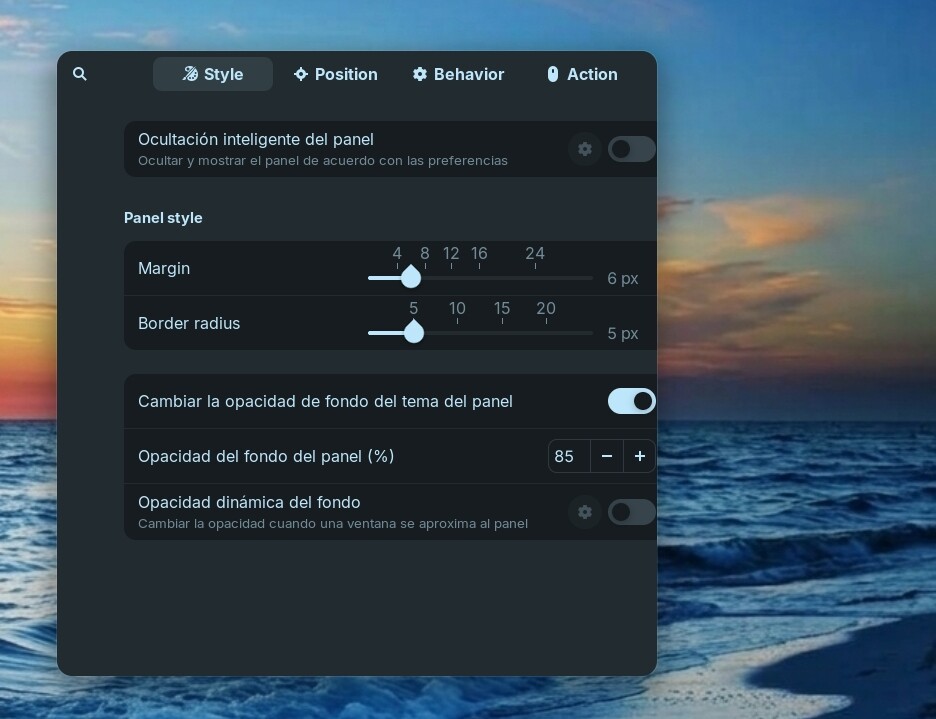
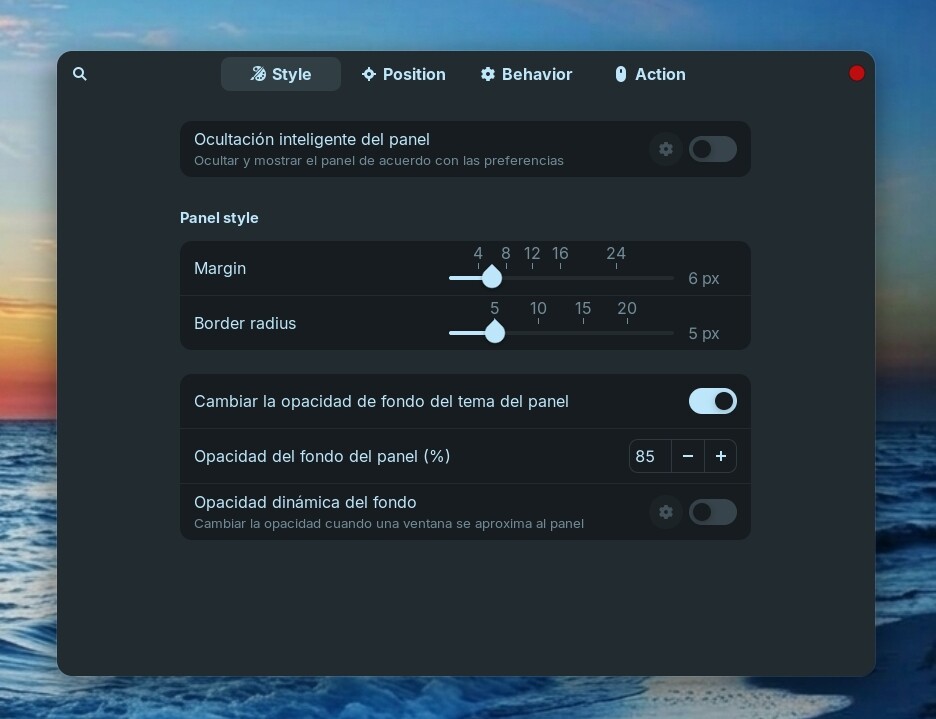
The window that opens when you select 'Taskbar options' (I have the Touch layout, but I guess that doesn’t matter) needs to be wider.
Why? Well, because the content (the settings) is wider. But above all, because with the current width, the close button doesn't show up. In other words: you have to expand the window's width just to be able to close it.
Is this happening to anyone else?
ESPAÑOL
La ventana que se abre al seleccionar «Opciones de barras de tareas» (tengo la disposición Touch, supongo que no importa) debe ser más ancha.
¿Por qué? Bueno, pues porque el contenido (la configuración) es más ancho. Pero, sobre todo, porque con el ancho que aparece no sale el botón de cerrar ventana. Es decir: has de ampliar el ancho de la ventana para poder cerrarla.
Here I have reported this issue recently.
You can set the font size to 10, then you'll probably see the close button.
If that is too small for you and you have enough RAM, you could try to set fractional scaling instead until this problem hopefully will be fixed for the next higher font sizes as 11 and 12.
Or you can edit the file of the Zorin taskbar extension as I showed in the thread. You need root rights to do this.
I update the system every time I turn it up. Usually, there are lots of things to update every day. If this issue is already known, why wasn't it corrected? Do members of the comunity know about it? When should we expect it to be solved?
I'm sorry, but I don't know anything about bug correction timing...