I saw on the homepage that Zorin Pro offers several nice desktop layouts and start menus. However, there is no Windows 10-style start menu included — which is exactly the one I absolutely loved. I really dislike the Windows 11 start menu and was very disappointed when Microsoft removed the old one.
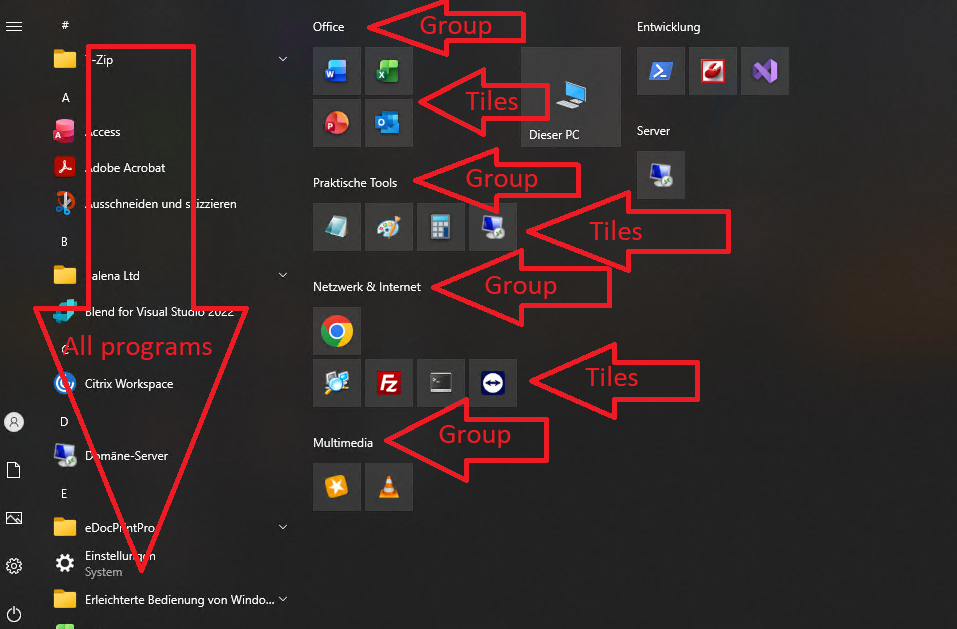
One of the things I loved most about the Windows 10 start menu was the ability to create tile groups and organize my programs exactly the way I wanted.
Is there any plan to include a Windows 10-style start menu in Zorin OS in the future? The Windows 11 start menu is simply not good, and it was one (of a lot) reasons why I switched from Windows to Debian. Even after using Debian for six months, I still miss the Windows 10 start menu — and if a Linux distribution offered this experience, I would immediately give it a try and seriously consider switching to it.
If you are on Zorin18, and you are running a machine with decent specs, then ArcMenu would be your best bet. First switch to Xorg windowing for the greatest stability. (You are running under Wayland now by default. The differences are invisible between the two, and whichever one you select will remain the default until you change it again.)
To change to Xorg, log out and back in again; specifically, log out, click on your username and a sprocket icon will appear at the lower left. Use this icon to switch to Xorg. Complete log in. Done, and it will stay that way.
Now you need an app called Extension Manager.
Open a terminal (Ctrl+Alt+T) and run the following command string:
Once installed, open the program from your Zorin app menu. Look for a blue "puzzle piece" icon.
Select the Browse tab at the top of Extension Manager.
Search for "ArcMenu" to locate, find it in the list, and install.
(Since you are on Xorg, you can use the"Runner" and Advanced Window Positioning features in the General tab of the ArcMenu settings and things should remain stable, unlike they would with Wayland.)
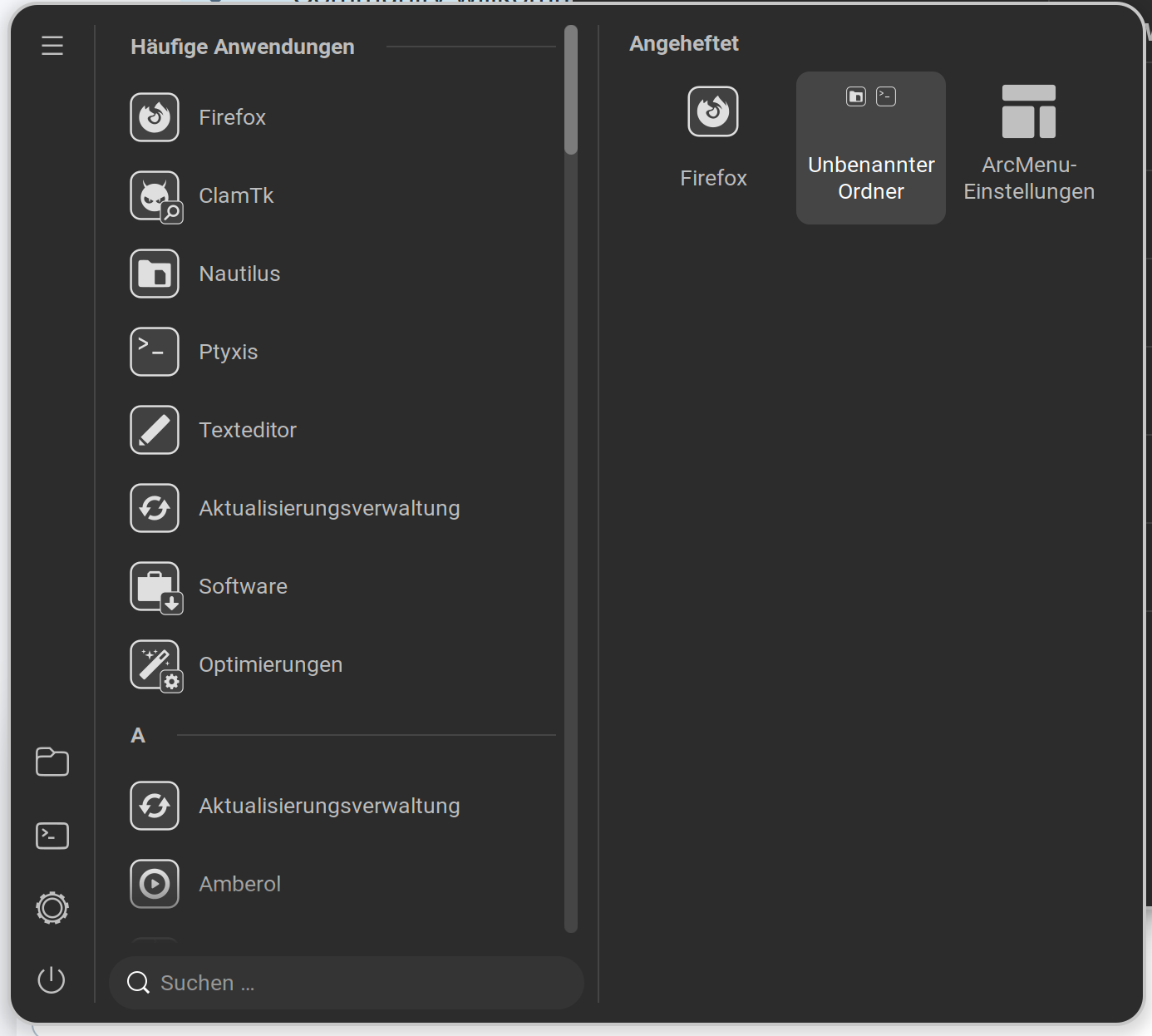
Like @wsmather already wrote would be the Gnome Extension ArcMenu something that You could try. There You can find a Menu Layout called ''Windows'' which should be the one You use I guess:
Thank you for welcoming me, and thank you for the app. It looks great, but I can’t find an option to create groups and organize the programs the way I’d like. Here’s an example from my old company PC of how I imagine it: