cityji
August 10, 2026, 10:06am
1
I finally have a working driver for the FPC fingerprint sensor 10a5:a900 !
Back in March 2024, I was stuck with the same unsupported device and posted about it here (unfortunately that thread is locked now):
Hey Linux community,
I'm a longtime Linux user and I'm loving every minute of it! However, I've hit a roadblock with my fingerprint sensor '10a5:a900'.
I've been trying to find the right drivers for it for the past 6 months with no luck. When I run lsusb, I see the sensor listed as:
Bus 003 Device 002: ID 10a5:a900 FPC FPC Sensor Controller L:0002 FW:22.26.2.29
I've tried Googling and troubleshooting on my own, but I haven't been able to find a solution. I've even attempted to enroll my fing…
If you have this sensor in your Honor MagicBook Art 14 or Pro X14, here's the solution:
GitHub - cityji/honor-magickbookpro-fingerprint-driver: Working fingerprint enrollment and login on Linux for the Fingerprint Cards 10a5:a900 match-on-host sensor (HONOR MagicBook). libfprint + MR396 + fixes for the image-format mismatch that made every capture silently fail. · GitHub
One-line install:
curl -fsSL https://raw.githubusercontent.com/cityji/honor-magickbookpro-fingerprint-driver/main/bootstrap.sh | bash
Usage
fprintd-enroll
fprintd-verify
Tested on Pop!_OS 24.04 (COSMIC). Should work on Ubuntu, Fedora, and Arch too.
Also listed on the official libfprint wiki now: Making sure you're not a bot!
Hope this helps anyone who's been stuck as long as I was!
1 Like
Do You want that I move it to the Thread? I would open the Thread again and move Your Comment to it. Then all would be on one Place.
cityji
August 10, 2026, 10:13am
3
Yes please, that would be great! Moving it to the original thread would keep everything in one place and make it easier for others to find. Thank you!
The comment I posted is the complete solution with the repo link and install instructions. Feel free to merge it into the original thread.
Appreciate the help!
Okay, I have moved the Comment and marked it in the other Thread as Solution, too. I will close now this one. When You want post additional Comments, make it please in the other Thread.
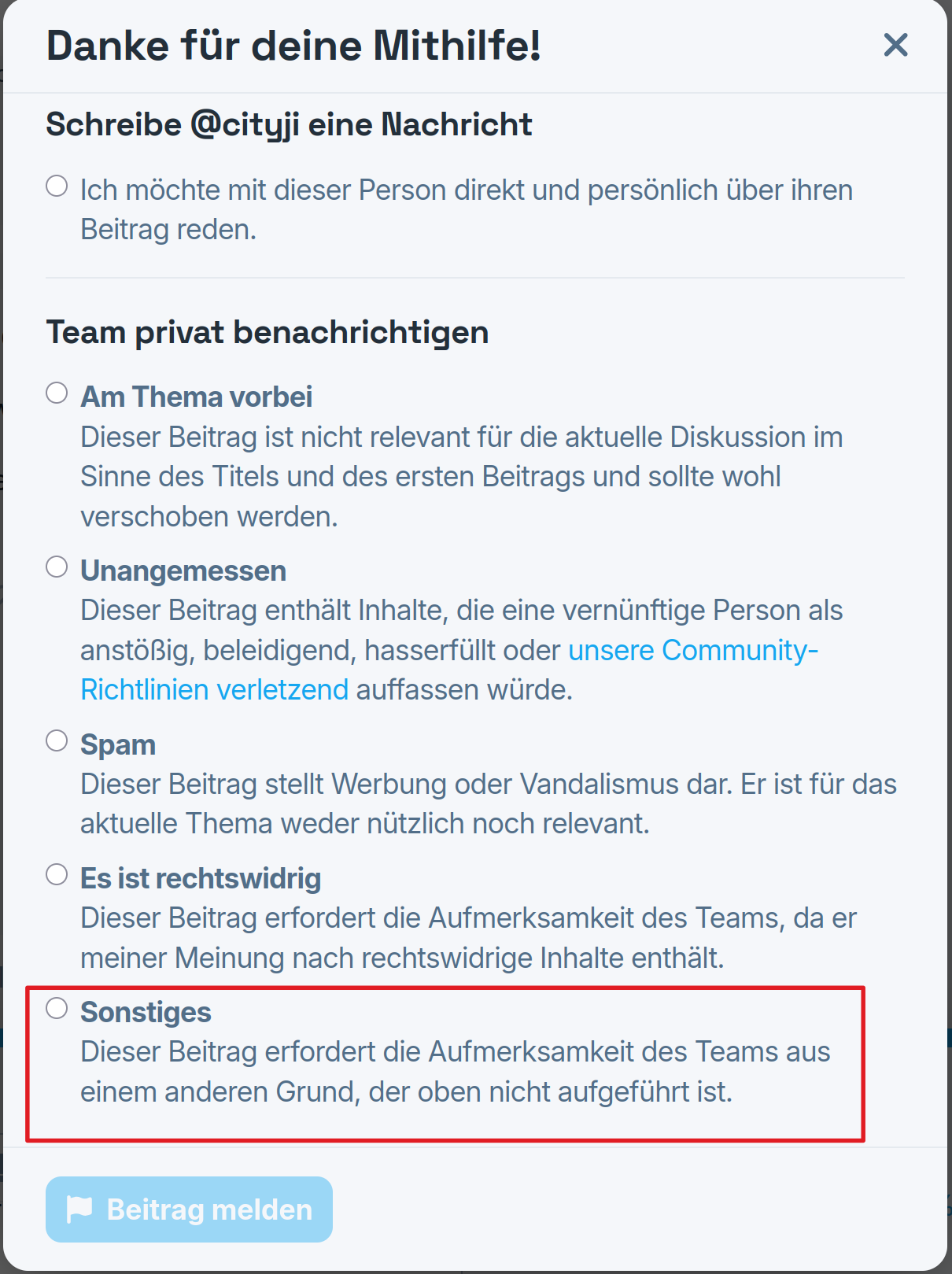
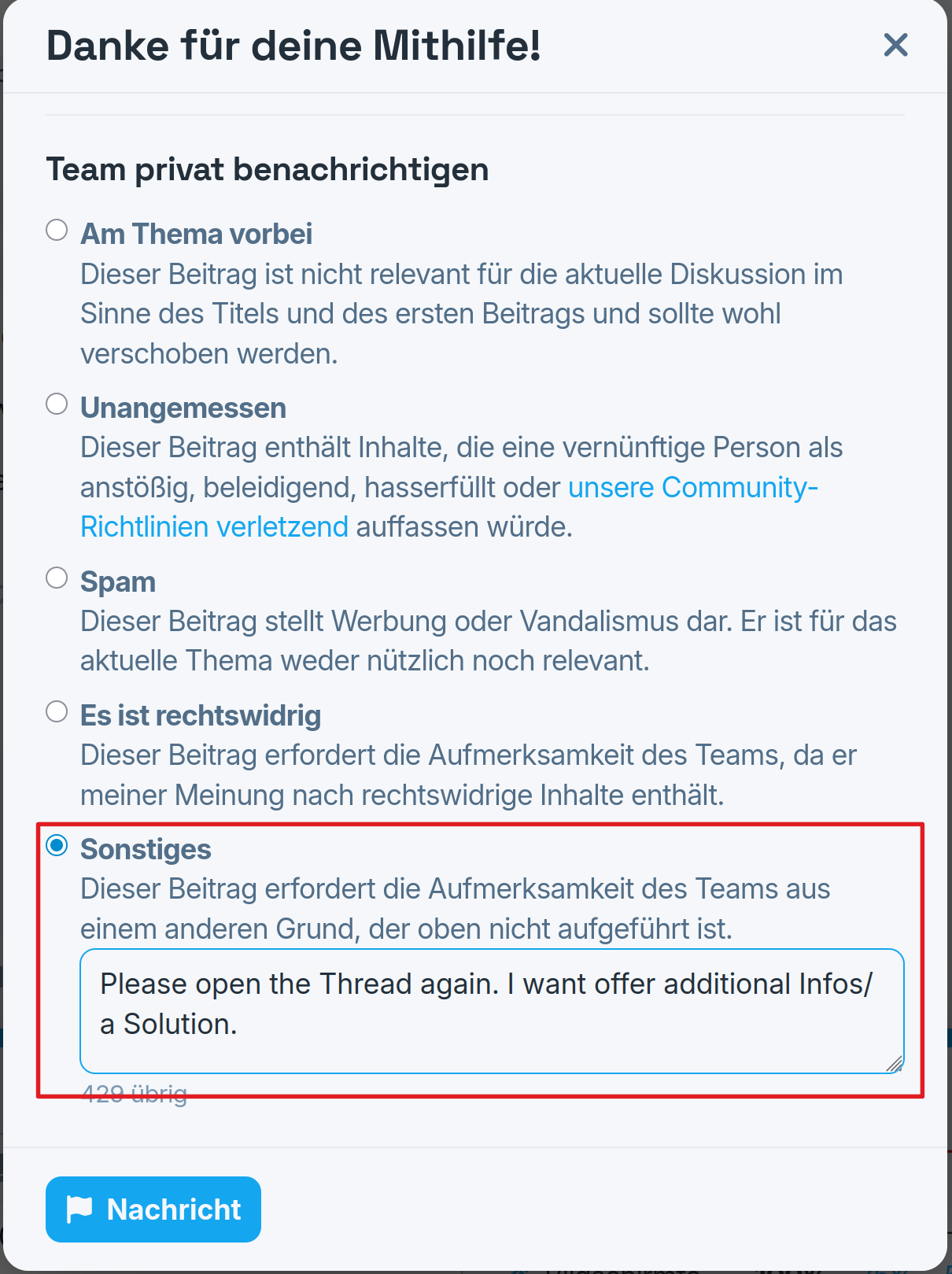
One tip if something like that should be wanted the next Time: You can ask top reopen a Threat. Look for the Thread, You want to have reopened and on the first Comment click on the 2 Dots:
Then choose the Flag:
1 Like