X won't start after installing missing libraries for Davinci Resolve

The fact that DaVinci is installed in container, is there a way to configure it.

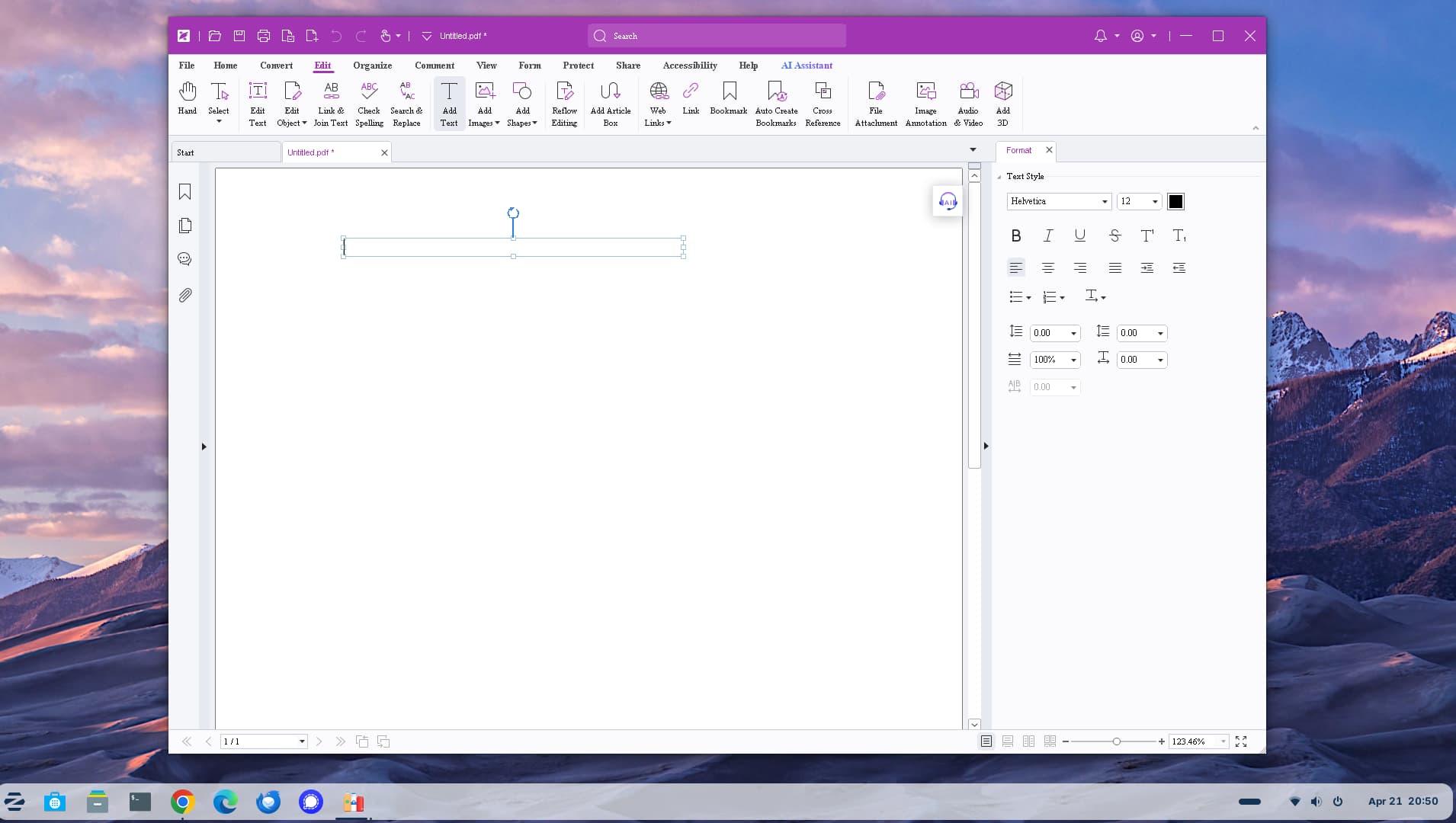
BTW I was able to install Foxit PDF editor paid version using Bottles.l of MSI file but had to remove installation of all additional plugins and that helped. However browsing files in /home/user is not working right so did not get chance to use it yet.

Hi, I am surprised that .msi worked. When looking at video on how to get Affinity to run in GNU/Linux the YouTuber stated that you have to download the .exe by selecting 'Enterprise' download! Is there no .exe for Foxit?

MSI file is easier to manipulate and edit what we want to install and how. There is fantastic free program for MSI editing (Windows) allowing making magic behind the scene.
Since I am Intune admin and MSI is preferable installation method with or without intunewin script I learned a lot fow to play with exe to MSI and vice versa.
Good fun for admins. Any one interested here I am.

It shows that it should be installed, but that doesn't mean it's working. To be on the safe side, run this command.

inxi -Ga

raphics:
Device-1: NVIDIA TU104 [GeForce RTX 2080 SUPER] vendor: Gigabyte
driver: nvidia v: 580.126.09 alternate: nvidiafb,nouveau,nvidia_drm
non-free: 550.xx+ status: current (as of 2024-04; EOL~2026-12-xx)
arch: Turing code: TUxxx process: TSMC 12nm FF built: 2018-2022 pcie:
gen: 1 speed: 2.5 GT/s lanes: 8 link-max: gen: 3 speed: 8 GT/s lanes: 16
ports: active: none off: DP-3,HDMI-A-1 empty: DP-1,DP-2,Unknown-2
bus-ID: 54:00.0 chip-ID: 10de:1e81 class-ID: 0300
Device-2: Microsoft LifeCam HD-3000 driver: snd-usb-audio,uvcvideo
type: USB rev: 2.0 speed: 480 Mb/s lanes: 1 mode: 2.0 bus-ID: 1-2:2
chip-ID: 045e:0779 class-ID: 0102
Display: x11 server: X.Org v: 21.1.11 with: Xwayland v: 23.2.6
compositor: gnome-shell v: 46.0 driver: X: loaded: nvidia
unloaded: fbdev,modesetting,nouveau,vesa gpu: nvidia,nvidia-nvswitch
display-ID: :1 screens: 1
Screen-1: 0 s-res: 3840x1080 s-dpi: 81 s-size: 1204x343mm (47.40x13.50")
s-diag: 1252mm (49.29")
Monitor-1: DP-3 mapped: DP-5 note: disabled pos: right model: Acer KA270H
serial: T66EE0018527 built: 2019 res: 1920x1080 hz: 60 dpi: 82 gamma: 1.2
size: 598x336mm (23.54x13.23") diag: 686mm (27") ratio: 16:9 modes:
max: 1920x1080 min: 640x480
Monitor-2: HDMI-A-1 mapped: HDMI-0 note: disabled pos: primary,left
model: HannSpree/HannStar HL274HPB PLUS serial: 1234567890123 built: 2017
res: 1920x1080 hz: 60 dpi: 82 gamma: 1.2 size: 597x336mm (23.5x13.23")
diag: 685mm (27") ratio: 16:9 modes: max: 1920x1080 min: 640x480
API: EGL v: 1.5 hw: drv: nvidia platforms: device: 0 drv: nvidia device: 2
drv: swrast gbm: drv: nvidia surfaceless: drv: nvidia x11: drv: nvidia
inactive: wayland,device-1
API: OpenGL v: 4.6.0 compat-v: 4.5 vendor: nvidia mesa v: 580.126.09
glx-v: 1.4 direct-render: yes renderer: NVIDIA GeForce RTX 2080
SUPER/PCIe/SSE2 memory: 7.81 GiB

funny enough it works via Bottles from MSI installer, bit cranky regarding maximizing window

Seems it's working as it should.

What happen if you run DaVinci via the terminal instead of clicking icon?

Sorry I thought we were talking about Foxit Editor from MSI file.

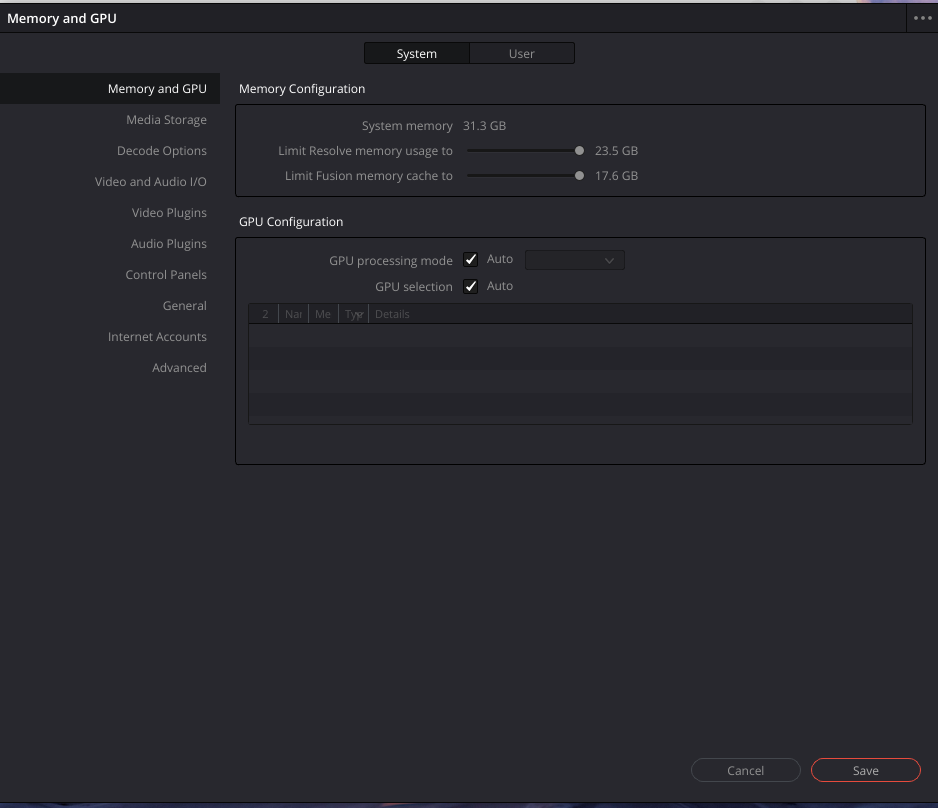
Issue with Davinci is it does not recognise GPU in the container

I have run Davinci from terminal ad no joy finding GPU

In the Window under ''GPU Configuration'' there are Makrs set to Auto. When You unmark them, do You get the Card?

Hello, I tried this trick, no joy. bot on Bottles or propsed container same result, no visiability of GPU. maybe BalckmagicDesign does not want us to use their software on Linux Zorin :slight_smile:

Is ocl-icd-libopencl1 installed?

The way BlackMagic packages Davinci Resolve is a large .run file, really geared toward a different distro entirely. It is completely GPU dependent and conflicts easily with other distros.

So, many users instead use:

Read the page before proceeding. It explains things quite well.
2 Likes