We left the beta, and double logging in after locking the computer is still a problem. I even reinstalled to make sure there was nothing wrong on my end.
1 Like
Hi friends, I bought Zorin OS 18 Pro and for the first time I'm very satisfied. It's going super well, which I noticed when zfs was removed, but I think nobody uses it anyway. It just looks great, it runs fast, Firefox can be installed directly as an apt package, mega practical. I'm thrilled.
4 Likes
In this thread, @StarTreker listed the current PPA'sa and asked if any may cause issues.
You can do the same thing.
Always Back Up your Data - but it is ok to be confident, too.
2 Likes
Thanks for the clarity on Firefox. Enjoy your ride on Zorin OS 18 Pro.
3 Likes
To the Zorin OS team, thank you for all the good work. 
5 Likes
Hello everyone in the Community!
Yesterday, I decided to update my Zorin to version 18 from a flash drive to avoid issues with my customizations on Z17.3. It took me a few hours to download and log in to my current applications, but it was worth it!
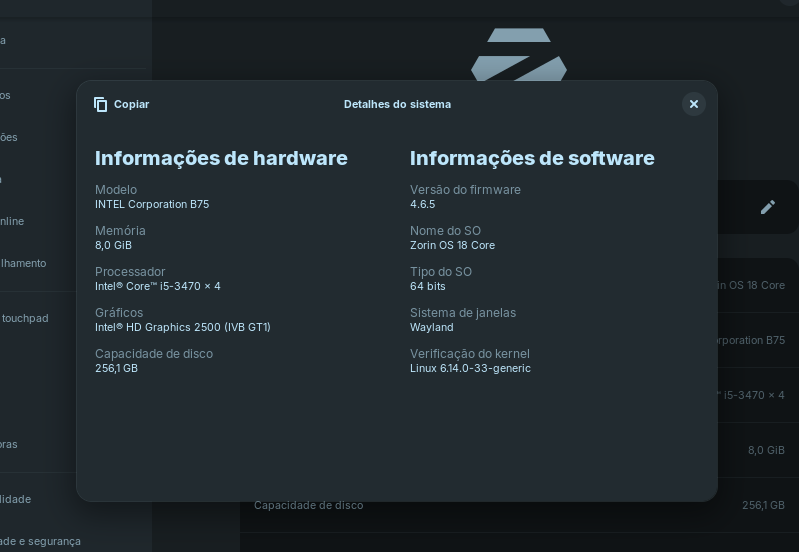
The system is very fluid, everything works well, and the bug with the Start menu tray overlapping with full-screen browsers is gone. I'm having one problem! I like to install the Elementary OS icon pack, but I can't find the path to paste the icons folder (.usr). I tried following the tutorial on the Zorin website, but it didn't work. Can anyone help me?
As with version 17.3, I tried using the File Manager app and checked "Show hidden items," but I can't find it, even using the search bar.
2 Likes
Do you want to install it systemwide or for your user? Copy the extracted folder of your gtk-theme and/or icon theme.
For your user:
Press ctrl+H to show the hidden files,
go to your personal folder, then to .local >share and there create a folder named ".themes" (for gtk themes) and a folder named ".icons" (for icon themes) and paste the theme there.
For systemwide install:
enter "admin://" in the topbar of your filemanager to get root rights
Go to other places(?) I'm not sure what the translation is
then to usr>share>themes
and usr>share>icons
and paste your theme there.
4 Likes
Thank you very much, friends! It worked out great! Have a good day!
2 Likes
It is not a .usr Folder. It is without the Dot at the Beginning: /usr/share/icons
But You can use it in Your home Folder that Way and create there a .icons Folder. But first activate ''Show hidden Files''.
2 Likes
Thank you for your correction. I made a mistake, but I managed to change the icons for all users with @Forpli tip. Always learning and you do a great job!
3 Likes
Finally, I found the problem.
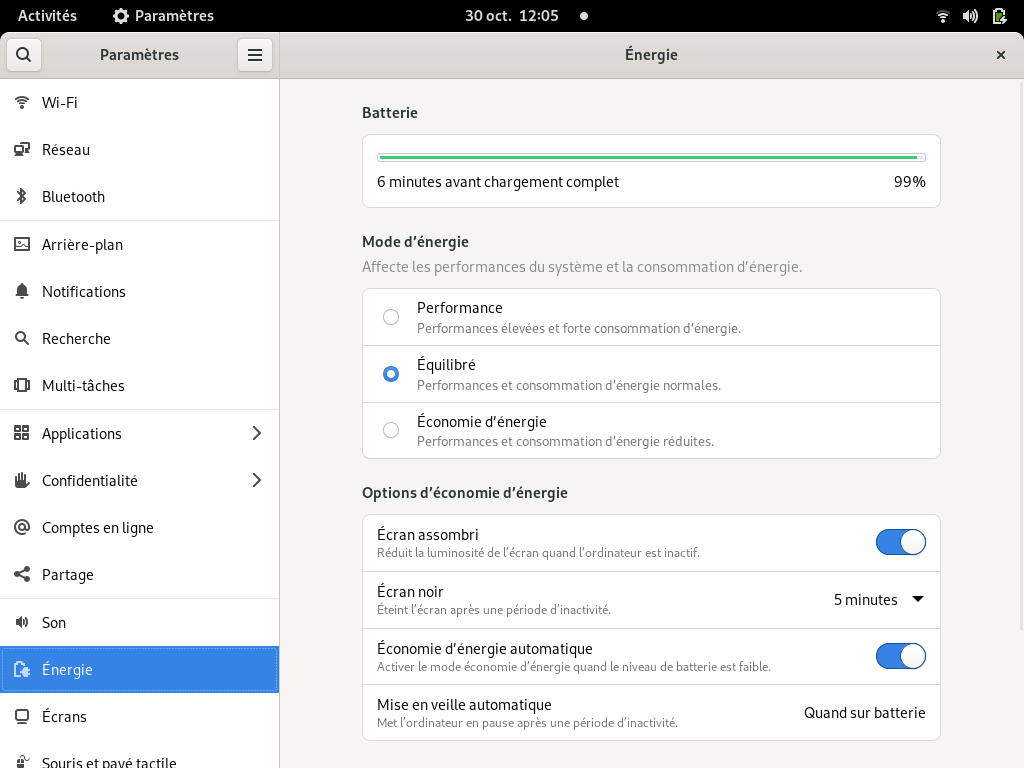
In the settings, under energy, the power mode.
For this computer, 3 levels (high, medium and low). Default is medium. The high one, unusable, because almost as many black screens as normal ones. So, I set it to low and I'll cross my fingers that it will be in order.
Below, an old screenshot found on the Web.
1 Like
In addition you may search for brightness (luminosité) and there you will find an option for "automatic adaptation". In my case it was by default ON. This creates a "constant flickering" of the screen every so many seconds.
2 Likes
Hello Friend and I was testing the Z18 Beta on a LG775, Intel Pentium E5700, 6GB of DDR3 RAM and mechanical HDD. There was the "Power Mode" option of "Performance" and I tested my PS2 emulator a lot. I didn't have any screen problems or stuttering. Note: I always turn off the automatic screen lock and system sleep.
2 Likes
Is it possible to get Zorin repos on latest ones? For example like Debian which have stable, testing and sid ? Or not, thanks. Sorry if question is stupid 
No, that isn't possible.
1 Like
Zorin OS is LTS (Long Term Support) only, so has no Testing Branches.
1 Like
Should I do a fresh install of Zorin OS 18 or wait for the upgrade availability ?
That is up to you. Do you have any reasons not to wait?
1 Like
Ts ts ts ... three days later and still not updated 
Time for advertisement: Just do it!
…………
There are rumors that if you have not updated the beta-version three weeks after release of final version, your computer will self destroy.


I’m thinking of waiting, but I have some software installed that relies on Ubuntu 22.04, like Docker and PostgreSQL. Since Zorin OS 18 is based on Ubuntu 24.04, I’d likely need to reinstall and reconfigure those applications. That’s the main reason I’m considering a fresh install rather than waiting for the upgrade. Do you think Zorin will provide an option to handle this upgrade smoothly, like keeping compatibility with software based on Ubuntu 22.04, or at least an easy way to migrate without needing to reinstall everything?