Welcome. I'm not sure about the other testers. However, I'm testing the Zorin 18 Beta at random on GNOME Boxes, just like I would on a real PC. Not adhering to a specified checklist.
1 Like
They are essentially adhering to the schedule, or should I say the pattern. Ubuntu 22.04 LTS was launched on April 21, 2022, whereas Zorin 17 was released on December 20, 2023. On April 25, 2024, Ubuntu 24.04 LTS was made available. So, it's time for Zorin 18. However, I share your sentiment. A point release, in my opinion, would have been adequate. For me, GNOME 50 is the real deal. PipeWire and Wayland will be more mature. Since Wayland is still not, in my opinion, production ready, I want to remain on Zorin 17 until 2027. Moreover, X11 works fine. I am new to Linux, switched from Windows 10 to Zorin 17.2. I'm patient enough to wait for HDR support, fractional scaling, VRR displays, etc. I understand, not every Windows user is like that. Some are more demanding. I can get by with Zorin 17.3 for the time being. I had a positive first impression with Zorin 17.2. Perhaps because I kept my expectations reasonable and conducted my own homework by watching distro videos and reading articles about Ubuntu.
2 Likes
Thank you very much Salomon.
Yep it is the same GPU as mine.
Thanks buddy 
1 Like
Yes you are right, some people will do miss it and it is unfortunate that it is not supported yet. Lets just hope it will come sooner than later.
1 Like
I find the window tiling feature very imposing, when moving around windows, close to the top of the screen. Is there any way we can make it a bit slower in reaction?
1 Like
Short follow-up:
A few points of feedback: I do not like how Zorin insists on installing the Snap version of Firefox as a transitional .DEB package. I disabled Snap on the beta install of Zorin OS in a virtual machine, and still the Snap version of Firefox was installed. Windows still flicker in X11 mode (Xorg). I don't understand how or why this is the case when they do not flicker in Linux Mint (X11 is the default state in Mint) on my hardware. I think it's time for Zorin to remove Snap support from Zorin OS. Stick with regular .DEB files and Flatpaks. Pop!_OS doesn't do Snaps. They do .DEBs and Flatpaks. Why not Zorin? Pop!_OS is based on Ubuntu, too. If they can permanently take out Snaps, so can Zorin. The blue theme for Zorin OS is a tad too blue. Suggest toning it down. Make it the same as in Zorin 17.
Guess that's it for now. Thanks.
EDIT: I also would like to know if any true changes were made under the hood for power management. Or do people still have to install a separate extension just to prevent their PC from going to sleep while playing a game?
2 Likes
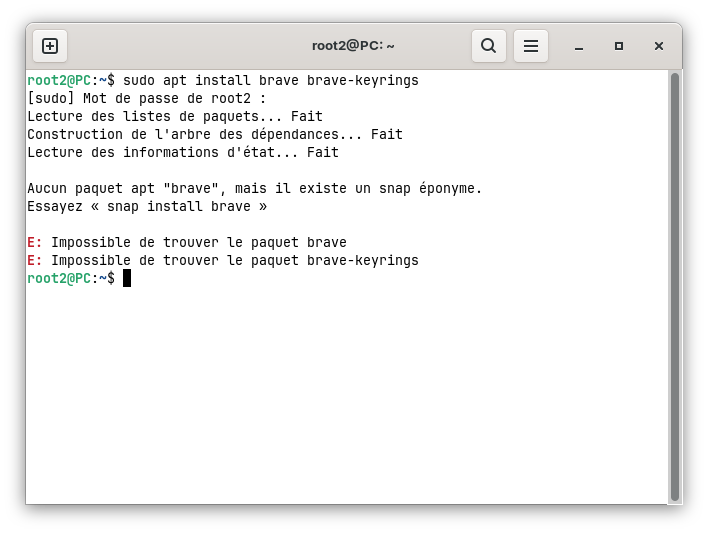
Installed Zorin 18 Beta alongside Windows 11. Everything works great even no issues under wayland. But I have a problem with the VLC appimage. It doesn't launch anymore. The same VLC appimage had worked under Zorin 17 without any hiccups but now here in Zorin 18 it throws error.
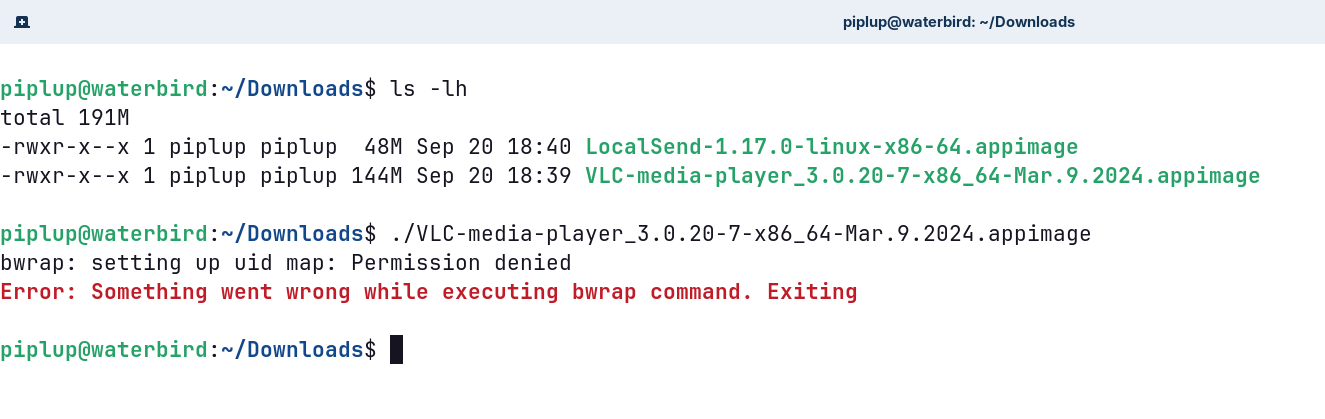
Strange thing is, the localsend appimage works fine but not the VLC ones. It has executable permission and I even switched to X11 but it still doesn't work. Any solution for this?
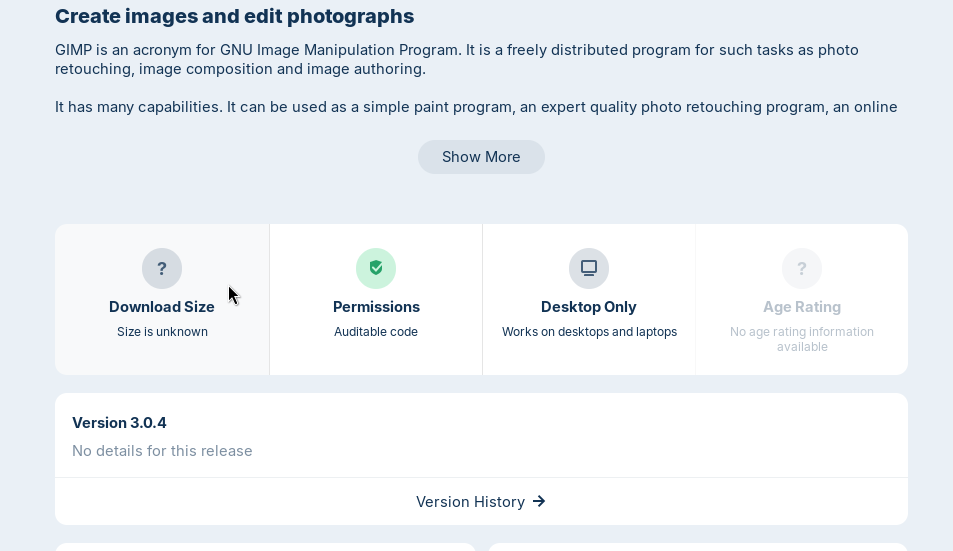
A thing I noticed, in software store the app description page doesn't show the Download size for the non-installed apt packages. Flatpak and Snap app descriptions don't have this issue.
The new text editor app looks good and works fine but it doesn't have a specific Save buttton in the titlebar just like the way it used to in gedit in Zorin 17.

(On the left gedit installed manually, on the right the new gnome-text-editor)
It will be good to include this button.
2 Likes
Could it be that You have deleted the Brave Repo? When You look in /etc/apt/sources.list.d/ and You don't find any Brave-related Files, I think you have to add the Repo again like described here (look on ''Debian, Ubuntu, Mint''):
That isn't a Zorin Thing in the first Place. To explain that: Zorin is based on Ubuntu like You know. And on Ubuntu Firefox comes as a Snap - even when You install it in the Terminal with sudo apt install firefox because they bypasses that and install the Snap Package.
On Zorin 17, Zorin offers Firefox by integrating the Mozilla-own Repo. So, it came/come directly from Mozilla. But Zorin decided to goto Brave. So, now the Repo isn't added anymore. You can use the Snap or the Flatpak Version or You have to add the Repo by Yourself like described in Mozilla's Instructions:
Here it depends what POP OS do with it. They could pack Firefox by themself, add the Mozilla-own Repo or like Linux Mint add the mozillateam PPA (don't be irritated by the Name; it isn't from Mozilla).
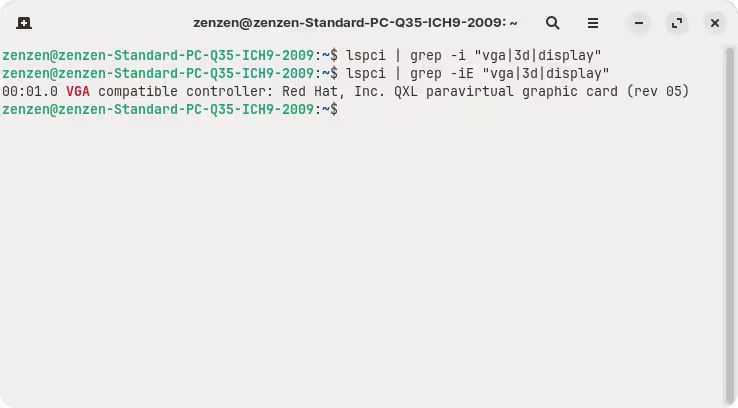
@Salomon @Platan Just a quick tip: when running grep at the command line and using regular expressions like "vga|3d|display", you need to add the -E flag:
lspci | grep -iE "vga|3d|display"
There are a few settings that you can play around with inside Zorin Appearance → Windows → Advanced Window Tiling. Reducing "Snap Assistant Threshold" will reduce the distance the mouse cursor needs to be from the top edge of the screen to show the tiling options. In "Animations" there are two additional options that control the time it takes for the windows to fall into position. You might need to enable animations in Zorin Appearance → Effects → Enable Animations.
This is an unfortunate inheritance from Ubuntu, but will likely be fixed by the stable release version just as in Zorin OS 17. The fix is really to set up Mozilla's repository, which can be done following these instructions from the official website in case you want to test it right now.
In step 4 you need to follow the instructions under "For Debian Bookworm and Older", and step 5 is already done; it can be skipped.
The blue theme really does look a little too blue but I thought it was just me after switching from the brown one that I had been testing.
AppImages need to be updated as well from time to time, although they don't do so on their own (unless the installer itself explicitly includes this functionality, which is rare).
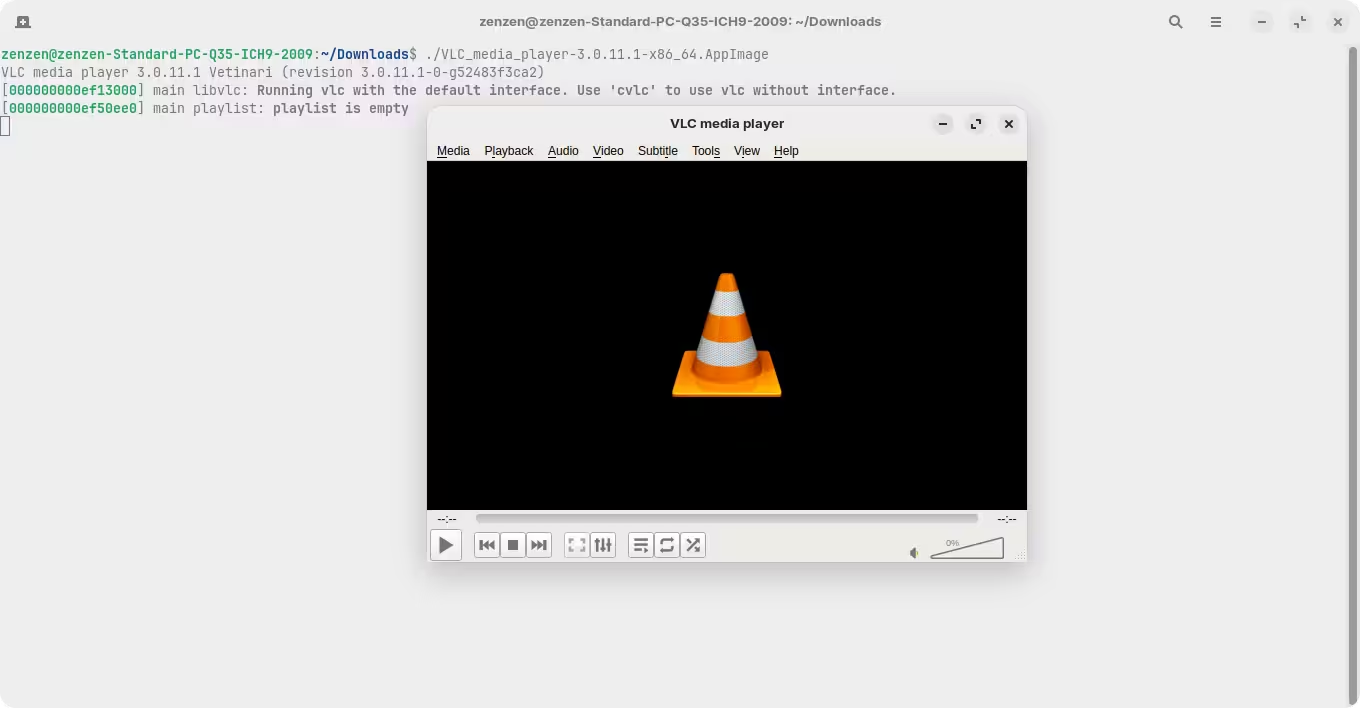
Note: I downloaded this AppImage from the first result I found just to test this quickly, so keep in mind this VLC AppImage is from an unofficial source.
3 Likes
So, for the updates to work properly after uninstalling Brave, you have to run this: sudo rm /etc/apt/sources.list.d/brave-browser-*.list
This then prevents it from being easily reinstalled.
This is really not practical to manage, this browser! 
That is not uninstalling. That Command removes the Brave Sources Files - which is the Reason why You can't install it normal. You can do that, but only when You don't want to install Brave again because then, You don't need the source. So, it is when You want entirely get rid of Brave.
If You only want uninstall Brave without affecting the Source File, you only have to type sudo apt purge brave brave-keyrings
So, now You have to add the Source again like described in the Link that I posted.
To be fair, this isn't really a problem with the browser, but with how it's managed in Linux. Package management under Linux is a bit of a mess at the moment, because different organizations have different package formats that are competing with each other. As a result, there are a number of ways to install the same piece of software, which essentially means handling different files stored at different locations.
So, what's up with Brave? This browser is not in the default repositories from Zorin OS nor Ubuntu. You can add this repository yourself (Zorin OS sets this up out of the box) but doing so means that the software store will not delete it. That's what your command does, and is needed to avoid any more warnings.
This is only made worse by the fact that the software store only shows a generic "something went wrong" message when it can't find the Brave package once it has been uninstalled, instead of offering some details about what the issue is.
My personal take on this is that the software store should offer to clean up additional files and directories. But I have the feeling this won't happen any time soon, as neither Ubuntu nor Gnome have an incentive to doing so (each pushing for their own package format). Zorin OS and other distributions deriving from Ubuntu, and using the Gnome shell, are caught up in this battle.
2 Likes
You're sure this will be done? And was the case for Zorin 17? Interesting ...
Yes. You're right about this not being a Zorin thing. I understand. I actually did try adding Mozilla's PPA, too, and still got the Firefox Snap (even after I disabled Snap). I did not like that at all. @zenzen said this issue should be fixed in the final release (as it was done for Zorin 17, apparently, as he said), so OK. We shall see. But just let me take a moment and proclaim that Snaps are the devil's handiwork. Don't like them.
2 Likes
You mean Mozilla's own Thing, yes? Did You have added the higher Priority, too? Because this is neccessary to give it a higher Priority than the Snap Version. It is Step 5 in the Mozilla Instructions.
Please double check that. Did you follow the instructions from the guide correctly? Were there any errors?
Firefox used to be the default browser in Zorin OS, but it was replaced with Brave. Mozilla's repositories were left in place for those who still preferred to use it, but it's possible that this new version won't include them anymore (since it's just not the default). So, nothing is certain, but I would be surprised because this kind of shady tactics Ubuntu is pulling off to install Snap packages.
Worth - is it good as Ubuntu/Debian ? no need to be stable as them, as I like to have my system up to date with customizations, new kernel etc but Z18 looks so beatiful and with those tiling options I have a feel like I am using WM and KDE in one
1 Like
I just added the single command. I didn't read the instructions. Still ...
Well, I hope Zorin adds in the PPA as a courtesy (?) to users who don't like Brave.
1 Like