I don't have any idea what has happened. I had to leave my system up and running for a couple of days without use due to circumstances. I came in this morning and turned on monitors. Screens came up right where I had left off. Keyboard and mouse both wired had no response what so ever. Unplugged and replugged. Still no response. Was forced to do a a hard reboot which I really hate doing.
When system came back up I had this ugly screen with only a graphic saying oops something went wrong. Click Logout to retry.
I did this several times. Unable to boot into any ability to diagnose. Tried booting into boot menu but even that didn't work. I was forced to reinstall Zorin. very frustrated. I have no idea what went wrong since I couldn't get into log files or anything.
Any idea of how to recover from something like this in the future without the drastic reinstall option?
I just made sure I installed TimeShift right after reinstall. Should have done this before. That was MY stupidity. Oh well. I think TimeShift should be part of the preinstalled packages with some highlighted docs on how to use. Especially for new users.
I prefer to do it that way. And in 17 it wasn't the then current version. Don't know about 18. Additionally it means you are sure to get any new updates from the repo.
Start Zorin from an USB Stick and choose the Option ''try Zorin''. Then You are in Live Mode. Open the File Manager and navigate to Your Drive and copy the Files.
Because of Your initial Issue. Did You made the Upgrade to Zorin 18?
I started with Zorin 18. If it happens again, I'll do my best to capture the logs and send them to support. As far as recovery, I immediately TimeShift this time around after install. This was my mistake for not doing so the first time around. I was just enjoying getting things set up. Duh. I should know better. LOL.
I get the "oh no" error and crash about 80% of the time I wake the computer from screen blank. (side note: I do wish there were settings beyond 15 mins.) I installed fresh with 18, not an upgrade from 17 to 18.
I had the same problem. I don't know if you have the same problem i had but worth a try...
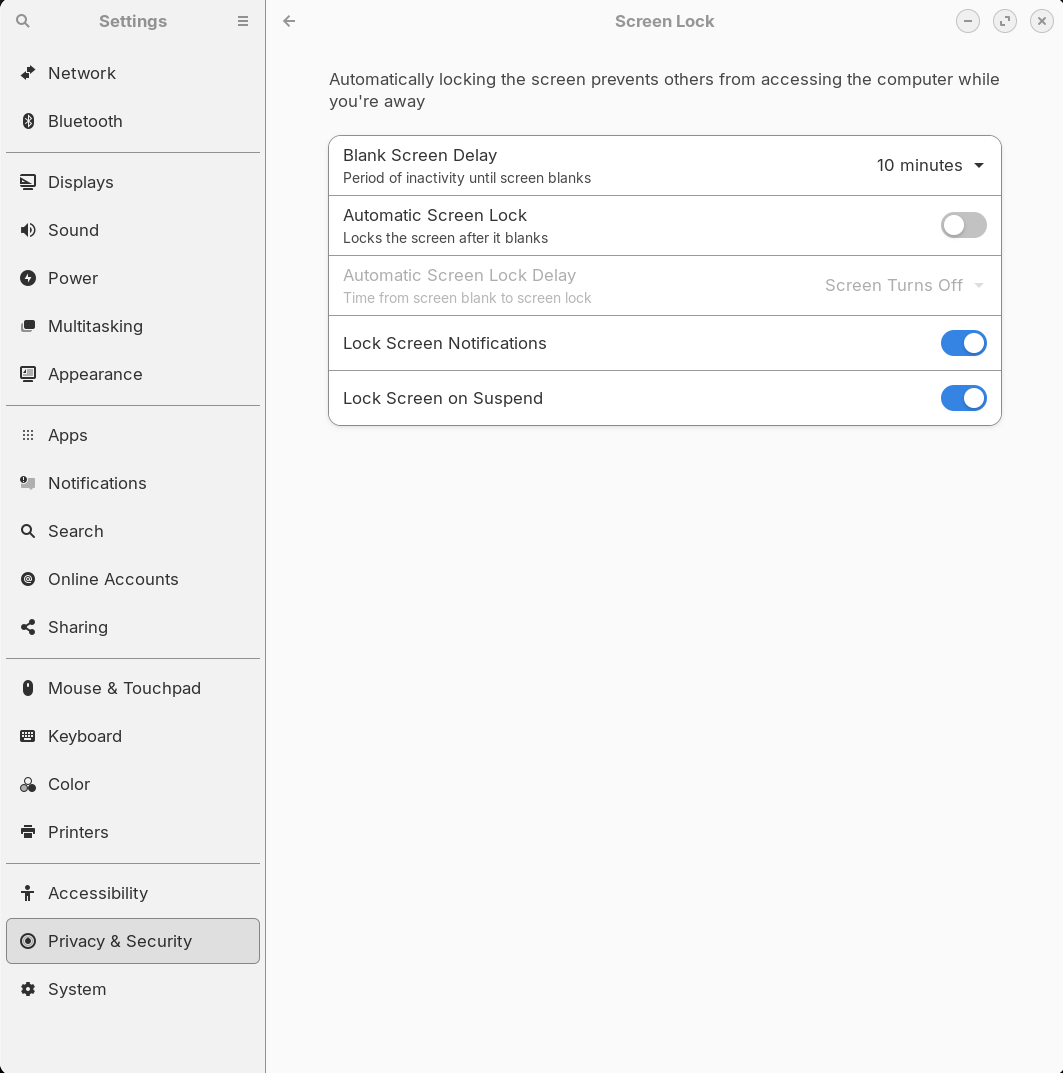
When Zorin blanks the screen does it also do a Screen Lock (do you have to enter your password to get back in?). If so try to disable screen lock and set Blank Screen Delay to whatever you want. This is assuming you can leave your computer unlocked. If I don't want to leave my computer unlocked for whatever reason I just log out. Mine is my home system so I don't really need to lock it.
I got this idea from another user here. I have had no problems since I disabled Automatic Screen Lock. Not a perfect solution but it seems to work for now.
I actually had these settings. I had left the machine alone for 3 days. Not sure what happened. But, as I said earlier, this time around I setup TimeShift first thing. I noticed that TS is preinstalled with PRO. Also, noted that I can grab the logs with booting from installer and selecting TRY instead of INSTALL. This will allow you to drop to a shell to grab the log files for support to look at.
Linux doesn't suspend/hibernate properly, but I have a solution. First, turn off/disable your suspend power save features in Zorin OS. Also make sure your running in full performance under power as well. Now instead, lets go back to the 1990's, so we may enjoy our computers again, with XScreenSavers, tutorial bellow......