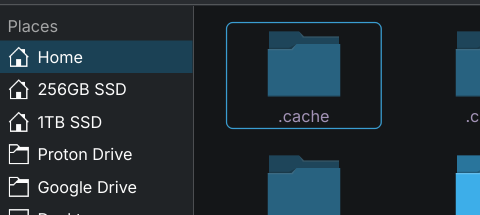
I am continuing to cut ties with everything Microsoft and my next project is to migrate everything that I have in One Drive to Proton Drive. My goal is eventual subscription cancellation with MS.
The scenario I'll be running under is accessing files from different devices and getting a synched version of any file available.
I found this in searching the interweb: There is currently no official desktop client for ProtonDrive on Linux, but several unofficial solutions exist to enable desktop functionality. The most prominent is an unofficial Linux GUI client developed by DonnieDice, which provides a modern interface matching Proton's design, supports bi-directional sync, file browsing, and mounting ProtonDrive as a local filesystem using rclone as a backend. This client is available through various package managers like AUR (yay or paru), Flatpak, AppImage, PPA for Ubuntu/Debian, and COPR for Fedora.
Alternatively, users can leverage rclone directly to sync or mount ProtonDrive. This involves setting up a remote configuration via rclone, creating a local directory (e.g., ~/ProtonDrive ), and using commands like rclone sync to synchronize files or rclone mount to access the cloud storage as a local drive. For automation, systemd timers or cron jobs can be used to run sync commands periodically. While rclone is functional, some users report instability and performance issues with certain GUI wrappers like S3drive or Celeste, which are built on rclone but have limitations such as crashes with large folders or lack of certain features.
Proton has acknowledged the demand for a Linux client but has not provided a timeline for its development, citing difficulties in hiring Linux desktop developers. However, the recent preview of the Proton Drive SDK, which includes C# bindings for major platforms and a JavaScript interface for web apps, may lay the groundwork for future Linux support, as it contains the foundational components needed to build such a client. Until official support arrives, the community-driven solutions remain the primary options for Linux users.
Does anyone have any advice to offer on whether the "unofficial Linux GUI client developed by DonnieDice" is a viable option for the scenario I described?
Unless I am missing something, the web client allows me to open and look at files, but only edit in their tools like Docs. cannot edit these files without a download and then later upload if I want to use the Libre suite of software
Looking at the issues documented on the issues page for this software, it looks like this is a unicorn i.e. a lot of people would like it but it doesn't exist/work
Is using Proton a must? I also looked into it when I was switching from OneDrive, but due to it not having Linux support I decided to look elsewhere. I use Filen to encrypt and sync my files across devices, it has Linux and Windows support if that's something you need. Let me know if you'd like to try it out so I can share a link with you, if I remember correctly that will give both of us 10 GB of additional free space💫
If you're open to alternatives, I have used both Mega and Proton and my preference is Mega. A much more seamless syncing experience across all my Linux, iOS and Android devices in my opinion.
I am quite heavily invested in Proton so very reluctant to move away from it at present. I am hoping that they come up with an official solution soon or DonnieDice gets their act together
I am hoping Proton com.e up with a solution soon. I can wait a little longer. It looked simple enough when I read what was written about the DonnieDice solution but clearly that does not match up to its AI generated summary
I tried, but it did not work at all (zorin 18). After that, I tried Celeste. This was working but not quite well. From time to time, but not consistently. So now I will look at rclone.
Good luck with rclone. I spent hours trying to configure it, trying every combination suggested on the config page, and it just kept throwing up "does not exist" messages. Why after all this time does it not offer a Proton Drive option? Surely PD is popular enough nowadays, especially with the sort of users who would be trying rclone?
Edit: example setup:
Enter name for new remote.
name> Proton
Option Storage.
Type of storage to configure.
Choose a number from below, or type in your own value.
Storage> 47
No choices with this number.
And so the frustration goes on...
Edit: I spent another hour putting in every possible numeric and https combination I could think of with no success. Every time I got "non-existent backend". If any kind soul could please tell me what value rclone/rsync is looking for to work with Proton Drive I'd be very grateful.
I had issues setting up Proton Drive.. I asked Gemini, and it gave me the full rundown, and now Proton works seamlessly on my Zorin 18. Very impressed.
Murena uses Nextcloud so you should be able to create a WebApp link for it by tweaking NextCloud settings to point to murena my preferred Cloud Storage provider.
Another solution for cloud storage is Dropbox, it is not linked to Microsoft, I've used it to share files between Zorin and Win10 and it works well (instructions here for installing + little trick to actually see the contextual menu is do a screen lock + unlock, don't ask me why ).
Unlike web apps it actually stores files locally as well as on the cloud.
That being said I also hope Proton Drive works!
Thanks, guys, but I have a paid subscription to Proton and that's the one I want to use. It ticks all the boxes apart from the inexplicable lack of a Linux sync app.
@ozidog: Can you please tell me how you managed to make Proton Drive work? I'm waiting for an answer from Proton Support, but if you already know then why not share the info for everyone's benefit?
Edit: I've done a great deal of research on this topic, and my conclusion both from the research and from your silence leads me to believe that you are being disingenuous - I'll phrase it no more strongly than that.
Proton Drive does not have any form of working sync software available in Linux, though the Proton developers have it on their radar, according to Proton Support. With the death of privacy in Windows, and the resulting growth in uptake of Linux, perhaps the developers will put a bit more emphasis on providing a proper sync all for us.
I did. It suggested using rclone by selecting the Proton Drive option, which doesn't exist (rclone devs have officially dropped Proton Drive support) or Celestia, a star mapping app (not Celeste sync, which also doesn't work for me). Why are you reluctant to tell us all the secret of your success?

 ).
).