Yeah, as mentioned above, this is a Gnome issue as they've moved on to a new utility that for some reason is not easily available even through a terminal command. However, you can use keyboard shortcuts and even customize them. Go to Settings -> Keyboard -> View And Customize Shortcuts -> Screenshots.
As for the search results, try to adjust your query a bit. Adding a single letter seems to work fine:

You can get a shortcut on the taskbar by installing the previous screenshot utility and pin in there. The looks are not as slick but the functionality is nearly the same: it doesn't have screen record functionality, but you can delay screenshots as needed (useful for taking screenshots of dropdown menus):
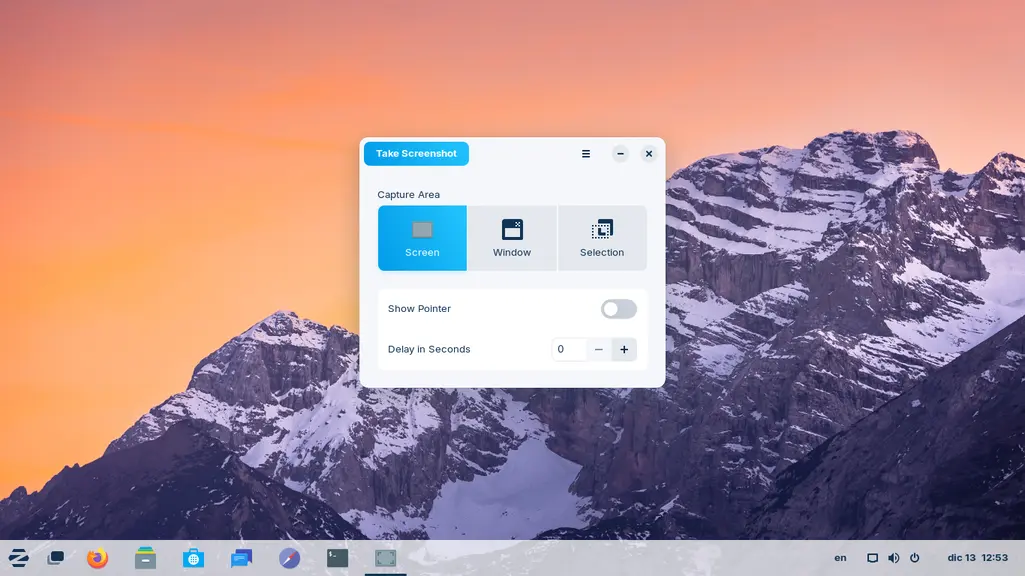
It's called gnome-terminalgnome-screenshot you can use this both on the command line or it will also find it in Software Store with that same name.