"cpufreq", "Lock Keys", "Control Blur Effect On Lock Screen" and "Workspace Switcher Manager" installed and worked fine for me
1 Like
That is exciting news. Now, I'm curious about how Debian handle(d) the Firefox .deb issue. I can't remember how they shipped their Firefox when I was testing the latest Debian.
Being able to set the package source priority is really cool.
1 Like
Debian provides Firefox ESR from their own repositories. For the latest version, I installed it manually following the instructions from Mozilla. If what the Zorin devs say about that PPA is true, I'd much rather go this route as it's quite straight forward:
It's really nice to be able to specify the source priority on the Software Store, and it looks like it's offering .deb packages by default already which is great.
2 Likes
Installed this on a dual boot system with win11 and Pop OS making it a triple boot system and it worked well and updated the boot menu with no issues. The only real issue has been Firefox is just slow bringing up any site. Also authenticating to a NAS server is very slow, but once authenticated it works properly. The Firefox issue is very frustrating. Steam games seem to run as usual.
Generally, Zorin 17 is fine. However, I have a few nitpicks, and I'd like to share them.
First, selecting an image should show you the images.
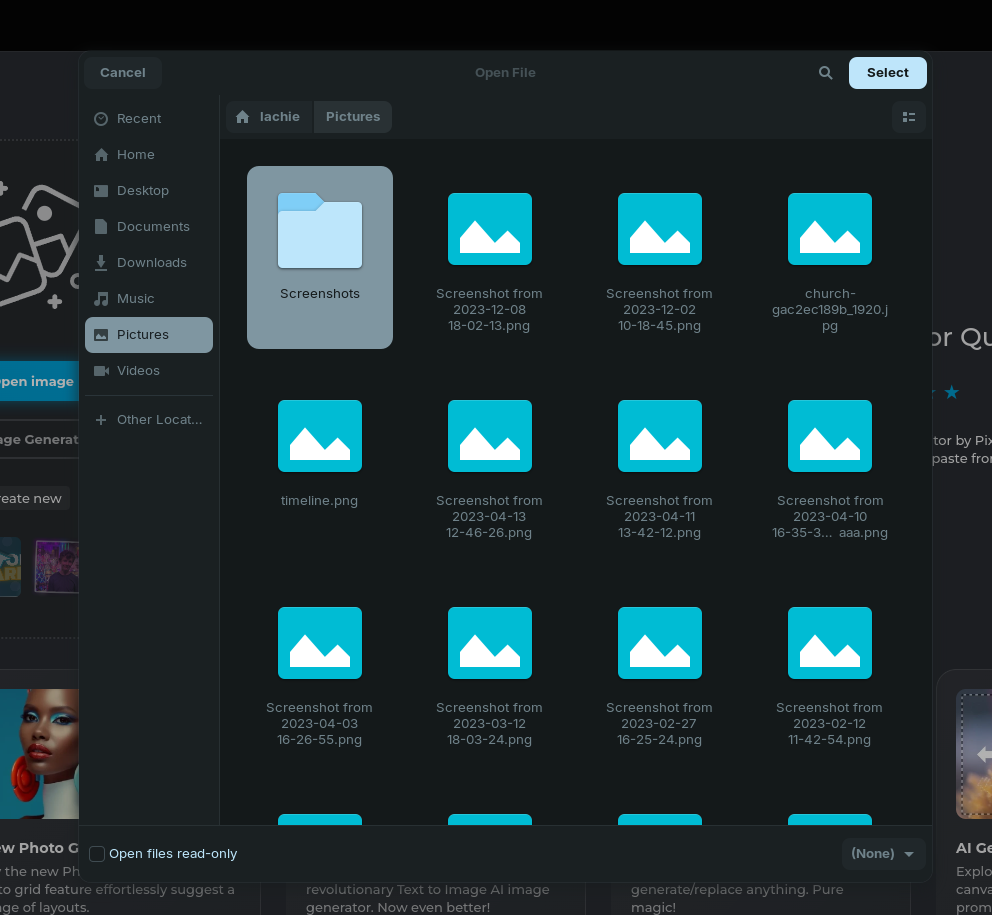
The new screenshot UI is extremely slick, however I'd like a shortcut and/or something on the taskbar to activate it, like v16. It doesn't help that searching for "screen" shows Screen Lock first.
It doesn't look like I can change the folder color anymore, and clicking "star" doesn't do anything visually.
The file explorer loads image/video previews one-by-one, causing noticeable slowness when presumably they could just run all at the same time.
I'll update this topic if I find anything else. Apart from that, though, very nice.
A shortcut to screenshots would be either the print key or the screenshot button in the quick settings menu on the right side of the taskbar. Unfortunately, there is no way to add it directly to the taskbar as an application, if that is what you're asking. I'd like that, too, honestly, but I think that is a Gnome issue. Maybe they can find a way around it at some point, if you send feedback.
By folder color, do you mean the theme? You can change the theme from the appearance app, just as in 16. The folder color should change then.
2 Likes
Pressing the PrintScreen key on the keyboard brings up the new screenshot UI
Edit: oops, this has beens suggested before. Should have checked if there were more replies before replying myself.
Yeah, as mentioned above, this is a Gnome issue as they've moved on to a new utility that for some reason is not easily available even through a terminal command. However, you can use keyboard shortcuts and even customize them. Go to Settings -> Keyboard -> View And Customize Shortcuts -> Screenshots.
As for the search results, try to adjust your query a bit. Adding a single letter seems to work fine:

You can get a shortcut on the taskbar by installing the previous screenshot utility and pin in there. The looks are not as slick but the functionality is nearly the same: it doesn't have screen record functionality, but you can delay screenshots as needed (useful for taking screenshots of dropdown menus):
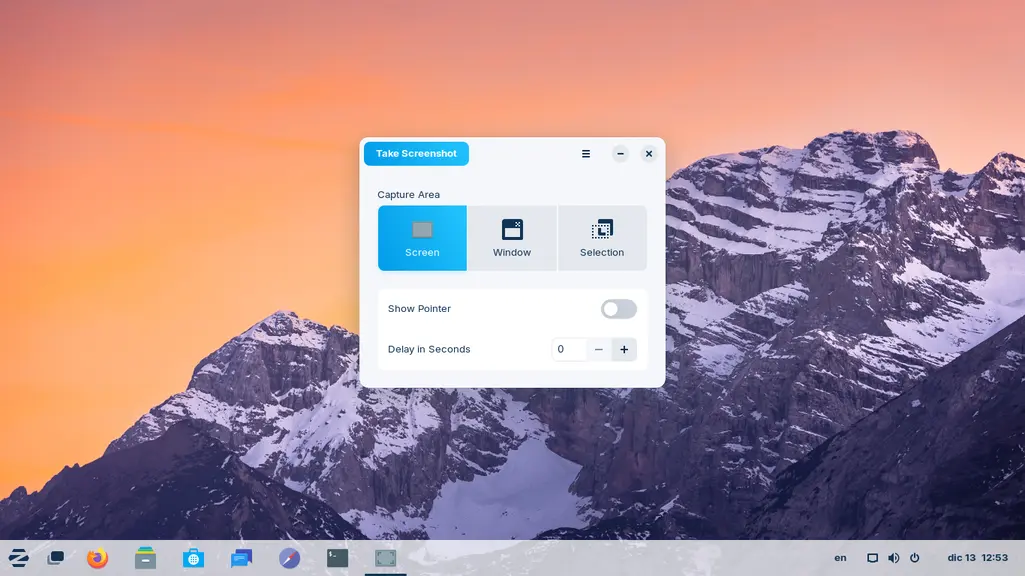
It's called gnome-terminalgnome-screenshot you can use this both on the command line or it will also find it in Software Store with that same name.
Did you mean gnome-screenshot here?
Yes, that's exactly what I meant  Thanks!
1 Like
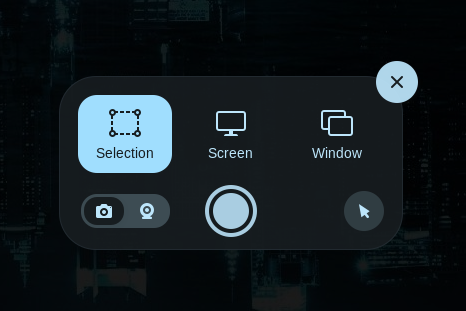
I believe that the new screenshot tool is not an separate application, but an integral part of gnome-shell.
Notice that it lacks a time delay feature. That's not good. It does have a "record screen" option, however.
Shift-PrintScreen will take an instant full screen snapshot without the little dialog.
12 posts were merged into an existing topic: Workflows and the Debate of Gnome DE
(Some of) the promised background wallpapers came per update. Although they are pretty nice, I'd like it, if they added some of the wallpapers that come with default Gnome. I like abstract wallpapers better as backgrounds rather than real photographs.
You can install the gnome-backgrounds package to get them. They will be found in:
/usr/share/backgrounds/gnome
3 Likes
Well I have been using Z17 Beta since the second day it came out. So far everything I have tried has worked perfectly. The Software store still seems pretty slow but once it loads everything works just fine. And everything I have looked for so far I have found in the Software store.
I am really surprised at how fast Z17 shuts down. After clicking on shut down it has already shut down by the time I can reach for the off switch on my power strip. It's like only a couple of seconds until it is shut down.
I have found one glitch so for. I can pin any program I want to the dock/panel except one game. For some reason the game Shisen-Sho does not give me the option to pin it to the dock/panel. I think that is kind of weird. Other games can be pinned just fine.
Over all I am very pleased with the new Z17. It may become my new daily driver. Great job by the Zorin brothers!
can anyone share the default wallpapers of zorin os 17 beta?
I just got an email saying it would be released the 20th of December. That's next Wednesday. So not much longer.
This OS is very beautiful, and runs on top of Ubuntu LTS which ensures best stability, can´t wait for 20th December, for final build.
2 Likes
I did contact the Devs about the fact there is no delay option and they assured me they will eventually look into adding a timer as this was an essential element for me when producing manuals and the need to capture menus. In the meantime they advise using Shutter or Spectacle. I used Shutter in producing screenshots for the unofficial manual for Zorin 17 Beta.
Only issue I have had was with taking a look at fractional scaling to test what like for Accessibility. As I have stated elsewhere my preferred Office Software is SoftMaker Office Professional (2024). When I increased to 125% Text Maker Office shrank its interface making it barely readable. When I reverted to 100% the application document interface reverted to normal size but when editing layout of images or line spacing the Windows that launched were much bigger, but I should point out 17 was installed on what has become a failing drive!