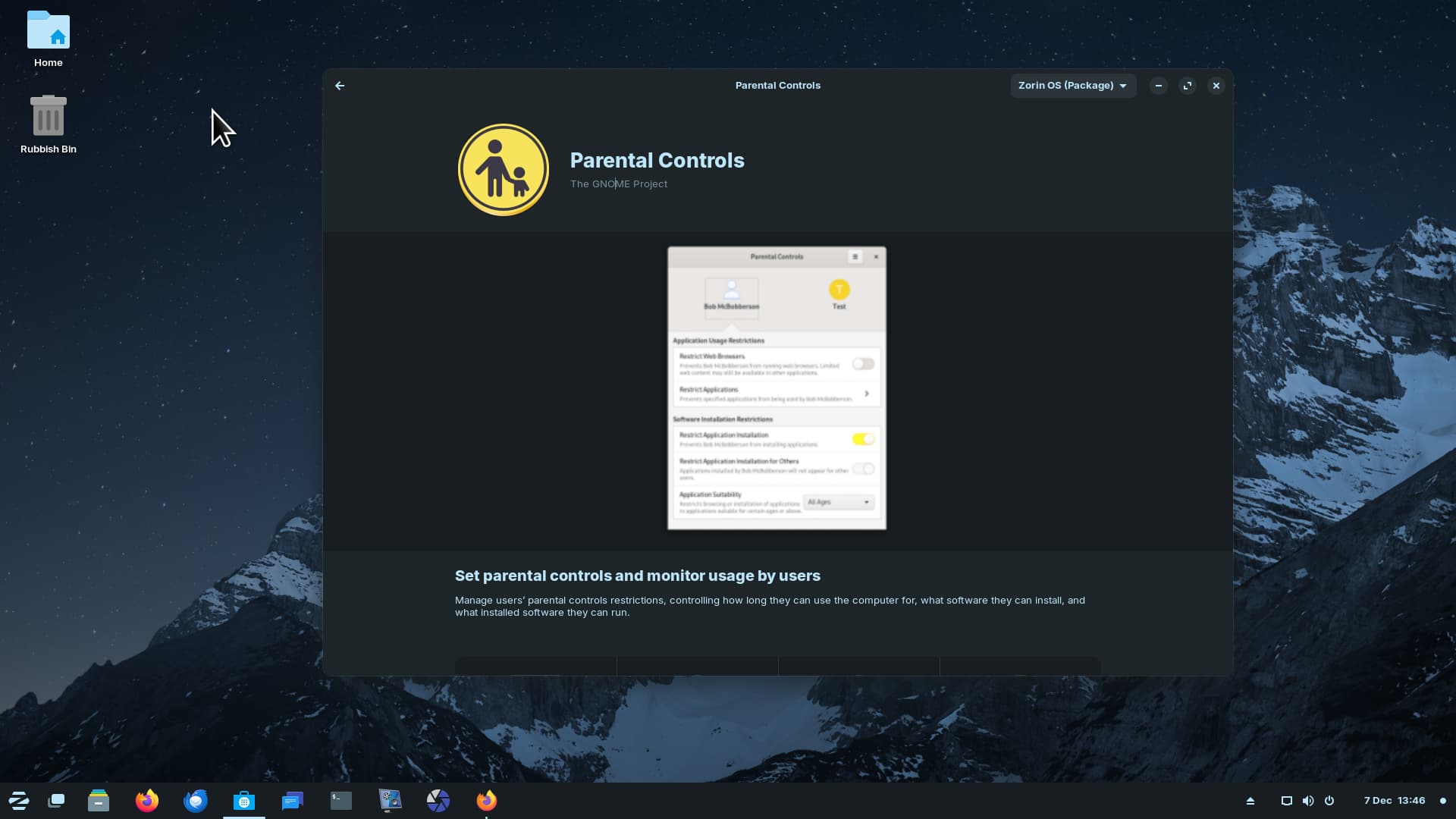
OK, could have sworn Parental Controls was present in live mode and installed mode until previous drive went down. And I don't get the additional 4 items with Settings in the Menu as in this review:
Parental Controls not showing in Menu but if I start typing 'Parent ...' It takes me to the App Store page saying it is installed and Zorin software but nothing runs:
That is because Parental Controls in of itself isn't an app that you're supposed to open, but rather an extra component for the system settings. Check the Zorin 17 Beta announcement on more information.
I don't see anyone else mentioning this, so it must be just me: The spatial window window switcher is not working for me. Nothing happens when I hit Alt+Tab or Win+Tab. On day one, Alt-Tab was actually switching apps, but without any animation or feedback. Now even that isn't happening.
This is a regular on-board Intel GPU with an i7-3770. The Settings -> About screen says "Mesa Intel® HD Graphics 4000 (IVB GT2)"
Update:
This happens when "Spatial Window Switcher" is turned on - there is no animation and sometimes the window doesn't switch, but it is switching at the moment, although without the preview window. When turned off, the normal switcher behavior is restored.
"Desktop Cube" does appear to be working. When I hit Win, it goes into that "exposé" mode, showing me all windows in the current workspace and I can use the mouse to move the cube around. Jelly mode is working fine too and it has worked since 16.
Another minor issue is that when the desktop cube or spatial window switcher settings are toggled, sometimes the "Active Screen Edges" setting gets turned off, but "Hot Corner" remains unchanged.
Will zorin 17 final build have minimal and normal installation? I would like to have my libre office installed throguht ppa which has faster updates then on internal distro.
I don't agree zorin 16 pro had that option, pro has more themes and a full package , you had an option to install zorin 16 pro without the overwhelming apps, for people who wanted more control to install base to base apps
my system on my old Dell - still takes 2 min to load, but hd will be upgraded to ssd 2 tet in another month, as with the other old but younger dell running Garuda - a back up - lol
the "minimal" install in Zorin Pro was NOT more minimal than core. Infact, that made the install identical to core except having more layouts. It basically just skips installing the extra pro software.
I just installed it on a virtual machine on a computer with an external monitor (1920x1080) and noticed that it suddenly becomes kinda fuzzy: the text, the icons... things are still readable of course but uncomfortable to use. At lower resolutions things work fine, experienced this? I tried toggling fractional scaling on/off but it made no difference.
I am using a virtual machine with an external monitor too at both 1920X1080 and 1920X1200. So far I have not experienced fuzziness. So it isn't universally affecting everyone at least.
I have to agree with one of the comments under the video. It bugs me a little how non existent the credit is they give to projects where changes or improvements come from. Much of the improved hardware support comes from the new Linux kernel, but they don't announce that, they don't even say that their OS is Linux. The main part of the new desktop experience comes from being on a new Gnome version, but they don't announce that. They make it sound like all of the changes come from them, which is not true at all.
The one thing that stood out to me when I watched this video earlier today was just how much behind the scenes work that had to be done in order for this beta release to happen. Which fully explains, and justifies, the longer delay in the beta release as compared to the 16 beta release (18 months vs 12). Wonder if they have had time to get haircuts or shave. Probably fury critters by now.
I'm digging 17 in live usb. Can't wait to use the upgrader when it's released.
I can understand that... but all it took me to get a native firefox was just adding mozilla's repository and
sudo apt install firefox-esr
I believe I would have been able to get the normal firefox instead of the long term support one if I took the time to do some tweaking so mozilla's repo gets a higher priority than ubuntu's so I won't get the snap when trying to get the normal one, but my point is that ubuntu providing a snap firefox doesn't explain why zorin provides the flatpak
That also happened to me aswell with an AMD-A8 with integrated Radeon R5 graphics, no visual reaction when that feature is enabled but normal behaviour when it is disabled, but both doing the switching function fine
Didn't have enough time to record the problem to send it through the bug reporting tool in the task bar, but when I have access to the laptop where I installed Z17 in a few days, I will send it