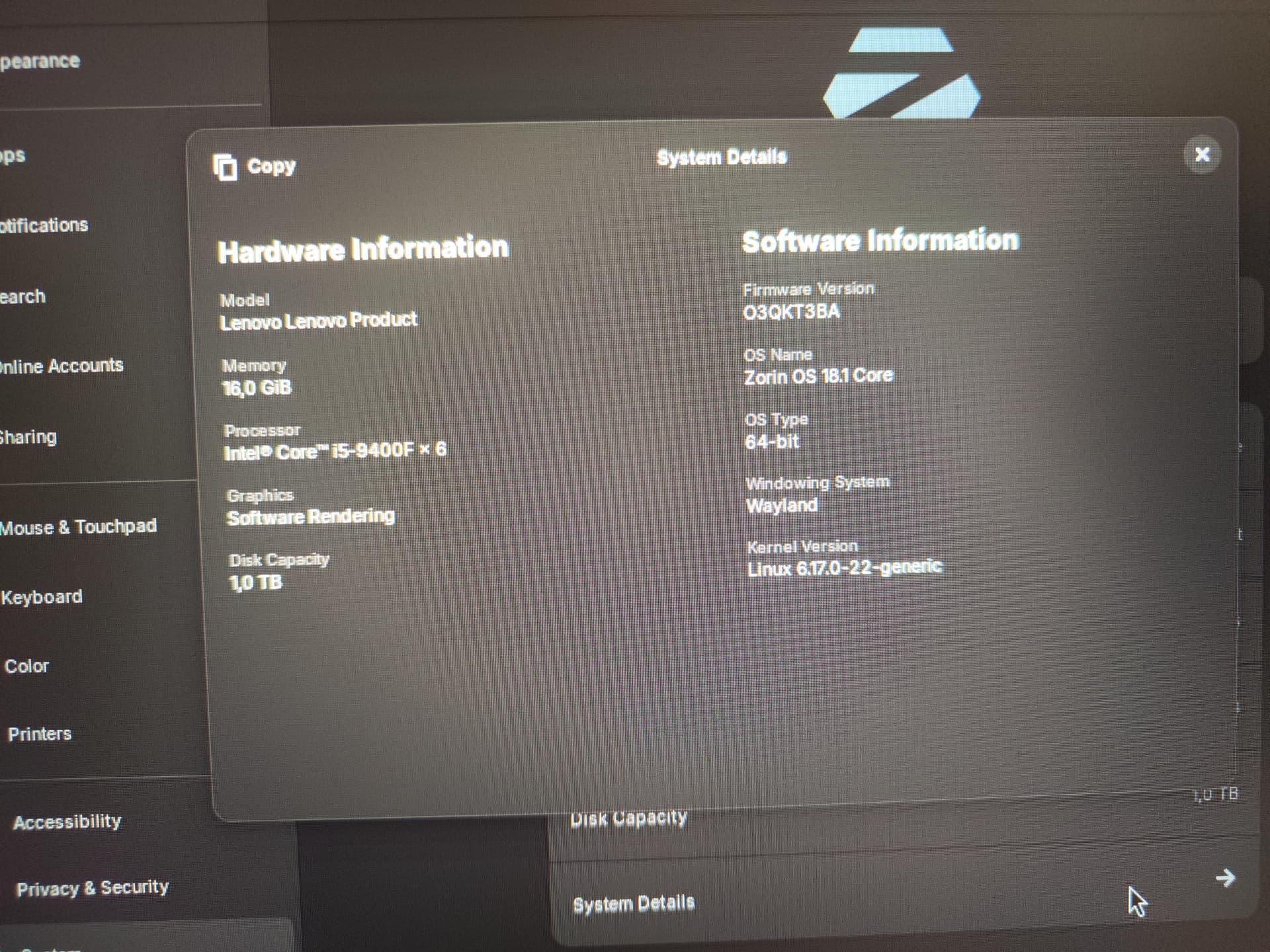
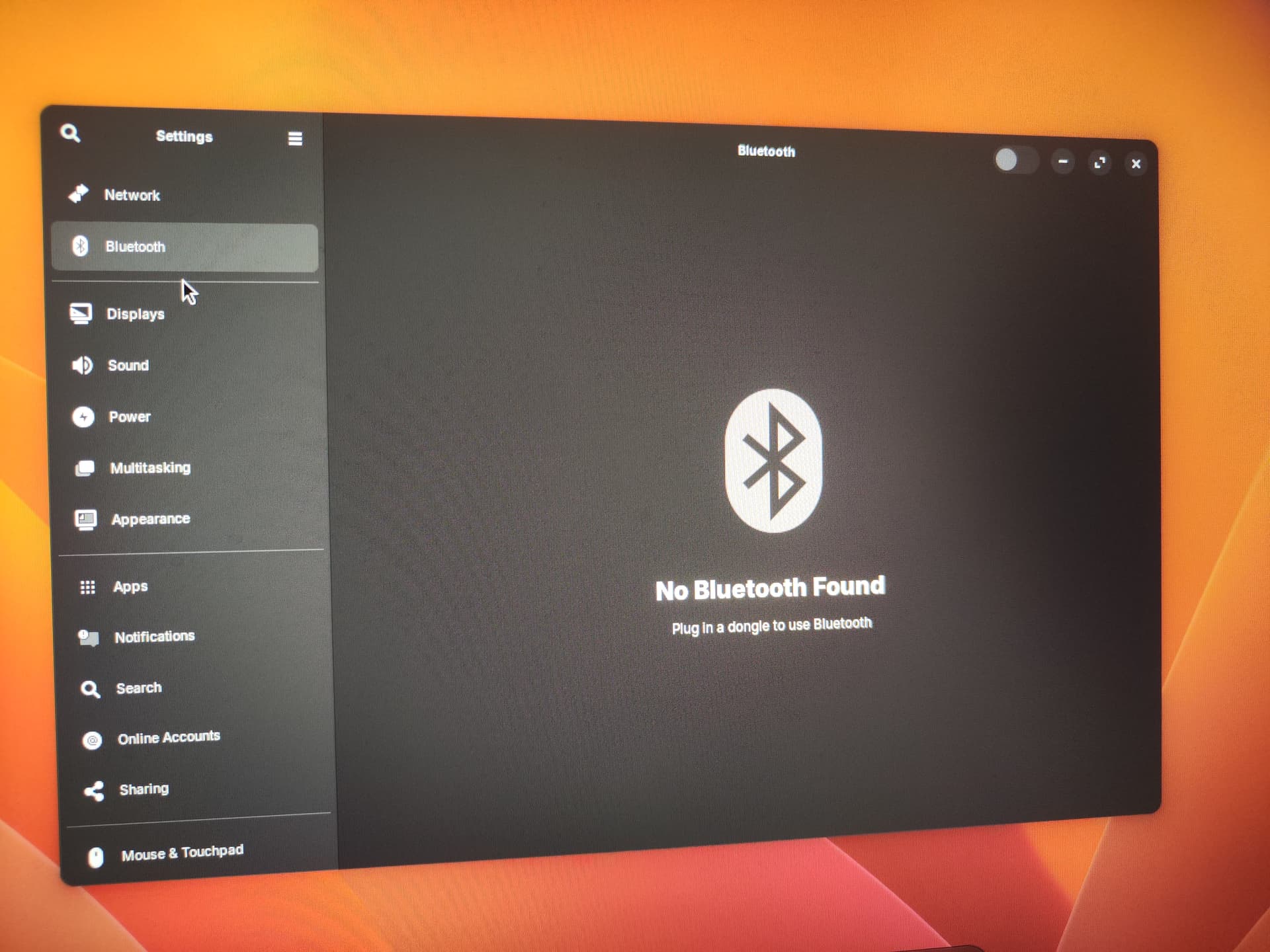
Hi, a few days ago, I updated my PC to Zorin OS 18.1, and today I booted my PC, and I noticed that my GPU, Bluetooth, and Wi-Fi drivers are not working, what should I do? (GTX 1660 TI + i5-9400F)

1 Like
From your bootup Grub Menu - can you select Advanced Options for Zorin and then arrow key down to the Previous Kernel to select it, hit enter to boot on that kernel.
This is to test if the newer Upgraded kernel is not seeing your Radio Modules.
If your Grub Menu does not show on boot, furiously tap tab or esc at the motherboard splash screen to tell the computer to show you the thing.
2 Likes
I seem to have the same issue. Rebooting on 18.1 has lost network and Bluetooth completely. At first I thought it's WiFi but even attaching to my router via a network cable doesn't give me networking.
Booting up from the installation usb drive brings networking back immediately so it's an update in 18.1 that's caused the problem.
But how to fix the issue on my hard drive installation?
I get into grub by pressing Esc but then what?
Please follow the steps above:
2 Likes
@pufferbluh and @Roy:
Welcome to the Forum!
Beside trying an older Kernel like @Aravisian suggested: Are Secure Boot and Fast Boot in BIOS disabled? Did You checked the ''Additional Drivers'' Tab in Software & Updates if there is a Driver offered? Could You post the Output of the Commands rfkill list and sudo lshw -C network please?
@pufferbluh: Because of Your Graphics: What Driver Version do You use? I see Your System runs in Wayland. Try it with switching to X1or. To do that, go to the Login Screen. Click on Your Profile so that the Password Field appears. When it is appeared, You should see a Gear Icon in the bottom right Corner. Click on it and choose the Option ''Zorin Desktop on Xorg'' and then log in.
1 Like
Thanks, that helped, but I have to point off that on modern systems sometimes you need to hold Shift instead of pressing tab or esc, thanks anyway 
Holding the Left Shift Key instead means you are using MBR, not EFI. 
Hi, I haven tried those solutions because I already followed Aravisian's guide, but I still have to say thank you, because for someone this may be a fix, and this can really help, thanks for making Linux community better
1 Like
Oh, thanks for noting 
Hey @pufferbluh,
I got same issue with Ryzen 5600 and RTX 3070. Everything was working fine yestarday but got the same issue today.
I suspect this is happening because something was missed during the kernel update. So how we fix it?
Step 1: Getting into a Working State
We need to boot into the older kernel that was working before the update.
-
Reboot your PC.
-
Immediately tap ESC (or Shift on some systems) to show the GRUB menu.
-
Select "Advanced options for Zorin". (or Ubuntu)
-
Select the second kernel in the list (the one without "recovery mode").
Your system should now boot normally with your Wi-Fi / Bluetooth, GPU drivers and etc. working. (Nvidia GPU drivers may not work but I'll explain the fix for that too)
Now we have two option; (I prefer Option 2)
Option 1: We can stuck with this kernel and make it default (or lock it so system won't upgrade by itself again)
That way you don't risk this happening again, you can stay on your current, working kernel.
- Remove the broken kernel: (Replace
[BROKEN-VERSION]with the version number of the top kernel from your GRUB menu, like for me, I was using6.17.0-29perfectly fine but it updated to6.17.0-35and this one is not working properly). So I'll removelinux-image-6.17.0-35-generic.
sudo apt purge linux-image-[BROKEN-VERSION]-generic linux-headers-[BROKEN-VERSION]-generic linux-modules-[BROKEN-VERSION]-generic linux-modules-extra-[BROKEN-VERSION]-generic
- Update Grub: This will remove old kernel entries and fix default kernel so you won't have to open grub every time.
sudo update-grub
- Lock the version: This will lock the current kernel so system won't update later.
(If you change your mind later, just useunholdinstead.)
sudo apt-mark hold linux-image-generic linux-headers-generic
Option 2: Fix It and Upgrade (recommended)
If you want to use the latest kernel and fix the root cause of the issue, follow these steps.
-
Do the Step 1 and Step 2 in Option 1 if you didn't do already. (Remove broken kernel && grub update)
(Also if you lock kernel updates "unhold" it.) -
Install latest recommended kernel for OS:
This command ensures you are on the modern HWE (Hardware Enablement) track and installs proper kernel for that.
sudo apt update && sudo apt install --install-recommends linux-generic-hwe-24.04
linux-generic-hwe-24.04 is for Ubuntu 24.04 (Zorin 18 is based on Ubuntu 24.04)
- Update Grub and Reboot
sudo update-grub
Nvidia Driver: If your Nvidia driver not working properly like resolution and hz not correct and can't change it.
sudo apt purge "*nvidia*"
sudo apt autoremove && sudo apt clean
Then restart your PC and after that open Software and Updates Settings app, go to Additional Drivers tab.
Choose the driver you want, install and restart.
Bonus Fix: Flatpak Apps Won't Open?
If your system is fixed but some of your Flatpak apps refuse to open and crash silently, it means their "sandbox" is still trying to connect to the old, broken NVIDIA drivers you just removed.
To fix this synchronization issue, open your terminal and run:
- Update Flatpak runtimes:
flatpak update
- Remove broken/unused graphical bridges:
flatpak uninstall --unused
(Note: The terminal will list a bunch of packages like org.freedesktop.Platform.GL.nvidia... and some old GTK themes. It might look scary, but it is safe to type "y" and press Enter. It is NOT deleting your apps or your system themes; it is simply deleting the broken bridges).
Once the cleanup is done, your Flatpak apps will open instantly without any issues. Might need restart after these steps.
I hope these will help others too
When you post something from IA you need to advise Users, read rules
@Nourpon If you're reffering me, since when using proper markdown becomes "AI"?
I'm software developer so I use markdowns a lot in docs, plus I spent my entire life using forum websites, creating posts, I even own a forum for 2 years in 2015.
So answering with proper styling is a default for me.
Never mind, I know how AI sentences are made, but if you owned a forum, you know how to create a topic and don't answer in a closed topic...
If you check my profile, you'll see that I literally just registered on this forum.
Like I already said, I had this issue myself, found a proper fix, then came across this thread while searching and decided to post it because the answer marked as the solution is incomplete.
The topic isn't closed, it's just marked as solved. And the "solution" that's currently marked is only a workaround, not an actual fix. The steps I posted are meant to solve the problem properly.
Even the reply section says:
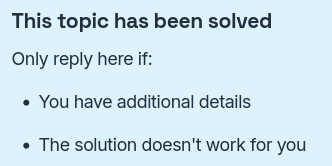
And my reply has that "additional details".
Also, your attitude is incredibly childish. What do you want, a web archive link? lol.
And even if people use AI while writing the reply to write it with proper English, what exactly would be the problem with that? You seem so focused on gatekeeping AI usage that you forgot to look at whether the information itself is actually useful.
Plus, please be my guest to find and point out any wrong info in my reply 
If this kind of attitude is ok on this forum, then I'll just see myself out. Let this be my first and last contribution here.
Take care 
The internet is a plethora of attitudes and they cannot all be regulated.
The Zorin Forum adheres to the Guidelines; yet, we cannot and will not micromanage users posts. If a member is repeatedly abrasive or confrontational, we may pull them aside in a PM and try to resolve the issue.
Aside from that, it really is up to the interacting users to apply best judgment in what arguments are worth their time.
We all know that differing thoughts encountered on the internet can be frustrating. It helps to sometimes look away from the screen and reevaluate our values.
Your contributions are welcome and I hope that they help others, as well.
I must point out that the HWE kernel is included in Zorin OS; This suggestion may help some users but in general, is the same action as applying the older working kernel.
A proper fix would involve fixing regressions to the later kernel. And this is on the Linux Kernel team.
On the subject of A.I. usage:
It is perfectly acceptable for a forum user to utilize any tools they wish, including A.I., on their own to help refine, format or translate a post they wish to submit. Indeed, it is for this very reason that in moderator discussion, we sought to avoid Blanket Rules and Regulation about A.I.
Instead, we focus on A.I. generated output being Copy/Pasted onto the forum; often used as a Troubleshooting Suggestion - in which A.I. output often hallucinates non-existent terminal commands or suggests something risky or off-base. It is to curb wanton unvetted and unverified output, not to curb end user proper use of available tooling. Reading your post, it does not look look like unverified A.I. generated output to me.
1 Like
Thanks for the clarification and for taking the time to look into this topic
About the HWE kernel subject: yes, the HWE kernel is indeed included in Zorin OS. However, in my case, after manually removing the latest kernel version (linux-image-6.17.0-35-generic ), Software Updater and APT did not reinstall it automatically. I had to reinstall linux-generic-hwe-24.04 to get back onto the 6.17.0-35-generic kernel.
Also, to be clear, I don't think there was necessarily anything wrong with kernel 6.17.0-35 itself in my case. My suspicion is that something went wrong during the upgrade process and some components or drivers were not installed or configured correctly. Removing the kernel and reinstalling the HWE meta package effectively gave me a clean reinstallation, and that fixed the problems for me.
This makes a lot of sense to me. I think it stands as a testament to "not panic."
A fresh reinstall, of an OS, drivers, or kernel, can often work wonders at restoring function or resolving issues.
I think that you are right that taking a moment to methodically reinstall packages is the ideal first step for any user.
If that fails (and that would be a repeat failure at that point,) then proceed to look deeper.
It is quite often that we respond to thread first posts with; "Did you try reinstalling?"
1 Like
Posts that are nicely formatted may now arise suspicion that they have been copy-paste or generated using AI tools. Well they do for me anyway.
Maybe we are getting to the point when a nicely formatted post created by a real human has to be flagged "written by human not AI" 
3 Likes