
Whenever I try to use the built in default pure shell theme or a custom one, most of the time, my taskbar becomes broken with the grid icon becoming dark blue, text becoming also dark blue and always this blue gradient apears in quick acess buttons not respecting the theme. Most shell themes I tried from gnome looks look broken even Vimix isnt fully working well as shell because that blue gradient on quick acess buttons still overrides it. So is there anything we can do to fix it? Is it possible to install the default gnome shell theme alogside with the new gnome 46 icon pack? Or maybe try to patch something with css to fix it?
You can take a look at these threads:
Also, have you added any Gnome Extensions?
I manged to fix it playing with gradient everywherre I've seen this bug, it take somme time but it work, here is an example:
  .quick-toggle:checked {
    background-gradient-start: #962ac3 !important;
    background-gradient-end: #962ac3 !important;
    background-gradient-direction: horizontal;
    color: #ffffff;
    text-shadow: none; }

.quick-toggle:checked:hover {
    background-gradient-start: #c061cb !important;
    background-gradient-end: #c061cb !important;
    background-gradient-direction: horizontal;
    color: #ffffff;    }
purple here for my theme, good luck !
I will take a look at this thread and tell you later. If you scroll down a guy actually gives a solution that i need to test out
You could take a Look at the last Comment in the Thread:
1 Like
Is there any way to locate the css file of the "default pure" shell theme zorin has?
i have
andronikos@hp-15s:~$ ls /usr/share/themes/
Adwaita        DustBlue      Redmond           ZorinGreen-Dark
Adwaita-dark   Emacs         Reversal-Light    ZorinGreen-Light
adw-gtk3       eOS           Spidey            ZorinGrey-Dark
adw-gtk3-dark  Esco          Spidey-Left       ZorinGrey-Light
Atlanta        Gorilla       Splint            ZorinOrange-Dark
Clearlooks     HighContrast  Splint-Left       ZorinOrange-Light
ClearlooksRe   Industrial    ThinIce           ZorinPurple-Dark
Crux           Mist          WinMe             ZorinPurple-Light
Default        Motif         ZorinBlue-Dark    ZorinRed-Dark
Dopple         Nimbus        ZorinBlue-Light   ZorinRed-Light
Dopple-Left    Raleigh       ZorinChrome-Dark
andronikos@hp-15s:~$
The Default should be ZorinBlue-Light but the Workaround what I have linked works as an Addition to a used Third-Party Theme.
I basically want to find the theme "Default-pure" as it is named in tweaks, aka the default gnome one and edit its css. The problem is that I cant find it in /usr/share/themes
Oh, okay sorry. I misunderstood that. You have a Default in the List:
But this is not Default-pure. Another Option would be to look in Your home Path. In .themes or .local/share/themes
Can You show the Entry in gnome-tweaks?

here...its basically the built in gnome theme that im trying to fix
Maybe you should take a Look in the ''Default'' Theme. Or can you navigate to /usr/share/themes in Nautilus and make a Screenshot of this?
its not there
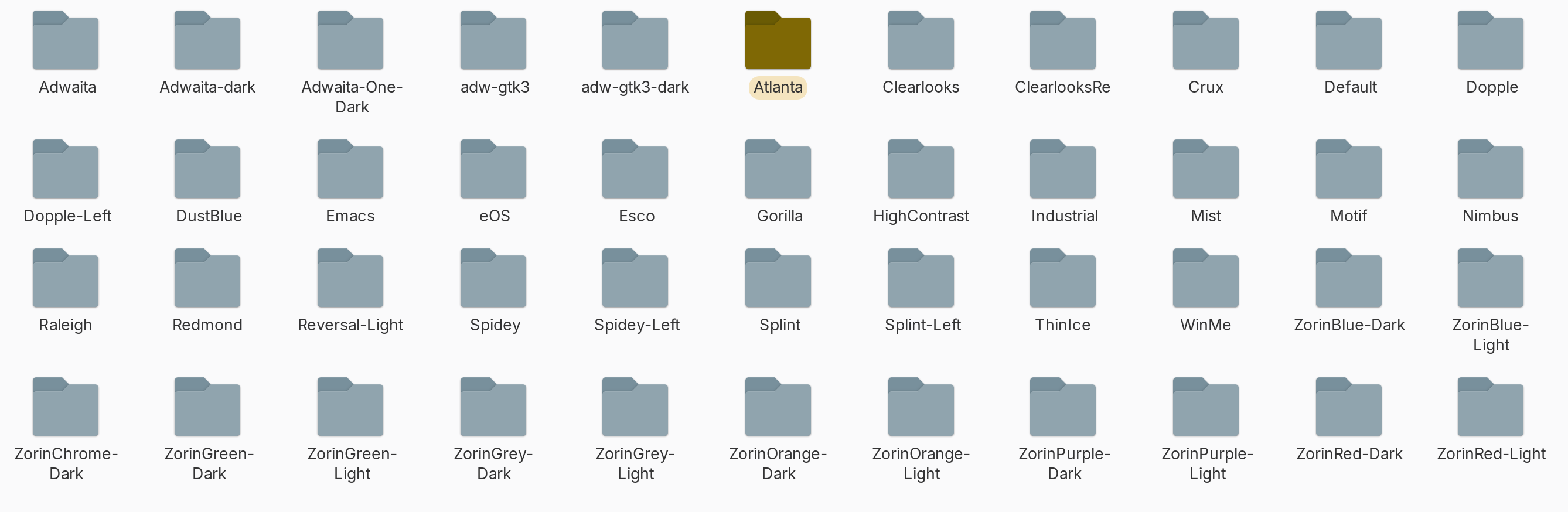
Also the "Defualt" folder has
andronikos@hp-15s:/usr/share/themes/Default$ tree
.
├── gtk-2.0-key
│   └── gtkrc
└── gtk-3.0
    └── gtk-keys.css

2 directories, 2 files
andronikos@hp-15s:/usr/share/themes/Default$
both files are empty
@Ponce-De-Leon
Anyways... I hoped maybe I could be able to make my zorin desktop feel more like the lattest adwaita with coloring... But it seems that for now, we just have to use a custom theme of choice with the fix above... I also tried out adw gtk3 but for me it had bugs in nautils where the gray path round boxes wouldnt be connected together and It also suddenly broke the round window corners on gnome software app...(A system restore from a yesterday's snapshot fixed it). So I guess the best thing to do is to use a custom theme for now and when Zorin 18 comes for me (Greek server) I will only then be able to use adwaita with colors and new icons
Also when is it expected to come in zorin upgrader?
Zorin 18 uses Gnome 46. So, there is only the default Gnome Blue Theme and the Zorin-own Accent Colors. When You want the Gnome-own Accent Colors, You could talke a Look at Debian 13. It has Gnome 48. The Accent Colors came with Gnome 47; so it is available there.
Another Option would be to use a Gnome Extenson called Custom Accent Colors - GNOME Shell Extensions
This works for Gnome 43-46. So, You could tst it on Zorin 17, too.
There is no Date for it yet.