Hello, how can I change the color of my mouse pointe ?
Try this one
1 Like
Welcome to the Forum!
To change Your Mouse Cursor Theme, here are Instructions:
If you have problems, put the cursor theme to
~/.icons
or
/usr/share/icons
If the folder doesn't exist, create one.
I spent an hour and half trying to change my cursor.
I tried Tweaks (another outdated app with no updates since 3 years) and also a newer app called "Tuner" by ALT Linux team.
I tried putting the cursor themes in ~/.icons and /usr/share/icons but they don't show up anywhere.
I tried to get ChatGPT to help me do it from the console, but I can't figure it out.
This is way too difficult. 
Zorin really needs to have built-in options for cursor color as well as size - I would suggest these should be built-in:
These reference the Windows style of cursors and color themes.
This isn't just a matter of personal preferences - cursors are an accessibility issue. I have trouble seeing my cursor, so I like it large and bright yellow.
For now I'm just going to live with the default cursors.
You can change the Size. When you go to Settings>Accessability and there click on the ''See'' Option. Then You get a List of Options and there You can set up the Cursor Size:
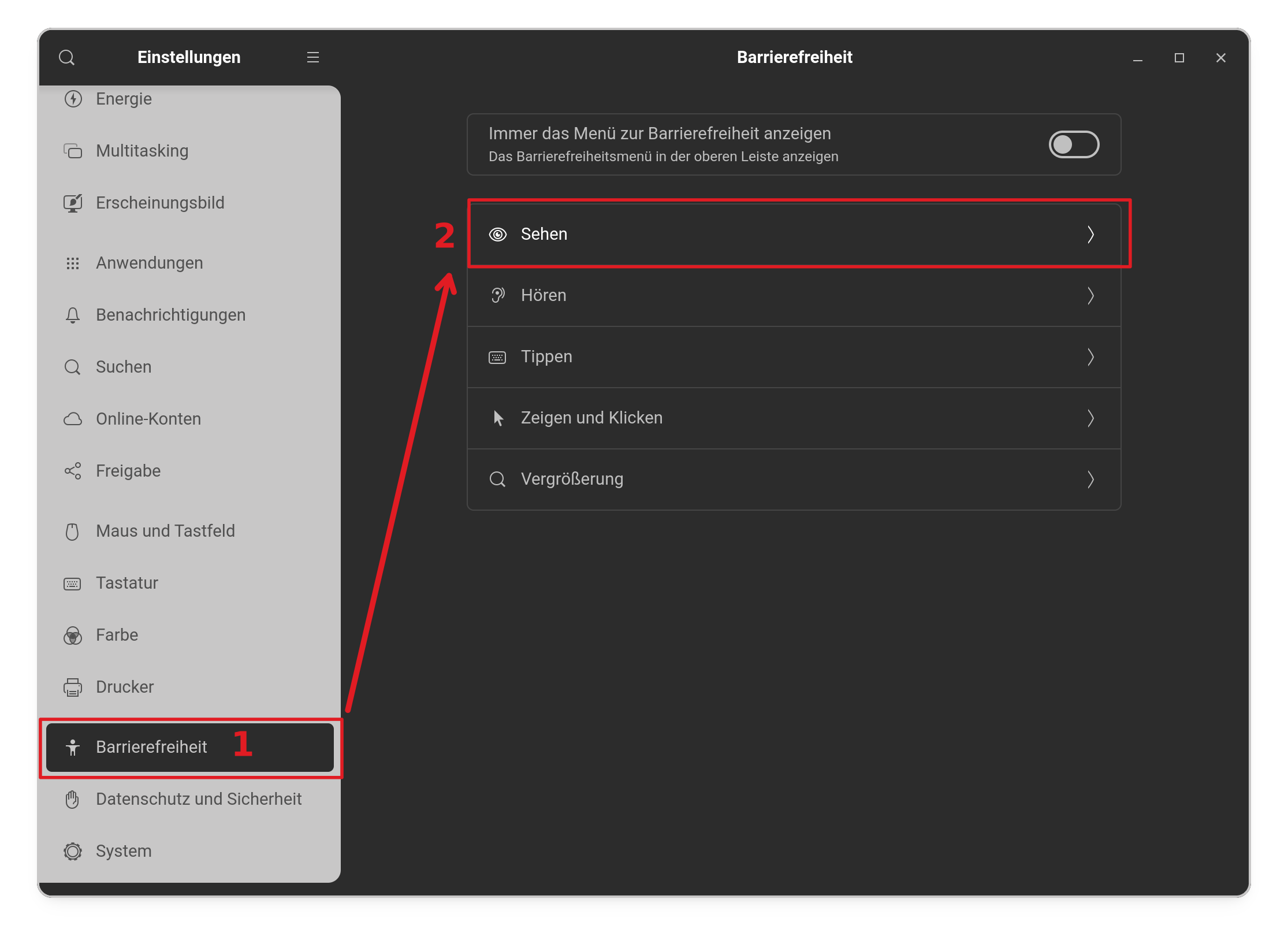
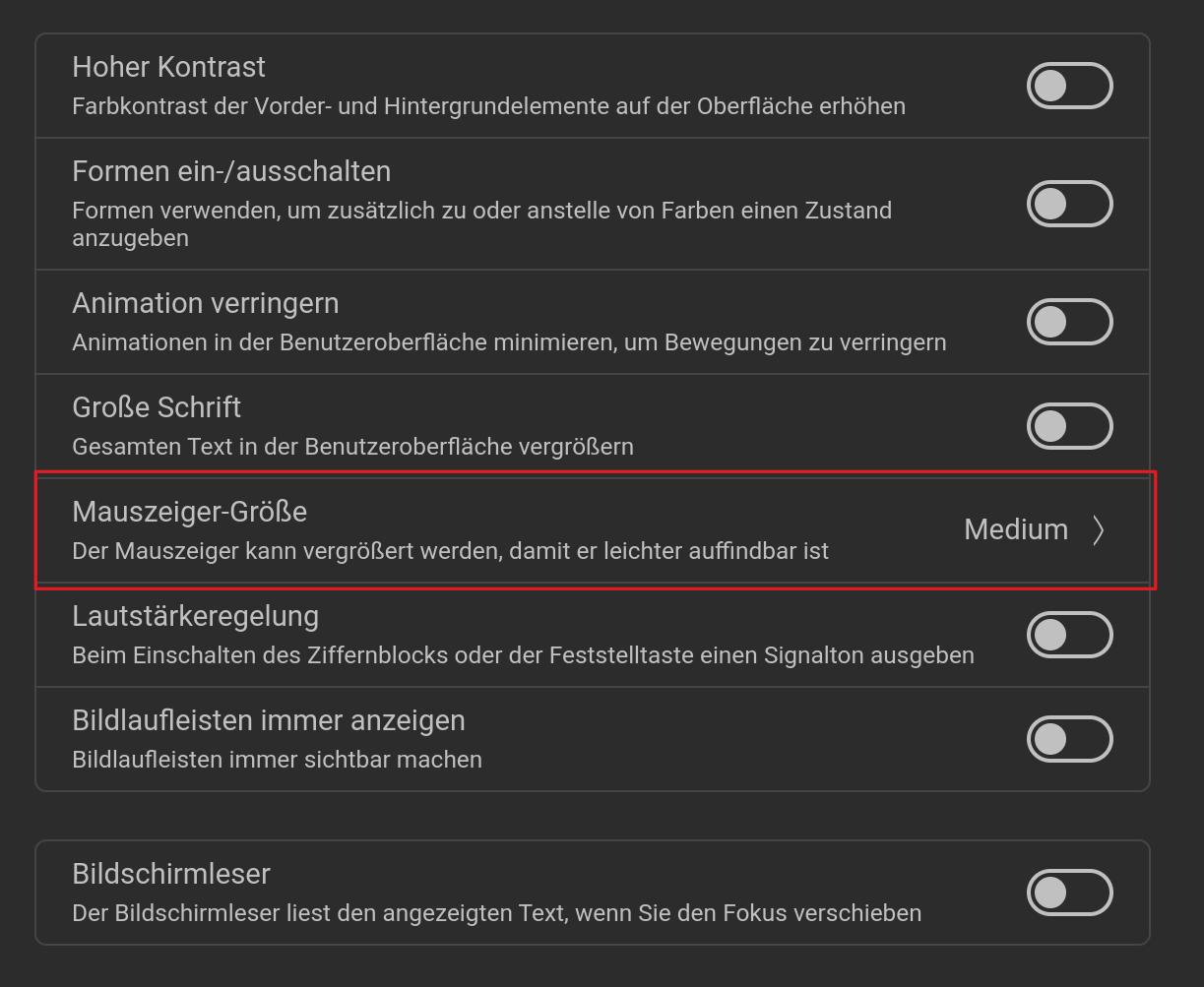
Okay, these are the right Directions. Now is the Question what exactly did You do? When You download a Cursor Theme and it is a compressed File, You have to expand it first. Then take a Look in the Folder if there is an index.theme File. If it isn't there, it will not work.
I think you also need a cursor.theme file for the cursor theme to work.
topaz@Kayleigh-vm:/usr/share/icons/DMZ-White$ ls -1
cursor.theme
cursors
index.theme
Some really old cursor themes might not have both.
It is possible with Gimp to re-color an existing cursor and replace it. I've done it, but have forgotten the steps, as it was long ago.
Also, there is a command-line utility named xcursorgen (it's in the x11-apps package). With it, you can create an animated or flashing cursor.
1 Like
Interesting. I have take a Look at it. The default Adwaita Cursor has both. The Cursor Theme what I use, only has an index.theme File.
I have a blue mouse cursor, that came with my Star Labs theme.
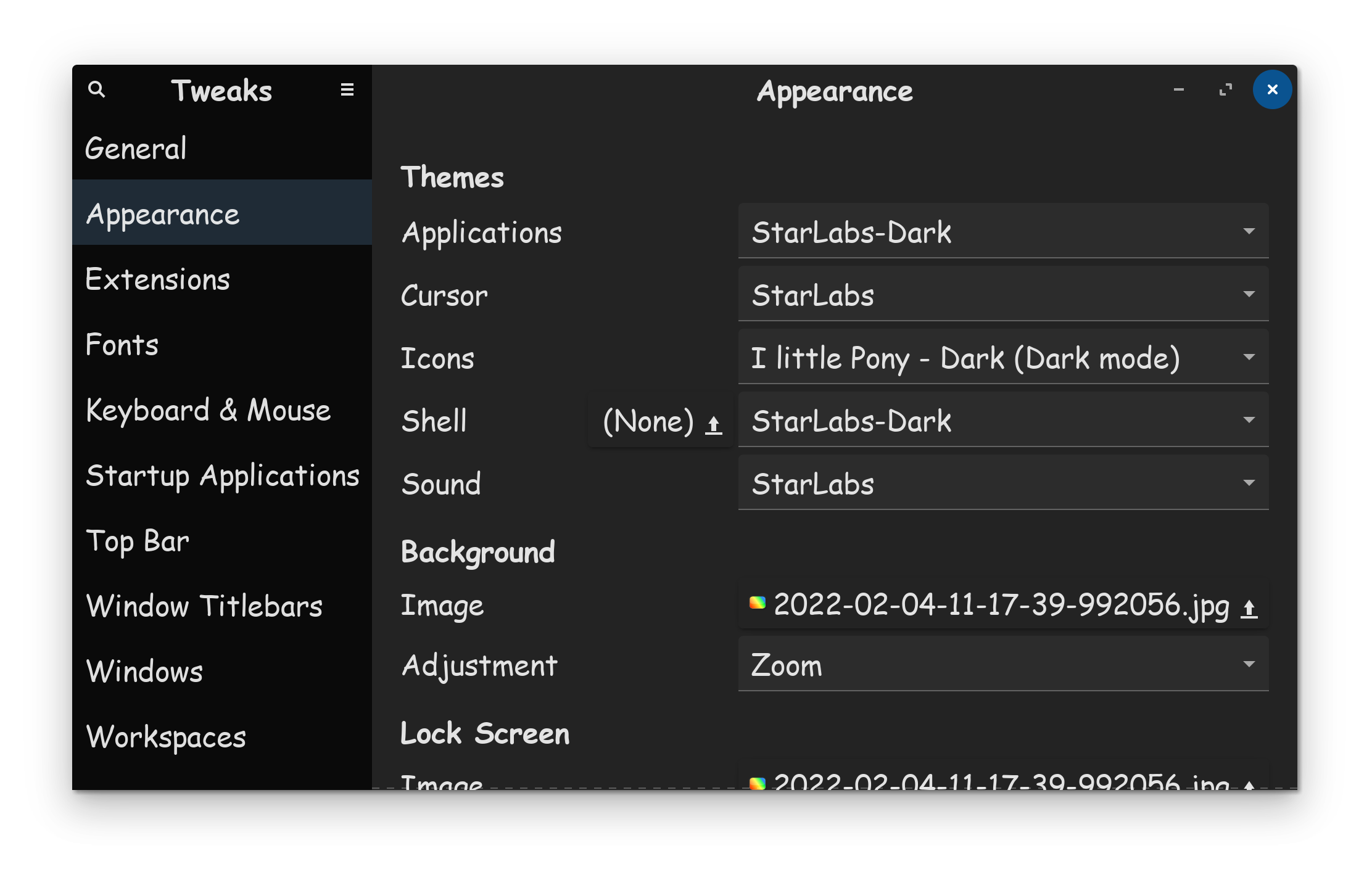

If you like blue, I got a treat for you...

If it works with just the index.theme, then I'm incorrect. I just remember having to make and add a cursor.theme file years ago to get some cursors to work. Maybe things have changed.
1 Like
Redglass, whiteglass and handhelds cursor themes which you can select in gnome-tweaks (they are preinstalled on Zorin 18) neither have an .index.theme file nor a cursor.theme file.
Is that why they don't work properly?
Can these files be created? What should the content be?
I'm not sure what these are in common to be honest. they don't look like a ... how can I say that ... linke a full Cursor Theme. Maybe these are only for some specific visual Usecase? Because I don't use them, I never cared about them.
They can, yes.
For Cursor Themes, I don't know. But You could simply go to the Cursor Theme and open such a File in Text Editor and take a Look at it.
redglass was one that lacked a default cursor. For me, once that was added, it worked.
You are right. There is no index.theme or cursor.theme files. That's a surprise. I find redglass is working without them.
If you want to add index.theme and cursor.theme, they would be:
index.theme
[Icon Theme]
Name=redglass
Comment=Red transparent cursors
Inherits="hicolor"
cursor.theme
[Icon Theme]
Name=redglass
Inherits="redglass"
Type these into text editor, save, and copy the files into the redglass folder.
I usually save to my home folder, then copy to their correct location with a terminal command. copying or saving directly will require sudo as those cursor folders are owned by root.
P.S.
If you want red, or other colors, install
oxygen-cursor-theme
oxygen-cursor-theme-extra
I use Bibata original ice:
Install:
bibata-cursor-theme
I just wanted to see if adding these index.themes or cursor.themes could be an alternative solution to creating the shortcut to default cursor, which worked fine.
I had previously looked at the Adwaita index./cursor.theme and tried to recreate the files for redglass by replacing Adwaita with redglass, but it didn't work.
Now I tried it with these suggested files, but after that the cursor still didn't turn red, even though redglass was set as the cursor theme. Maybe it's because of the live session—but the other method had solved the problem.
Edit: At "Inherits" in index.theme I also tried with redglass instead of hicolor.
I don't need it. I just want to find out what causes the problem with those preinstalled cursor themes to find ideas what could help when other users report that cursor themes don't work correctly.
I don't know if that would make a difference. maybe your default cursor in redglass wasn't right. Check with terminal command:
ls -l /usr/share/icons/redglass/cursors | grep default
it should return
lrwxrwxrwx 1 root root 8 Nov 10 07:07 default -> left_ptr
the date of course will be different.
I had today no link set to default cursor for redglass because I wanted to try if it works with adding the .themes files. But I have already shutdown my computer with the live session.
You know that changes made in live session are not saved when you exit?
Yes, I know. Does it not work without creating this link? Is there no other way?
Do you also have to create it for other cursor themes that you have installed yourself in Zorin 18?
redglass did not work without the default cursor.
The Bibata cursor I'm using has the link to a default cursor included:
Topaz@kayleigh:/usr/share/icons/Bibata-Original-Ice/cursors$ ls -l | grep default
lrwxrwxrwx. 1 root root 8 May 25 2024 default -> left_ptr
Other modern cursors probably also have it included. As for the index.theme and cursor.theme, at least for an Ubuntu based OS you probably no longer need them. 10 years ago you did.
1 Like