Hola a todos. Soy totalmente novato pero me encanta Zorin 18 y lo quiero instalar en mi portátil HP junto con Windows 11 y hacer un arranque dual, cómo debo proceder?
Gracias a todos
Here is a help site from Zorin:
And here some informations for steps before the installation:
2 Likes
Welcome to the Forum!
I would suggest to disable Secure Boot and Fast Boot in BIOS and Fast start-Up in Windows. To create the Bootstick in Windows, I can recommend Rufus. I used it in the Past on Windows, too. For the USB Stick, I would recommend a Stick with 32Gig's or less and format it in FAT32. When downloaded the ISO, check the Checksum of it:
Depending if Your BIOS is in UEFI or Legacy Mode, choose in Rufus on the ''Partition Sheme'' Option GPT for UEFI or MBR for Legacy. The Option, You can find here:
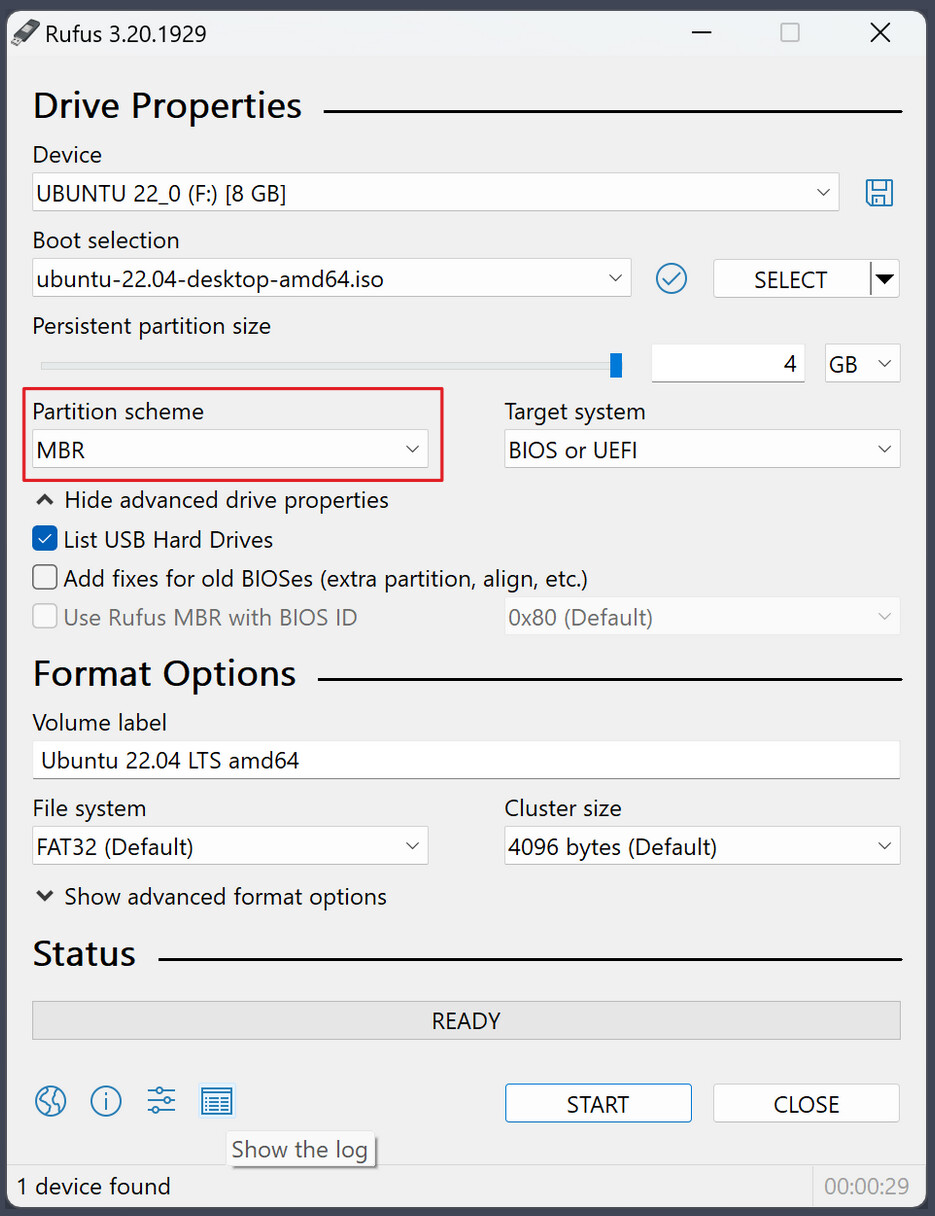
I would suggest to run Zorin first in ''Try Zorin'' Mode to check if everything works. So, Bluetooth, Wifi etc. When You fine with everyting and You want install Zorin, I would suggest to install it offline or at least without installing Updates during the Installation. It can avoid Issues. And You can install Drivers and Updates after the Installation.
During the Installation, you have the Choice of 3 Installation Methods:
- Install Zorin alongside Windows (that is the Dual-Boot Option, where the Installer after you have chosen how much Disc Space You want use, installs Zorin and set up automatically hte dual-Boot System)
- Erase Disk (deletes everthing on Your Disk and installs Zorin; avoid this)
- Something else (that is for set up manually the Partitions)
If You want to keep it simple, choose the ''Install Zorin alongside Windows'' Option. then You choose the Disc Space and the Rest makes the Installer.
When installed, I would suggest to switch to Xorg when You have a Nvidia Card. To do that, go to the Login Screen. Click on Your Profile so that the Password Field appears. When it is appeared, You should see a Gear Icon in the bottom right Corner. click on it and choose the Option ''Zorin Desktop on Xorg'' and then log in.
This topic was automatically closed 90 days after the last reply. New replies are no longer allowed.