OK, thanks... But it’s starting to look a bit dated:
github.com/oguzhaninan/Stacer/releases
1 Like
An interesting element, for our discussion, with Stacer:
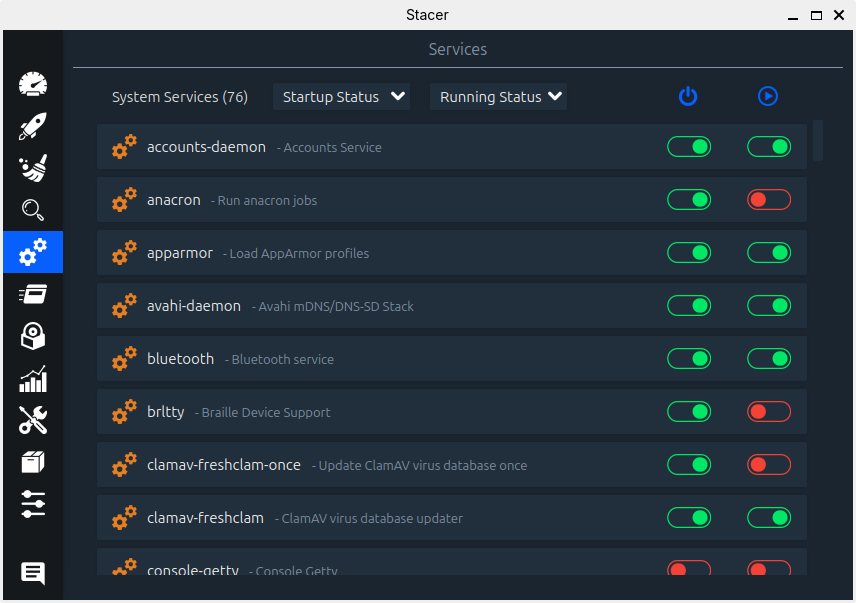
And where to download Ubuntu Cleaner:
launchpad.net/~gerardpuig/+archive/ubuntu/ppa/+packages
1 Like
I've not had any issues with Stacer, even if it is old software. Anyhow, my Zorin 18 experiment came to an end last night. I ran Disks and HDD had 2 pre-fails so I wiped it with HDD tools on Hiren's Boot CD from my Ventoy stick. Zorin is gone.
1 Like
Dear community,
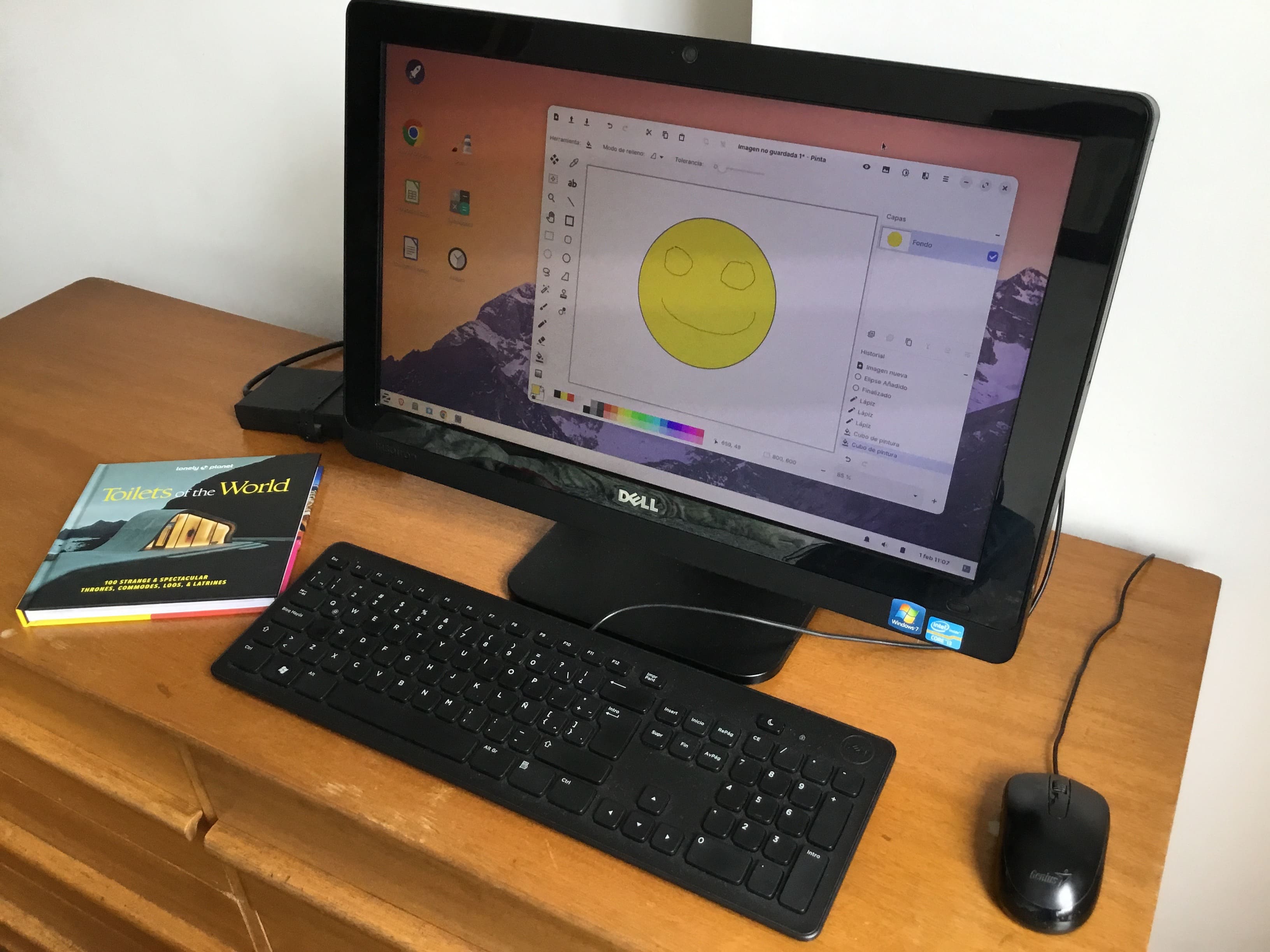
I am delighted to report that after installing Zorin LITE 17.3, the old PC has been saved!
While I was disappointed with Core as I initially posted (PC was practically unusable), I am very happy with Lite.
The system boots up quickly (less than 1min30s to have the desktop fully open), and the apps are snappy and responsive (within reason for an old machine, but a delight to use). Muuuuch better than with Windows 10 !!!
System specs:
- DELL Inspiron One (from 2012)
- Intel Core i3 2120T (2.6 GHz) 2 cores
- HDD 500 GB
- 4GB RAM (DDR3 1.3 GHz)
- NVIDIA GeForce 610M (installed proprietary driver 390)
We will be donating the PC to a children’s charity where I am sure it’s perfect for browsing and basic apps.
Thank you to the developers and the community on their behalf.
8 Likes
My only significant issue so far with Lite 17.3 is the system is not waking up after Suspend. Have to force shut-off and reboot.
Any clues on how to solve? I'm not very used to Linux, and I'm afraid some of the solutions to this issue I've seen on the forum could be specific to Gnome, not XFCE (?).
1 Like
Does your system wake up when you go manually into suspend by pressing the button in start menu? If it helps, disable the settings for automatic suspend.
No. It never wakes up, regardless of going into suspend manually or automatically. I've already disabled automatic suspend.
I have questions about the book, next to the screen ... 
2 Likes
Haha. Was a gift I just got. Thought it was funny. Any excuse is good for those who love to travel! Thought it might inspire my fellow explorers 
1 Like
Don't underestimate the Worth of a good Toilet.
1 Like
Settings > Session and Startup . Advanced
Uncheck the option for Lock screen before sleep
1 Like
Thank you. But I’m unable to say if it’s a definitive solution at the moment. The PC is already given away. Will let the next owners know.
I'm running Zorin 18 core on 4 GB, zero problems. Old HP laptop does the job very good.
2 Likes
I've got two HP laptops, both with 4 GIG RAM, one runs 17.3 the other 18 with absolutely no issues whatsoever. My AS Rock desktop also runs 17.3, with zero problems, and that has 4 GB of RAM too! From my personal experience, something else must be causing the problem/s. Oh, and prior to installing Core, I had Education on this laptop... ....
Now, to clarify, I'm not stating my path has been clear of issues, BUT, 4 Gigs of RAM were nothing to do with any of them.
I only have my new Dell laptop, which is on (a very neutered) Windows 11, and that has 8 Gigs. My old ASUS (i3) runs the same stripped down version of Windows 11. I'm not a Gamer, but I do stream, and multi-task. I also keep my computers clean and free of junk, frequently reboot, and have nothing running in the background that I don't specifically need.
1 Like
Smart!
Also, if you are not gaming, or doing production workloads, and I3 is all you need. I'm still surprised that 4GB of RAM is running smooth on CORE though. I'm guessing it has something to do with RAM allocation. Something I find from my own experience, the more RAM you have, the more RAM is used.
Also, you didn't mention how many cores and threads your I3 has. The more of those you have, the smoother your computer runs to, due to parallel multi-tasking of workloads. Thanks for sharing! 

I think the problem lies with the old Nvidia card. I haven't read about anyone else who has had Zorin 17 or 18 Core/Pro running well on a computer with 4 GiB and an older Nvidia card.
3 Likes
Everything I've read and watched has shown problems with Nvidia cards, although, apparently, there have been changes recently with Nvidia working to support Linux gamers in particular.
2 Likes
used Z18core on older i5 with an insane 24G Ram, for that era, but had very old Nvidia Zotac 2G, tiny thing with only a heat sink...first boot was very sluggish (stutters) but upon trying other Nvid-drivers from the list finally got lucky on 5th one...seemed to calm the shakes, runs OK now for child's PC  T3
T3
1 Like
This could represent a significant population of old machines that cannot switch to Windows 11 that Zorin hopes to capture. I would hope that Zorin and other distros very clearly explain if there is a problem with old Nvidia cards in the installation instructions because basic users trying to save their machines will be disappointed and create bad word-of-mouth reputation for many others wanting to leave Windows.
Most would probably give up and recommend to their friends not to try (whether they have Nvidia or not) if they don’t understand what went wrong.
Again, I would hope Zorin would orient users like me to skip Core/Pro and go directly to Lite. Instead of hiding Lite and saying Core can do the job like they do now.
2 Likes
Zorin should display a notice on its homepage that installing Zorin Lite is recommended for older computers (>10 years) and show a link to download Zorin Lite. This would also help avoid the problems that these older computers often have with Wayland.
4 Likes