An idea for old hard drives with platters:
Use this command: sudo e4defrag /
To be relaunched regularly. 
An idea for old hard drives with platters:
Use this command: sudo e4defrag /
To be relaunched regularly.
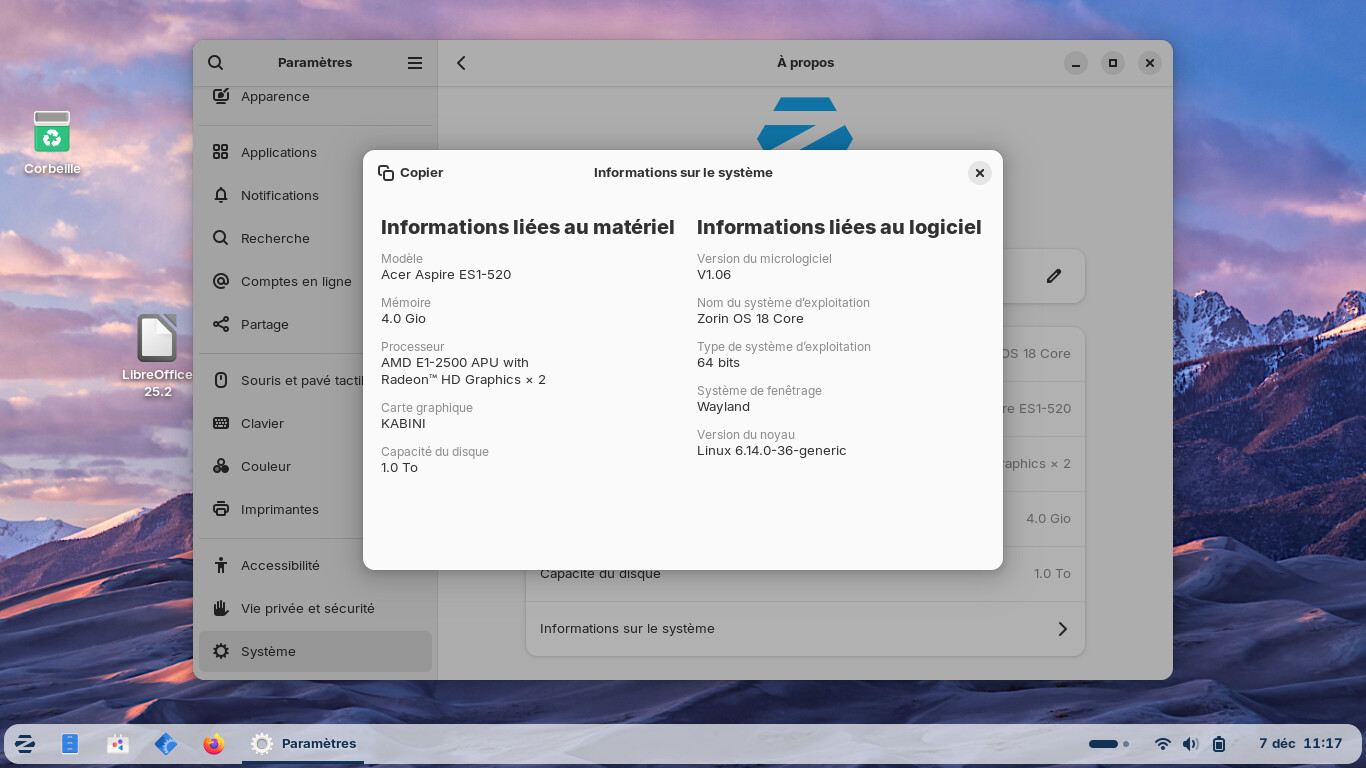
AI cooked up a not too dissimilar system specification to the real PC my Mother uses with Zorin 17 Core. A couple of differences though, she has 8GB DDR3 running at 1600MT/s and uses the integrated intel graphics with X11 because of some games running via WINE that refuse to run on Wayland, no discrete GPU necessary. storage is an old OCZ Trion 240GB SSD
it runs well but then she's not opening 50 odd browser tabs, while encoding video and typing documents in libreoffice all at once fortunately
will do.
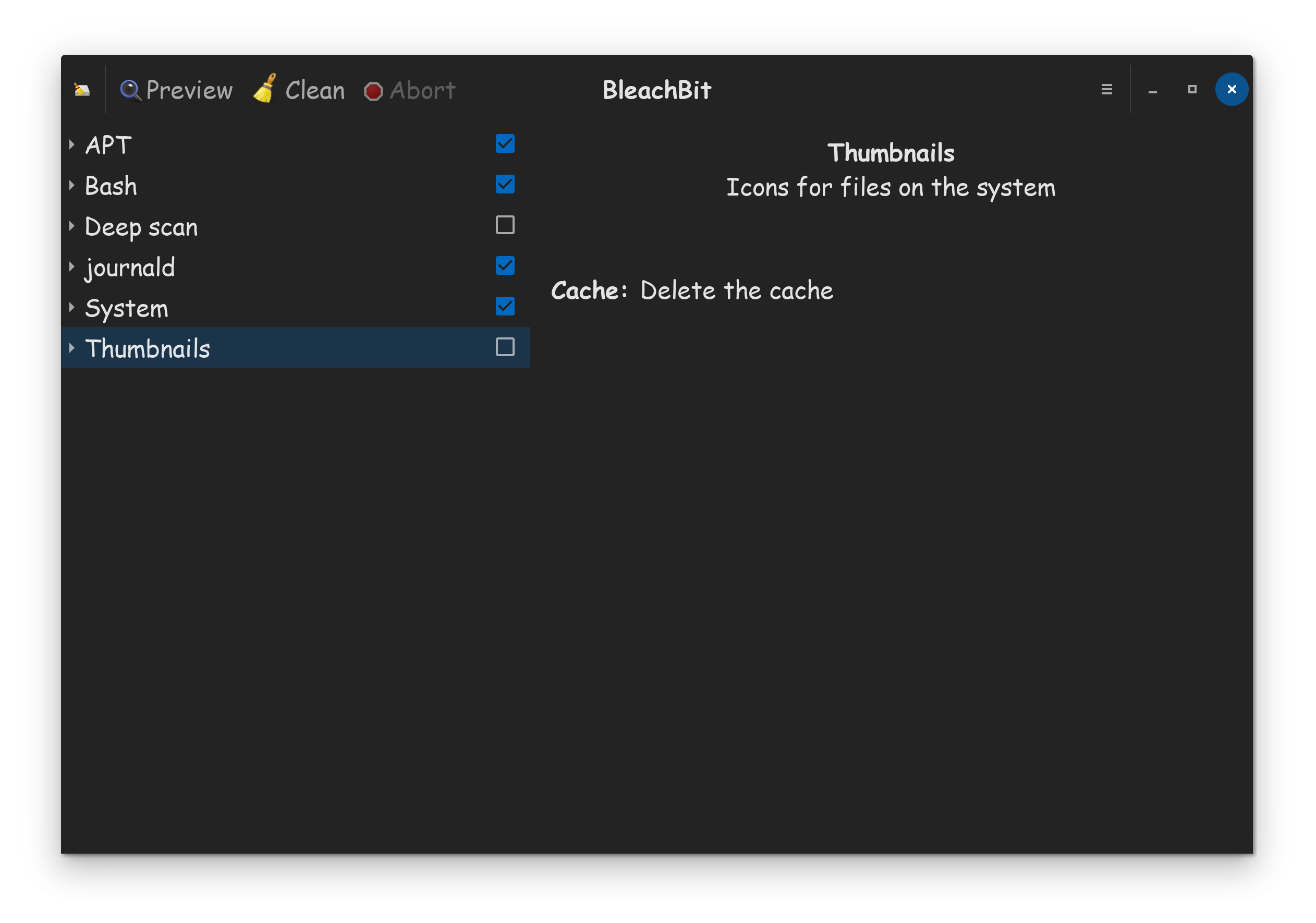
Before defragmenting on old hard disks with platters, it would also be a good idea to remove the dust (figuratively speaking).
A nice utility: www.bleachbit.org/download/linux
And as a reminder:
Zorin 17.3 --> Ubuntu 22.04 and Zorin 18 --> Ubuntu 24.04
BleachBit is in the software store, no need to download from 3rd party sites, where it could be questionable.
But, it's a very old version!
BleachBit is in the software store, no need to download from 3rd party sites, where it could be questionable.
I agree, but my link points to an official page of the publisher.
However, be careful of advertising.
I was thinking this same thing.
In this case, Canonical is the third party supplier.
Which raises questions about the warnings of third party suppliers.
Just posting to keep this topic open. Will visit my parents end of January. Will install Zorin Lite and report back with the results!
Should the Thread been closed, You can ask to reopen it.
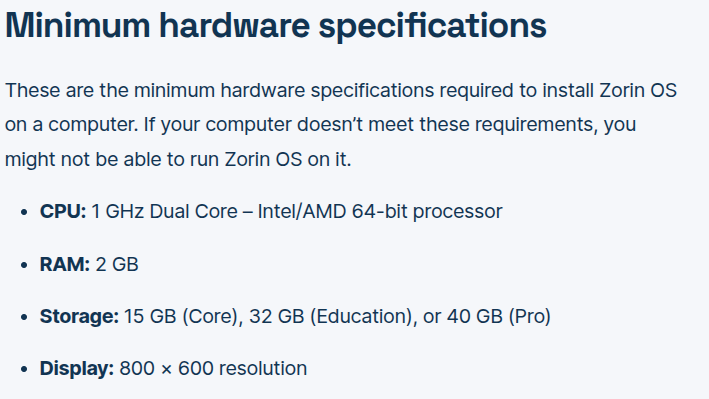
Not being very savvy on the topic, I also find it very strange considering Zorin's required specs. But most people's answers here seem to confirm 4GB RAM and HDD is not enough for running apps on Core.
Agreed, in the modern Zorin OS 18 version of Core, you really need 8GB (16GB recommended) of RAM, and at least an SSD for storage speed. Nobody should be running it without a quad core CPU either, which is not a huge deal, 6-Core and 8-Core CPU's are standard these days.
If you do any production, coding, or heavy gaming workloads, you can jump those specs up to an 8-core CPU, 32GB of RAM. When the Zorin team release OS 18 Lite, you could try that instead, as past iterations of lite, used less requirements.
Using Zorin 18 Core with 4 GB of RAM and a hard disk with platters, it works fine.
But, you have to be calmly and well maintain your computer (especially by defragmenting it).
That is to say that, for example, you should not use a ten applications at the same time, nor open 30 tabs in the Web browser.
I've got to agree with @zabadabadoo , because I've got Zorin Core running on 3 different machines, 2 of which only have 4 Gig Ram, with no problems whatsoever. Don't give up so easily, especially now they have a new computer, try to see what is causing the problem, because it can't be too little RAM.
I was naive enough to buy a 4GB RAM laptop thinking that it could support Zorin. After all, everyone says Linux breathes new life into old computers and that computer was well over the minimum specs listed on the Zorin site. Admittedly, it's difficult to know whether it is the kernel, the CPU, Gnome, the browsers, or in my case .NET runtime which is creating the most problems. I gave up on that laptop and just went back to Windows 11 (which I admit is pretty slow on that box, but not nearly as bad as Zorin)
I really think that these specs are very misleading and should be updated. I know that there is Lite, but that's scheduled to be sunsetted, so that's not much help.
I don't disagree at all. Those specs listed, should be for lite, not Gnome! For Gnome, I would recommend a 2.2GHZ CPU, 8GB of RAM. Also, everybody knows by now, your not going to do anything, with only 15GB of storage, the last time that amount was relevant, was circa early 90's! Everybody in modern day, should have the bare absolute minimum, of 128GB storage, even for an office computer.
Also, who uses an 800 by 600 display, the last time that was relevant, was circa late 90's, cause even by the early 2000's, 1024 by 768 displays were standard then. That SPEC sheet is way off IMO, and is a whole lot of garbage. IMO, it needs revamped ASAP, as its highly deceiving!
Worry not however, there is 1 last version of Lite coming. The problem is, the Zorin team released OS 18 too early, because they wanted it to be ready, for when Windows 10 support was dropped. This mistake taught the team, they need to put more effort into Lite, and not release it till its ready.
At the going rate, its highly likely, that OS 18 Lite won't release, until first quarter of next year. When it does release, you could try to see if your computer will run it. For now however, while your waiting, you could install OS 17 Lite, which is still supported, for 2 more years for now. I can guarantee, that OS 17 Lite will run on your system.
IMO, you only need a 1.2GHZ CPU, 4GB of RAM, and a 128GB storage drive, for OS 17 Lite. Try it, and let us know how it goes.
According to the documentation for the BleachBit software:
Most popular distributions have BleachBit in their repositories, and this is a convenient way to install. However, Ubuntu, Debian, Linux Mint, and other distributions have a “no-rolling release policy,” which means they do not update their repositories with the latest BleachBit releases.
Here is an example of this policy. Ubuntu Questing 25.10 (released October 2025) will always have BleachBit 4.6.2, which was released October 2025, even though BleachBit 5.0 was released in May 2025. Users who want to upgrade to BleachBit 5 while using the Ubuntu repositories will have to upgrade to Ubuntu 26.04 in April 2026.
It is your choice to install from the distribution’s repositories, but in case of any issues with the software, first check for a newer release.
therefore, while still being very careful with advertising:
www.bleachbit.org/download/linux
(Zorin 17.3 = Jammy Jellyfish and Zorin 18 = Noble Numbat)
I find Stacer much more user friendly.
Re Bleachbit. Just be careful when using it.
I am aware it uses the autoremove command in some action.
Do check that you know what it is actually going to remove, in order to avoid potential disappointment.
I prefer Ubuntu Cleaner, or just manually run terminal commands sudo apt clean then sudo apt-get autoremove , whilst taking my own advice to check what autoremove is proposing to wipe before hitting the "Y"key.