Outof Curiosity: Did You tried it with switching the SATA Ports?
1 Like
For the test of that, I've just swapped the 4tb m.2 from M1 to M4 - No change, still not seen/found.
However..
The new 2tb SATA I moved to port 3..
Now properly ptd/fmtd and mounted..
We'll see if it stays that way 
Steam also sees it..
Putting that to the test now..
1 Like
Moved a game to 2tb drive, completed ok.
Tried to run game.. failure.
Attempted to install directly from steam, drive not accepted.
Rebooted.
Same thing..
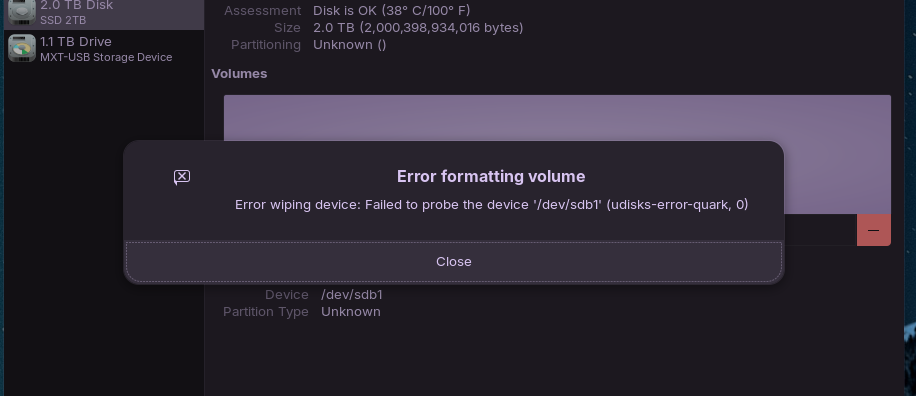
Tried to format "failed to probe the device.
Rebooted..
Drive not found again.. Disks and gparted cant see it..
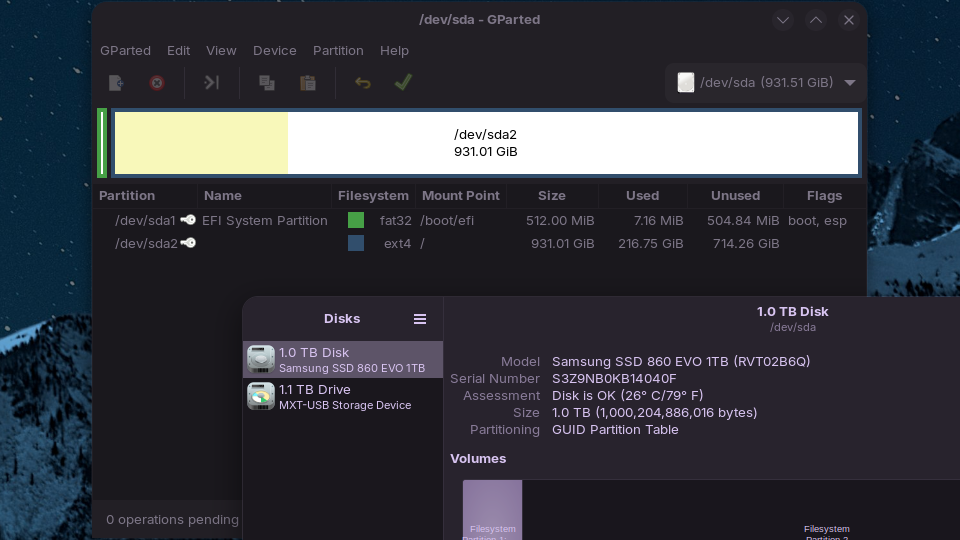
How is the Drive formatted?
Just noticed the last line of screen shot. RAID?
Does this mean the SATA is RAID format? I was told way back when I first installed Zorin that I needed to change the format from RAID to AHCI.
1 Like
Formatted via disks.. didn't make any changes..
In what Format You have made it? ext4 or NTFS?
It was with the ext4.
NickS may have a point worth checking RAID/AHCI setting in BIOS.
I refer to this, taken from another post from Aravision:
2 Likes
One last thought from me, has the BIOS ever been updated?
1 Like
I think I did a BIOS update a few months ago, but that might be on my other system. I will check that shortly.
As for the setting,
I am in AHCI..
Could not get into BIOS though..
Rebooted my PC, powered up, but monitors went black and just stayed that way.. No further response. Had to manually power off, reboot..
Took around 4 minutes of hitting DEL to get to BIOS screen..
Checked setting.
Hit f10, system rebooted...
I made a cup of coffee before my system was at the login screen.
1 Like
Just plugged in a 1gb usb to format for BIOS update..
I go to Disks..
What shows up??
the 4tb drive..
What on earth is going on??
I've never had anything like this before..
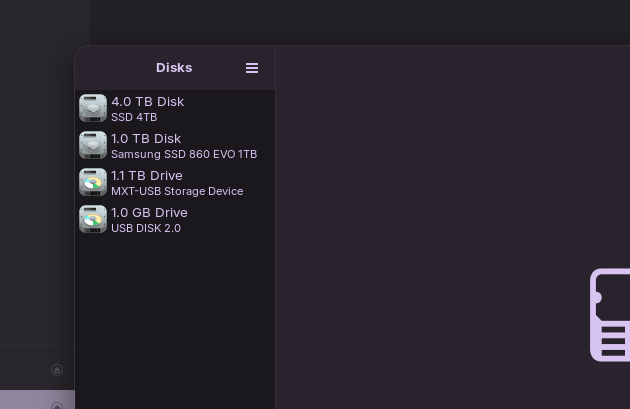
There is a BIOS update.. trying to format the USB..
No luck at the moment..
I promised to stop using A.I. but have been forced to as every time I go to referred Reddit posts there is an annoying popup that keeps telling me to install the App.
" This behavior, where a disk fails to initialize quickly enough after a forced shutdown and causes the system to freeze, is often resolved by modifying the NVMe power state latency settings. Adding the kernel parameter nvme_core.default_ps_max_latency_us=0 to your GRUB configuration prevents the SSD from entering deep power-saving states that it may fail to wake from after a crash.
If the drive is connected via USB , the issue may stem from UAS (USB Attached SCSI) driver incompatibilities or power delivery issues. You can try disabling UAS for the specific device by adding a quirk in /etc/modprobe.d/disable_uas.conf (e.g., options usb-storage quirks=048d:1234:u ) or using a powered USB hub to ensure stable power.
For NTFS drives, the default ntfs3 driver in Ubuntu 24.04 can cause hangs if the file system is marked dirty or corrupted after an abrupt shutdown. Running sudo ntfsfix /dev/sdX1 (where sdX1 is your partition) or blacklisting the ntfs3 module in /etc/modprobe.d/disable-ntfs3.conf forces the use of the more stable fuseblk driver, which may resolve the detection and mounting issues."
For the reddit issue, try these..

As for the NTFS command, I get this..
"Refusing to operate on read-write mounted device /dev/nvme0n1p1."
in Terminal.
That and there's still a 2tb drive sat on the system somewhere.. nobody knows where though The 4tb drive could disappear again too.
1 Like
BIOS updated with latest 07/26.
4tb drive is now showing and working!!
How long for, no idea yet..
2tb drive is still not showing..
Not that that matters if I got the 4tb, but can't let it sit there.. 2tb should be seen too!
Heck of a journey for anyone else getting this problem.. not that I've ever heard of it
1 Like
Keeping fingers crossed for you that it continues working. Because it is so intermittent it really does sound like it might be something in the port or motherboard wiring came loose.
2 Likes
It's gone again...
It's back..
Still no 2tb drive.
@RogueTrooper . Have you actually had a look at the drive connectors/wiring and carefully cleaned them with contact cleaner (e.g. isopropyl alcohol)?
Is the power supply to the drives adequate and stable not intermittent? Again check connections. If you have a volt meter, check supply voltage to drive not showing, if practicable.
Does this intermittent drives saga also occur if you run ZorinOS in "Try Zorin" mode from installation USB?