hi, I've just noticed not long ago after installing ZorinOS 18 Core that the taskbar will be reset after a time, for example during lockscreen. I couldn't reproduce it, but maybe I'm not the only one. that would be sad, because I started liking the macOS middle-dynamic taskbar somehow  maybe someone also experienced this kind of problem?
Do you have installed other third-party gnome extensions?
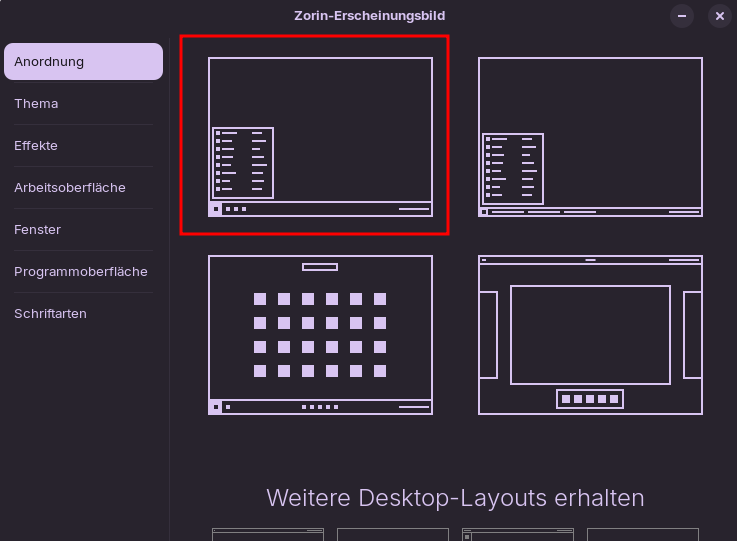
Can you re-enable the dock when you choose another layout at Zorin appearance>layouts?
At extension manager (you can install it via the software store) take a look if Zorin taskbar is disabled when you use the dock.
I'm not entirely sure what you mean by dynamic taskbar and static taskbar. Do you mean that the dock becomes a taskbar, or that the floating taskbar becomes a normal one? Or that intellihide is not working?
Can you please take a screenshot to clarify what you mean?
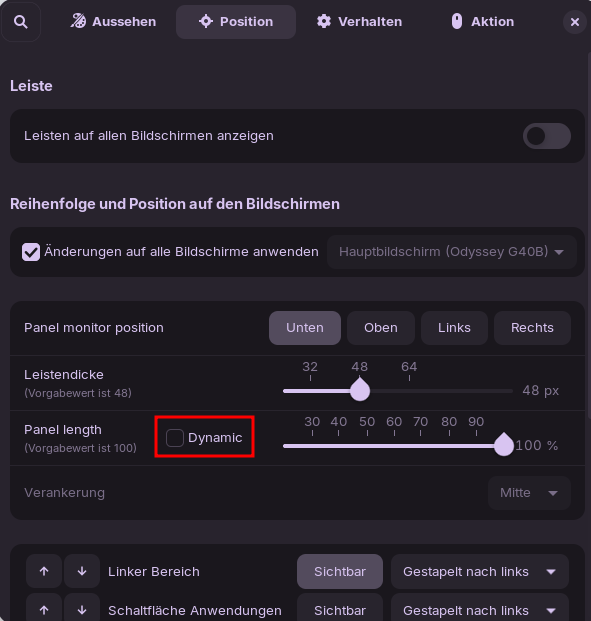
In the Taskbar Settings, You can on the Position Tab where You can set up the Length activate a Mrak for ''dynamic''. then the Taskbar shrinks and expand like needed. Here an Example:


In the 2nd Picture, You see more Icons of open Program and the Taskbar gets longer.
@bonsai: So, You experienced that only one Time? What exactly did You before that happened?
And only clarifiy this:
When you speak about the MacOS Layout, it isn's a Taskbar. It is a Dock. Could You specifiy Your Comment?
1 Like
thanks for your answer 
oh, I didn't know that it is called a dock and not a "short-centered-taskbar" 
-
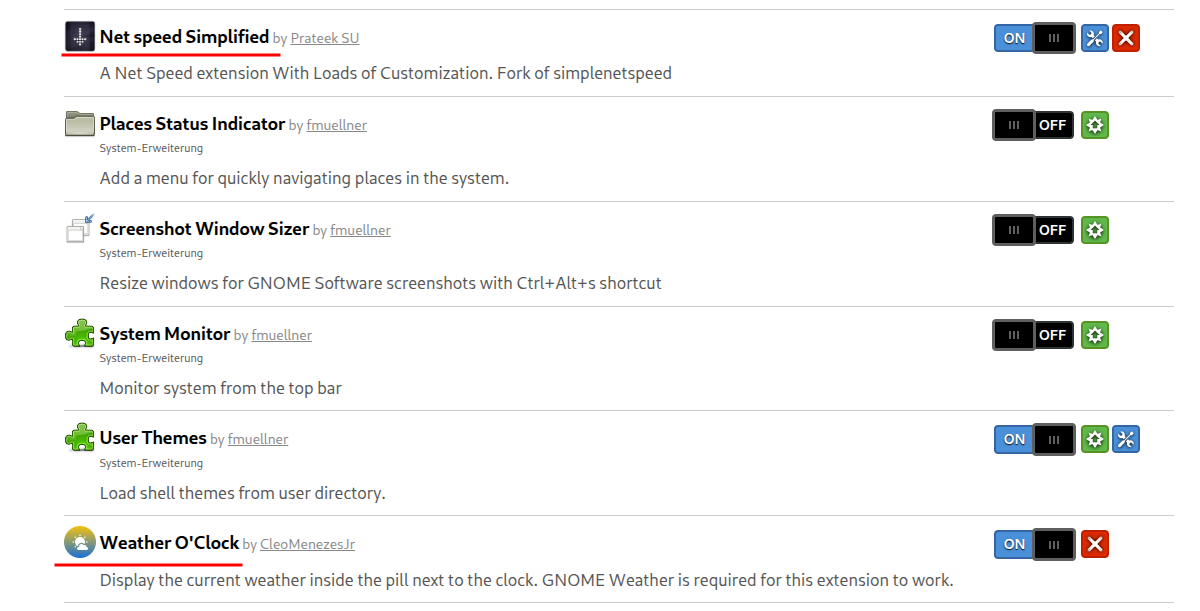
I have only two other additional GNOME Extensions:
Net speed Simplified - GNOME Shell Extensions
Weather O'Clock - GNOME Shell Extensions -
In general I didn't change the default Appearance/Design:
-
I only enabled this dynamics taskbar/dock feature:
-
After I locked and left my pc for a few hours, mostly the next day after logging in the dock switched back to the taskbar:

-
But it should stay like this:

Ah, okay Thanks for the Specifications. Okay, You use the Taskbar. Because of the MacOS I thought it could be the Dock that you use. Sorry for the Irritations.
So, now the Issue. You mark the ''Dynamic'' Option and it works. And when You make a new Log In, You have it changed back.
When You have the Dynamic Option enabled, do You click again on the first Layout Option? Because then it would be reset again and so the Option would be disabled.
I have it set on Dynamic, too and it doesn't get disabled.
You could disable the both third party gnome extensions for testing.
no, because if I would do so, the taskbar/dock would instantly change back to the defaul position
that's an idea, I will give it a try
1 Like
deactivating the weather o clock extension seems to help, but even then the desktop keeps crashing sometimes "randomly"; I'll stop using the dynamic feature, because it's annoying when the desktop keeps crashing that you get this "sad-smiley-face" error picture and your only possible solution is logging out- which kills the whole session. maybe it's the net speed extension, I don't know. But I wouldn't want to miss the extension so I'll live with a general taskbar. thanks anyway for your suggestions
For showing internet speed there are some gnome extensions. If you have troubles with the installed one, you could try another one, e.g.
I think, it could be because I switched back to X11 after installing ZorinOS 18. I remember now, because I had problems with Flameshot and custom keyboard shortcuts Flameshot Print Button not working on Zorin 18 - Solution so now Im back with wayland and maybe this will make the difference.
This topic was automatically closed 90 days after the last reply. New replies are no longer allowed.