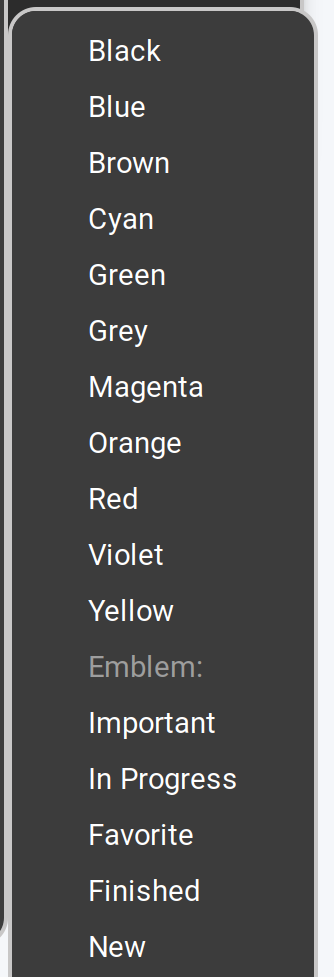
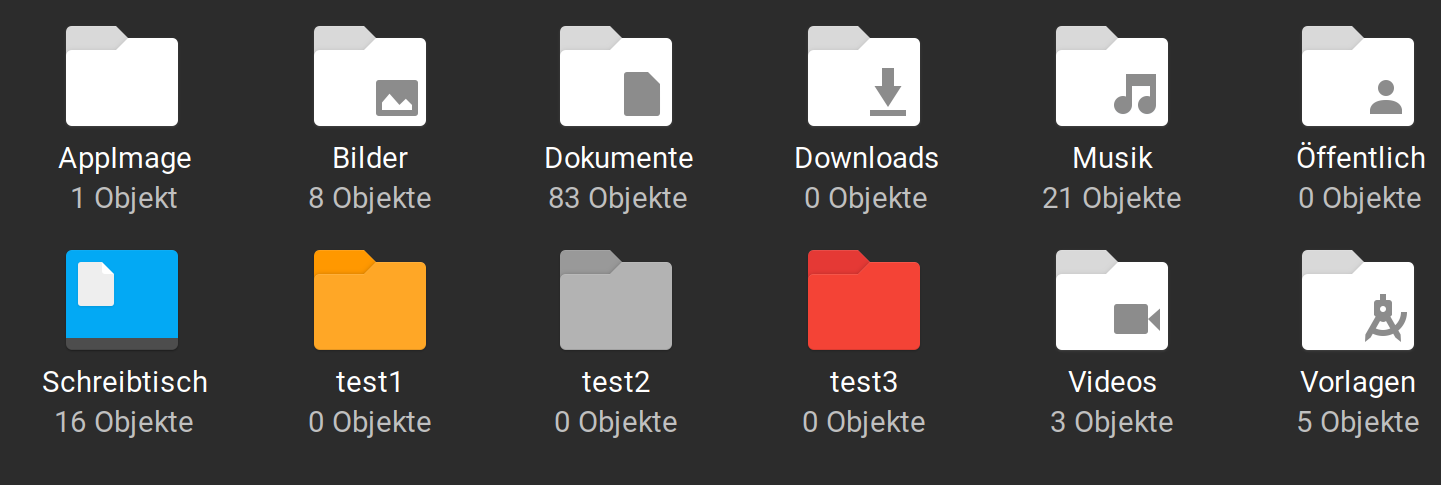
The Color Names are not translated but besides that You can choose all available Colors from the Icon Set when it offers different Colors.
1 Like
Thank you for clarification!
I found out: In my user's home directory it works and the color of folders can be changed to all colors, but the function can't be used in root, even not with root rights. And I had tested it only with folders in root. Because of this experience I thought it is useless.
The colors themselves are shown in German, just the entry "Folder's color" in English.
1 Like
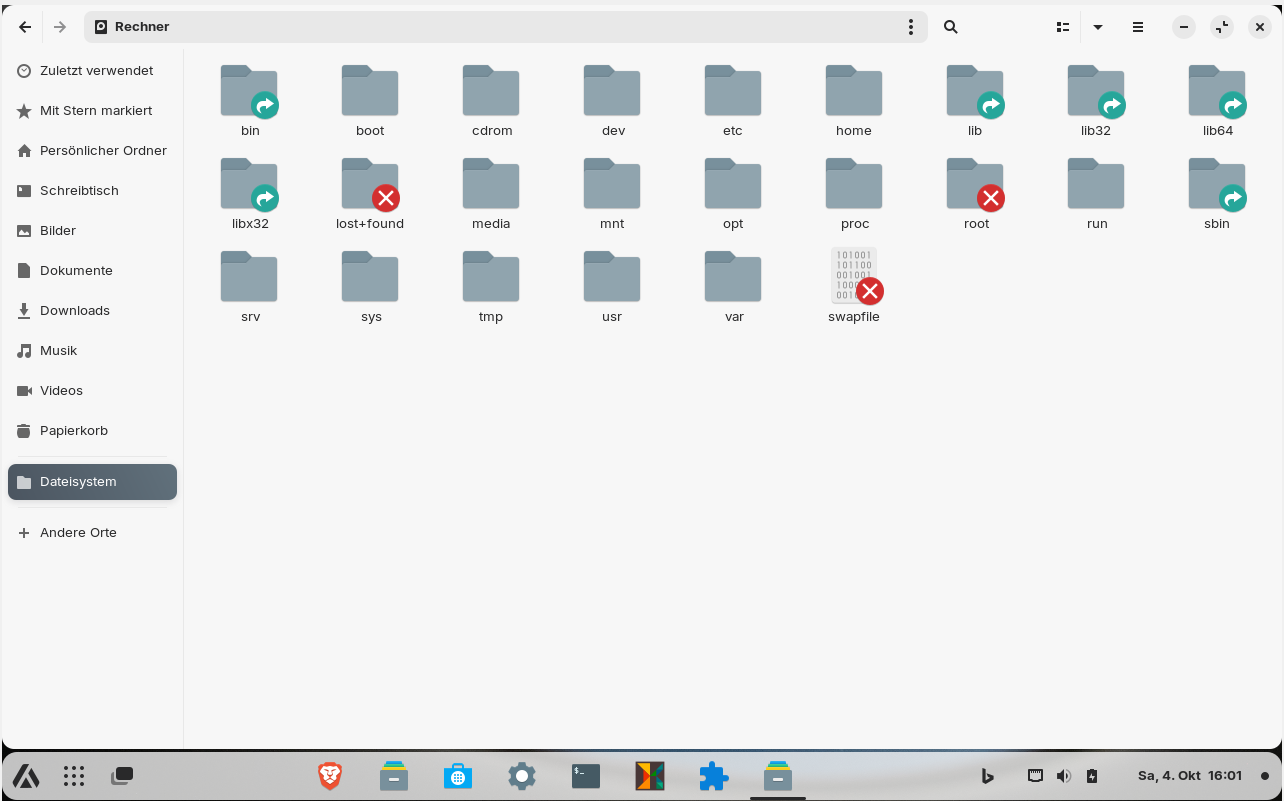
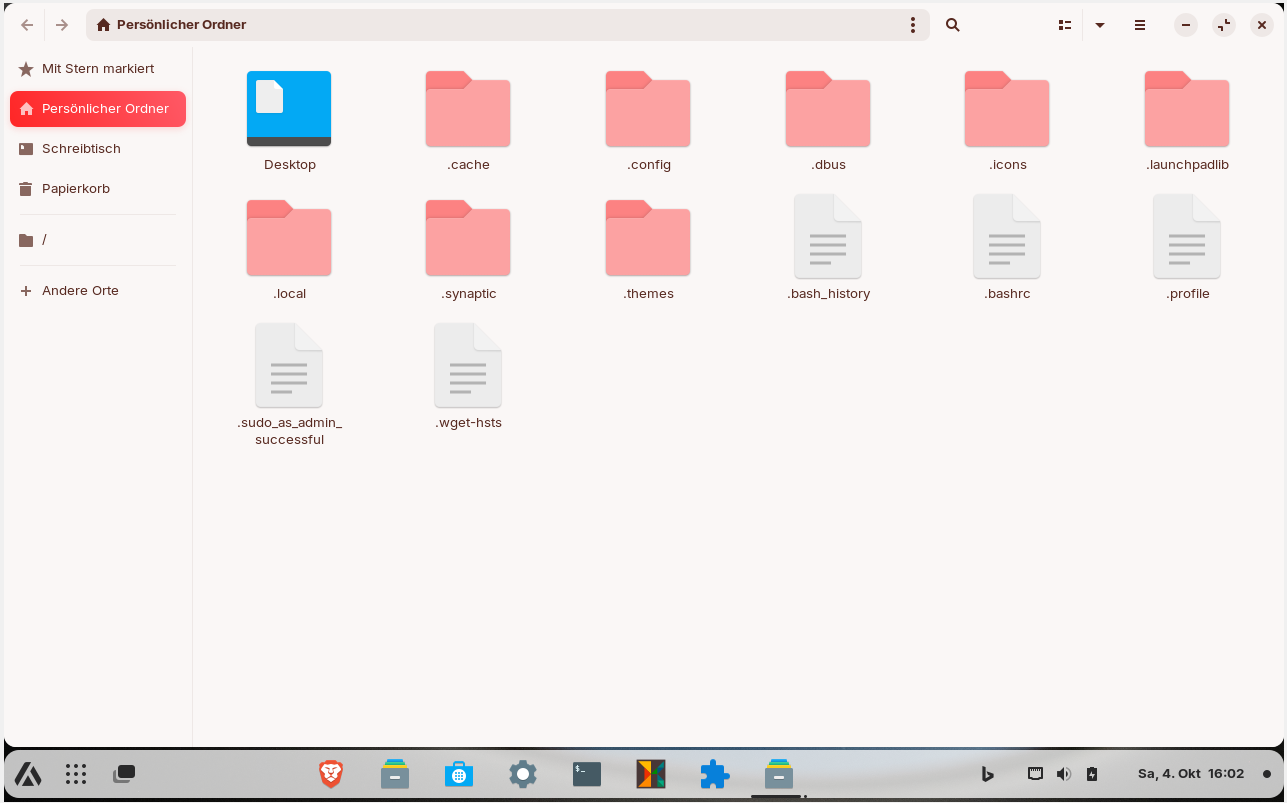
I found a way to get a different theme when nautilus is opened as root. Unfortunately, this affects all programs that require root rights, as e.g. synaptic, gparted, software updater..., but doesn´t matter. I think I´ll change it to another color or another theme - I just wanted to test if it works at the moment.
opened as user:
opened as root:
Because editing the css file was too difficult for me (there are so many lines with headerbar, sidebar, infobar...), I used this trick:
I created two folders in /root: /root/.themes and /root/.icons. Then I copied ZorinRed Light gtk theme and ZorinRed Light icon theme and pasted them into these folders. Then I renamed both to ZorinGrey Light which is the theme of my normal user.
Now I can see at a glance when something is opened with root rights, especially nautilus.
Nemo and Thunar are very laggy I don't know why. Nautilus works better in gnome.
(If you install a third-party theme and save it only in home directory, you will automatically have a different theme when you open nautilus as root. However, if you use the Zorin themes, there is no visual difference, not even Administrator Root.)
I am very unsettled at the moment because I have received so little positive feedback on this procedure. Have I created a Frankenstein system or what is the reason for so few comments/likes? Is the system no longer secure or does it jeopardize stability? Should I undo it again?
I would like to use other file managers like Thunar or Nemo (and had already set them as default), but compared to Nautilus they run much slower on my system. Nemo is maddeningly slow, absolutely unusable. It often takes 1-2 minutes just to go from a directory to a child folder and display the folders/files inside. Often just a blank page appears first or nothing happens for a while. Then one folder is displayed....Waiting....Some more....Waiting...The window not loaded correctly, half white...
What is the reason that Nemo and Thunar are slower? Is there a setting that can make them faster?
Nautilus runs okay, there are only problems when I use the search function to get to folders faster, e.g. those beginning with the letter t. In nemo and thunar this works wonderfully, nautilus however then becomes slow and searches and searches, and I have to switch off the search again before I can open the desired folder.
Is there perhaps a solution for this? For example, that nautilus only jumps to the letter t within the displayed folders of the directory in such a case and does not search the whole system?
I compared the file managers in normal user mode, not opened as root.
Yesterday I suddenly could open /root without any password prompt two times when I opened nautilus fresh as normal user. That shouldn't be. Afterwards when I tried it again it was locked as usual. I don't know why this happened. Can someone please tell me the permissions of the /boot folder?
I don't expect speed records, 4 GiB for Win11 and 4GiB for Zorin VM are really little, but it runs and I can experiment a bit without being afraid that the computer won't run anymore. I try to make the best of it. Since so many forum users are on Core, I want to know my way around it so I can help.
I think it was an elegant and resourceful solution.
Can it be nitpicked?
Yes.
Creating a polkit action is intended for system-wide actions, not user level ones. It can grant access to any user account even if authenticated once. Placing it in /etc/polkit-1/actions would have restricted it to the user account.
As you are the only user, at home, this is not a huge concern for you.
As standard practice, it would be frowned upon which may cause that nitpick from anyone who feels the urge to do so.
Also, in the /usr/share folder, it also can be overwritten in a system update if it contains anything for that directory.
Looking above, we see:
This may have cached an earlier authentication. I would consider this one alarming.
This is an unusual experience... Possibly due to file indexing.
But you are running inside a VM (with 4 GiB RAM split between Windows and Zorin) - which would make GVFS the likeliest suspect.
Have you tried the launch command:
pkexec bash -c 'cd "%f" && nautilus .'
If that works, it might help to just use that, because then you do not need any polkit override.
1 Like
Shall I rename the polkit file to .bak and then test your last command in terminal?
I have 8 GiB RAM, splitted between Win11 and Zorin VM.
So the authentication is also kept after closing the filemanager? Maybe not all processes had ended. The keep-auth is helpful to edit more than one file but I thought the root rights stop by closing the filemanager. Maybe it was because I closed it to lose root rights and immediatly after that started it again. The VM is slow, maybe it was not ready.
1 Like
You are not wrong. And closing Nautilus should end that session. But the File Manager uses other helpers, like thumbnailers, indexing, metadata... and if these are still running, they can hold the session open.
1 Like
When I move the policy rule to
etc/polkit-1/actions, will there be no override through system updates?
You had written in another thread that Thunar could be slow because of other thumbnails files. Is this also the case with Nemo? Could I also change a setting for the thumbnails to make the filemanagers nemo and thunar faster?
How do I turn off indexing in nemo?
There should not be, as system updates aim for the /usr/share/ contained directory.
Turn off - or on?
Indexing or thumbnailing can make a slow start as it builds the cache or indices, but once done should result in faster loading of instances after, per session.
Nemo is a fork of Nautilus - but expanded. So it will use GVFS, as with Nautilus - but it also can use Tumbler, which XFCE uses. I think this is less likely the cause of your woes, though... Since you installed Nautilus as a means to alleviate the problem. But... If xfce was installed on a system that was initially Gnome, then Nemo installed, it may have been using both Tumbler and Tracker (GVFS) at the same time.
Nautilus does not use Tumbler.
Disabling Tracker outright might not help, if it is the only helper in use, but it would help if Tumbler and Tracker are both active (and the reverse is also true).
I had first installed Zorin lite (xfce), there I installed nemo (if I remember right), then I installed Zorin core desktop (gnome). I´m wondering if it may help to purge nemo and to install it fresh in gnome.
It might... I am less sure. I really lean toward the VM on this one.
I would confirm if it was the same with all file managers. But it doesn´t explain the huge speed difference between nemo and nautilus. Maybe it is because nemo has never been used and does indexing now, but nautilus has never shown this behavior like nemo.
i am not really sure, either. I have had different experiences but... I have used different machines, on bare metal installs...
Realistically, solving mysteries and learning the inner workings is a fine thing. Exploring how to configure is, too. Even if there may be a minor mistake here or there - it really was an elegant solution.
Yes, you could bite your tongue and accept what is... But your attitude about it is...
Honestly...
What this world needs much more of.
You sought out your solution. To me, I believe that is the right path.
1 Like
The output of
pkexec bash -c 'cd "%f" && nautilus .'
was:
/usr/bin/bash: line 1: cd: %f: file or directory not found
I got a password request but nothing opened.
I am sorry - I am being too hurried and was unclear.
If you run that from terminal, that will happen because the %f is a placeholder for your path - it should be defined as the current directory you want to launch in.
What I mean is, is to use that in your script.
It didn´t work with json. Nothing opened. I also tried without the period at the end of the command.
I found a command that I can use in my json without the policy rule (after many, many trials and errors)  :
:
sh -c "pkexec env DISPLAY=$DISPLAY XAUTHORITY=$XAUTHORITY nautilus %f"
It opens nautilus as root at the current location in a second nautilus window. That´s okay for me, better than the policy rule. Or do you know a way to open it in the same window? Maybe it might even be handy if it's an extra window, then I can close it when I no longer need root privileges and Nautilus is still opened.
I find using the json script a bit scary because I don't know what it is and does. Isn't it possible to use the json without the browser?
I have noticed that I cannot open some files even as root, e.g.
/usr/share/appdata/nautilus-sendto.metainfo.xml
As normal user I can take a look at them in read-only-mode, but opened as root they don't even open.
Is this due to the file type? What can I do to be able to open and edit them?
As a user, the mimetype may be set to open in text editor - a GUI window that opens.
In Root, it may be set to Run that file, not open in an editor.
So it would not open it, but launch it. You can see this a lot with .desktop files, too.
Did you try opening it with right click - then selecting Text Editor?
I don't; these are, as above, separate account instances: Root and User; so each uses a separate dbus session.
I believe that the Nautilus-Admin extension can convert an open window to root - but you are trying to avoid using that...
JSON's name implies JavaScript, but it is not JavaScript. It is JavaScript Object Notation - inspired by javaScript.
It does not operate with the browser, it is a stand alone configuration file.
It can only operate with the contents you include within it.