You can switch permanently to Xorg when you logout and at login click on your username.Then a cogwheel appears at the bottom right corner where you can switch between Xorg and Wayland. This setting is kept until you change it.
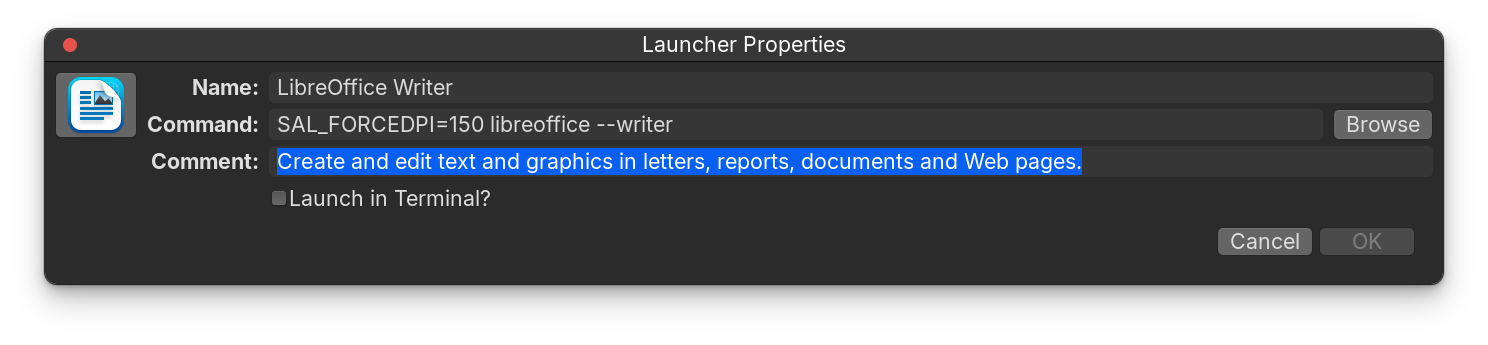
If you want Xorg just for libreoffice writer you can edit the menu (right-click on the zorin start menu), search for libreoffice writer and at properties replace the command for the app with that command line (SAL_FORCEDPI=150 libreoffice --writer) and save it.
Yes, there is - But I will wait until after you review @Forpli's post and decide if you want to solve by switching to Stable X11,
or want to solve by staying on Wayland but forcing the pipe and adjust the launching of the app.
Using the cogwheel at startup and changing to Xorg doesn't change anything. Trying replacing the command line, paste what you wrote and the OK button is ghosted - can't click it.
I like this solution best but can't get it to work.
It seems not directly to be related to Wayland. I tested it in a live session of Zorin 18.1 Core under Wayland and changing the size of the icons in libre office writer worked. Maybe it depends on the graphics card or other display settings.
You can try the command with
sh -c 'SAL_FORCEDPI=150 libreoffice --writer %U'
Edit: Follow Aravisian's advice, he is much more experienced.
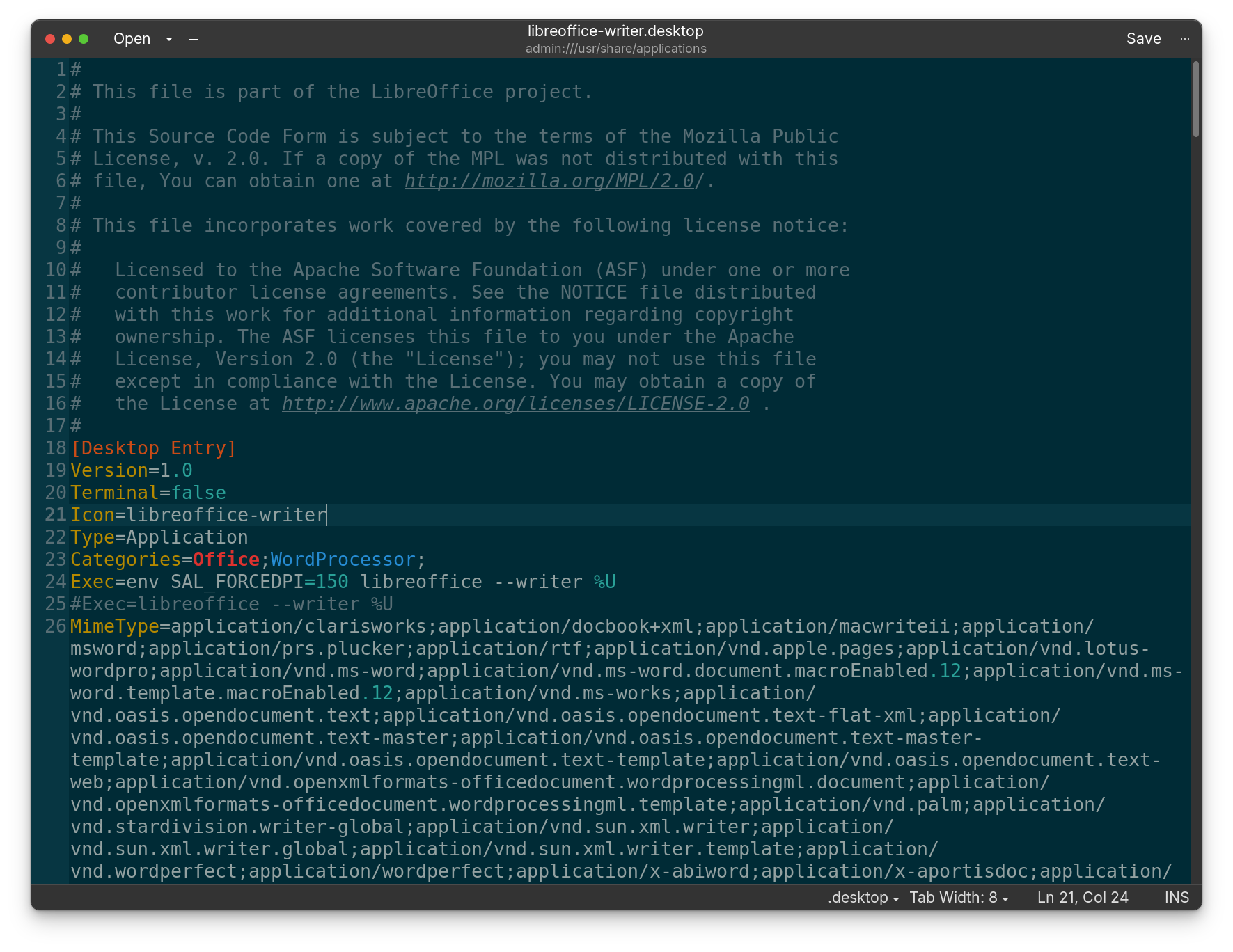
For me it also has not worked first. Then I changed all exec lines in that .desktop file (another exec line is at the end of that file), then it worked. Maybe it helps. Also it can help to close the program and logout.
With the problem of editing the .desktop file in alacarte (main menu) - I also had that problem and the button to save was greyed out when I tried to change something a second time:
It helps to remove the libreoffice-writer.desktop file at ~/.local/share/applications (press ctrl+h to show the hidden files in your file manager).
Then it is reset as it was before editing and you can edit it again.
That would install the dark Version with default Accent Color and add for LibAdwaita Links to a Config Folder. When done, choose the Theme in Zorin Appearance or gnome-tweaks and then reboot.
OK Figured it out.
If I remove ~/.local/share/applications/libreoffice-writer.desktop writer looks completely different (actually moved it to a USB drive and unmounted and removed the USB drive).
However, editing ~/.local/share/applications/libreoffice-writer.desktop AND /usr/share/applications/libreoffice-writer.desktop and changing both Exec lines in both files to:
Exec=env SAL_FORCEDPI=150 libreoffice --writer %U
Did the same to the other Libre Office applications and it worked there as well.
WORKS! No more playing with Office applications. Now to fix the White Sir theme issue. If I get that working, I'll stick with Zorin on this computer.
Runnint the install.sh with the -c dark -l propagates the theme to a higher degree but not everywhere (e.g. firefox, brave, Signal still have Zorin OS window minimize, maximize/restore and close controls). What is the LibAdwaita thing - maybe that would help?
95% there. Got Libre Office with large icons, and grammar checking, got the White Sur theme working almost everywhere.
If you installed applications like Signal as Flatpak packages, they carry their own theme.
On Zorin OS, the ZorinGroup created Flatpak Zorin Themes, so that flatpaks will match the standard apt themed packages. But... if you change to a preferred theme and have flatpaks installed; they will display as a Zorin Flatpak theme, not the system theme you chose.
So, first guess is to check what flatpak packages you have installed.
The Gnome Software Store is set to deviate to the alternative Flatpaks instead of the Standard APT.
Interesting that they comply with the White Sur theme on my Mint Systems. In mint I got them from the Software Manager. What makes it comply on one flavor of Linux and not another?
Mint resists the GTK4 overwrite and LibAdwaita (Using LibAdapta). It uses either XFCE4 or Cinnamon, which are both further removed from the influence of these controls placed on our desktop environment.
Zorin OS uses Gnome, which is the controller of GTK, and the instigator and developer of LibAdwaita.
Either can have the effect but the second one hard sets it to that one theme whereas the first one allows switching between any theme in your home themes directory.
So I used the first shell command and that worked for everything but Gimp, Brave, Firefox and Thunderbird. I guess that will have to do, unless you have any other suggestions.
It looks like I can tell Gimp and Brave to use the system theme. Yes, that worked for Gimp and Brave. Looks like I have to find a White Sur theme specifically for Firefox and Thunderbird. Unless there is a way to get them to follow the system theme like I did in Gimp. Anyone?