Hey the new linux kernel linux Linux 6.17.0-22-generic is not downloading.It is showing package failed to install
hello, can you copy the exact message you have in terminal with sudo apt upgrade ?
Ahh,actually fix the issue now i am currently running the latest version but there is a trade of for it i am unable to connect to my wifi Bus 001 Device 006: ID 0bda:f179 Realtek Semiconductor Corp. RTL8188FTV 802.11b/g/n 1T1R 2.4G WLAN Adapter.Can you please help. I have taken help from gemini but unable to solve the issue.
Simply boot the previous working kernel from grub menu item "Additional Options for Zorin". Your issue could be due to kernel regression for that hardware.
It is no bad thing to run an older kernel that supports your hardware.
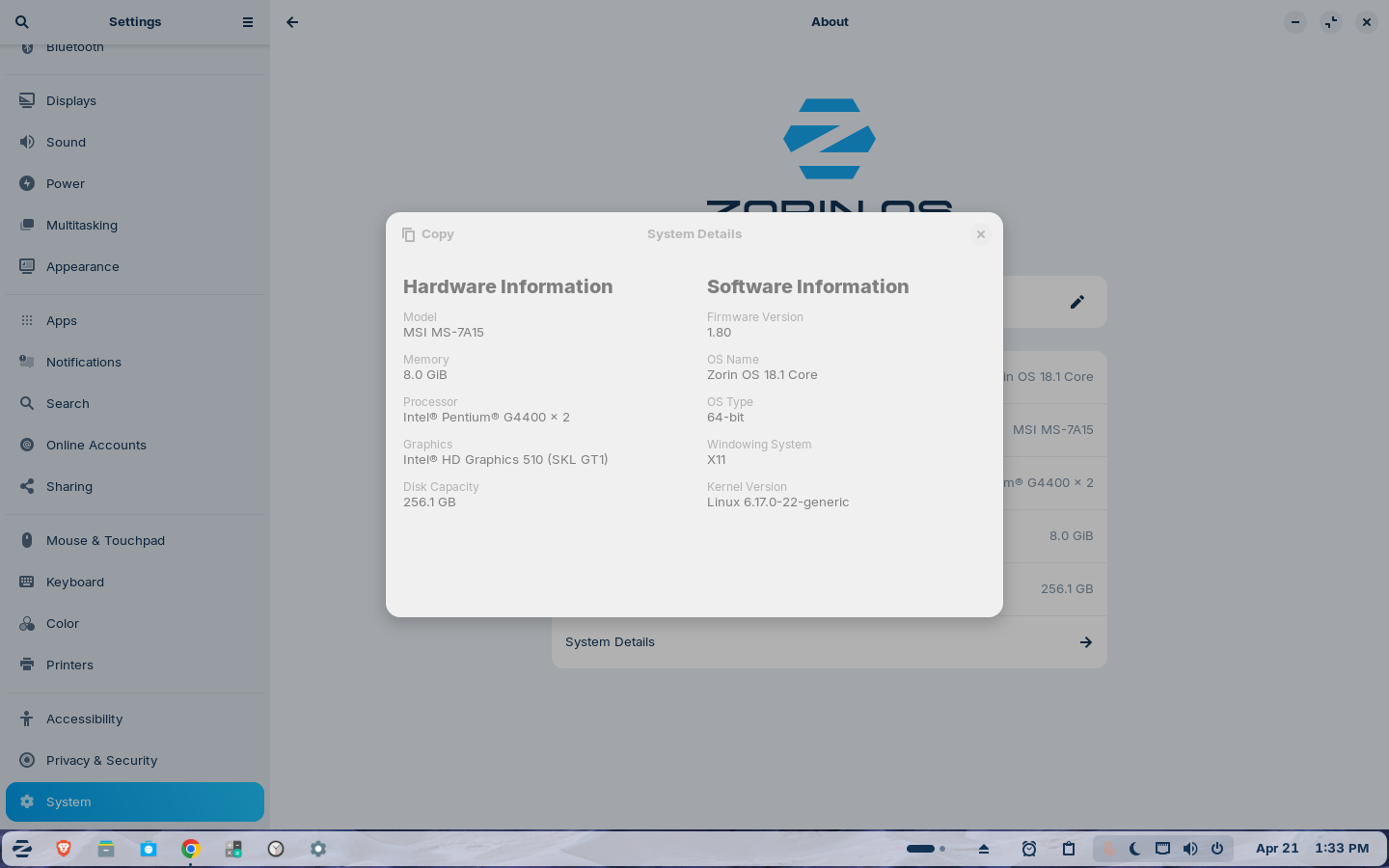
yeah even gemini told the same thing.Although i am happy with linux but this wifi issue is a headache
Do you kinda help me how to fix it permanently
No no I mean whenever i update the kernel this wifi issue happens so i want to fix this permanently.Will dkms solve this issue
Sorry, if you want to go troubleshooting the issue with the new kernel, then you will have to wait for others to help with that.
Okay,Thanks for the help and also i have the question is the wifi adapter itself incompatible for the linux becuase previously also it happens
Yes, DKMS is Dynamic Kernel Module support.
sudo add-apt-repository ppa:kelebek333/kablosuz
sudo apt update && sudo apt install rtl8188fu-dkms
3 Likes
too fast for me 
2 Likes
whenever i tried to run these two commands it shows E: Sub-process /usr/bin/dpkg returned an error code (1)
Run:
sudo dpkg --configure -a
sudo apt --fix-broken install
Then,
sudo apt install rtl8188fu-dkms
Do You have added the PPA before:
Hi @Arka, I think your problem is similar to one I had when I updated to the new kernel. I did find a solution which is explained there. Hope this helps!
This topic was automatically closed 90 days after the last reply. New replies are no longer allowed.