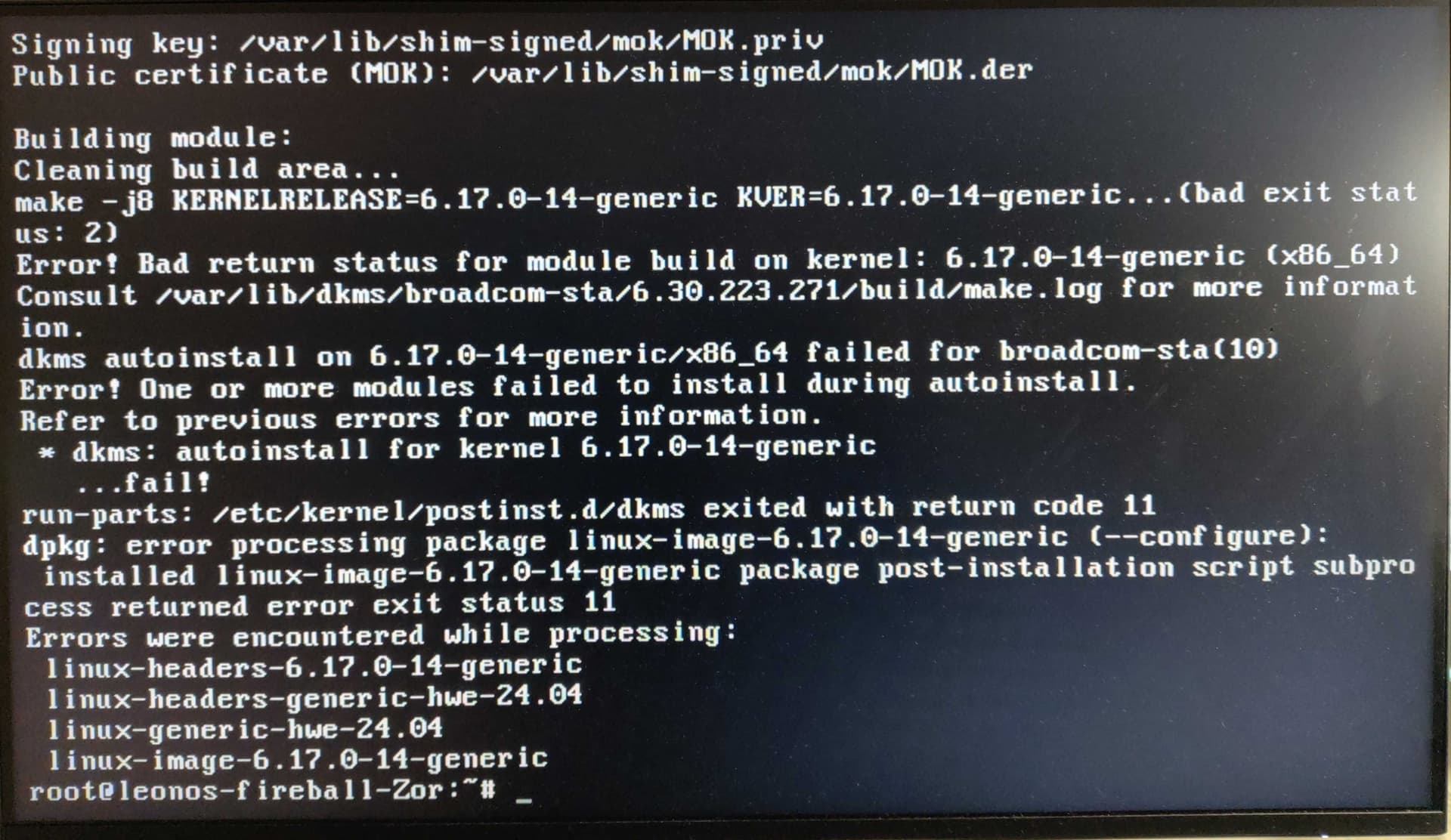
[Edit: the problem, is my case, was the incompatibility of my wifi driver 'broadcom-sta-dkms' with the kernel update. The solution was to log in with the previous kernel (6.14) and install a different version of the driver, as per @radiokop 's instructions below]
I just updated my Zorin 18 with a bunch of updates, after which it gave me an error about how some of the update couldn't complete (I don't exactly remember what the error was but I think there was a list with some 'kernel' files that needed to be removed..).
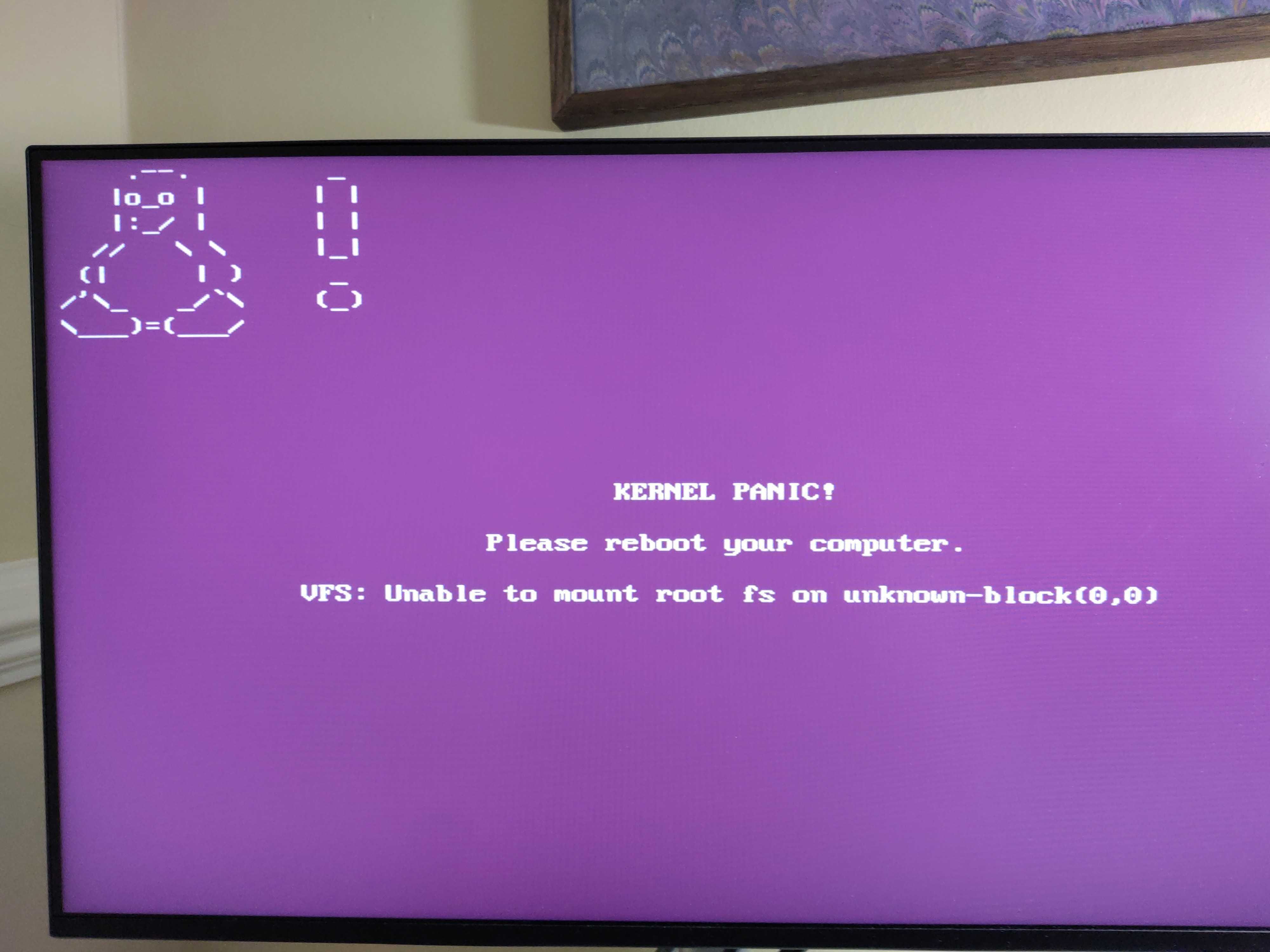
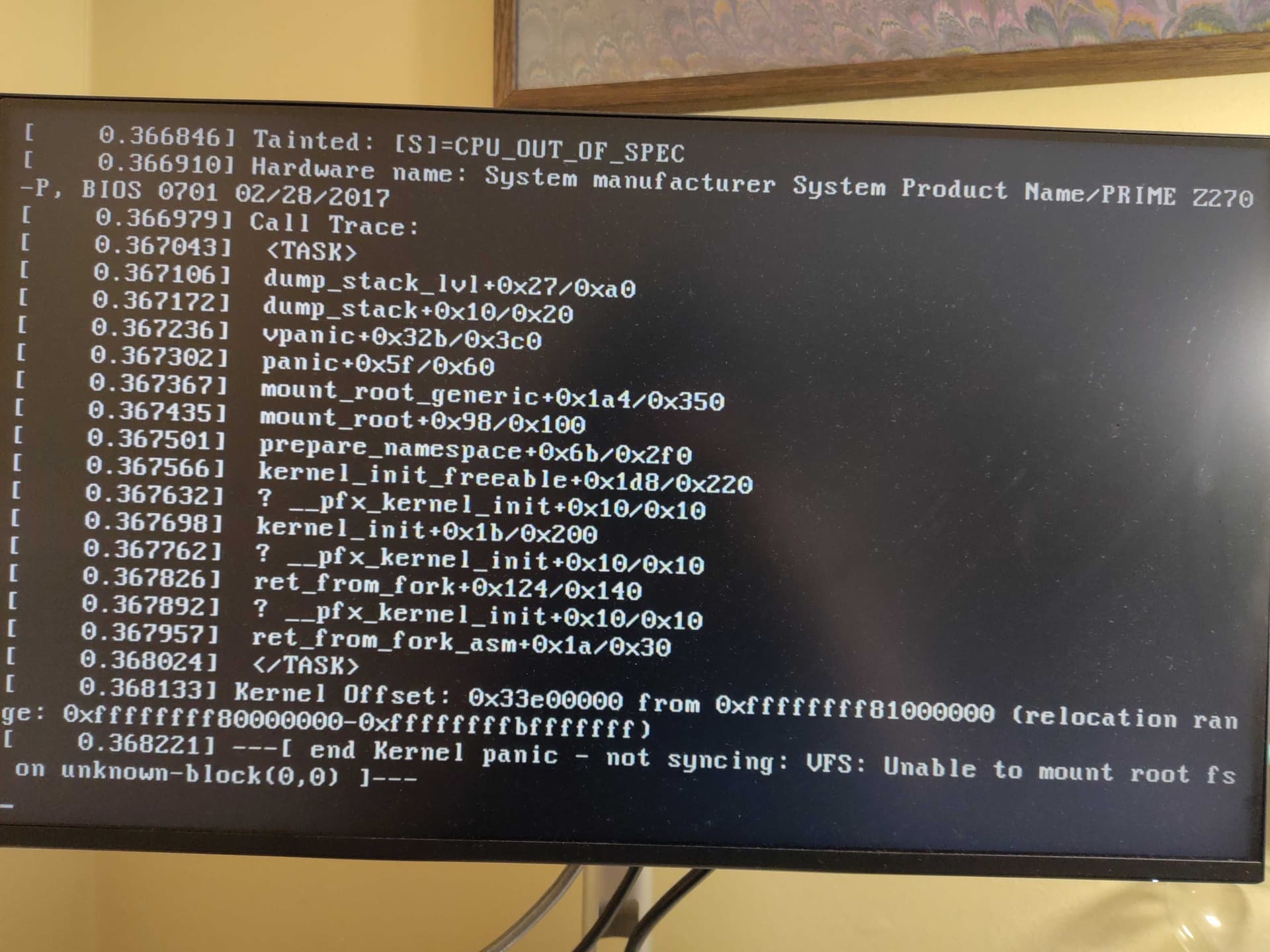
I decided to restart the computer to see if it would fix it, but instead, after launching Zorin (this is on a dual-boot with Win10), I got this error page:
Kernel Panic!
Please reboot your computer
VFS: Unable to mount root fs on unknown-block(0,0).
I tried to restart several times but it always ends on that screen.
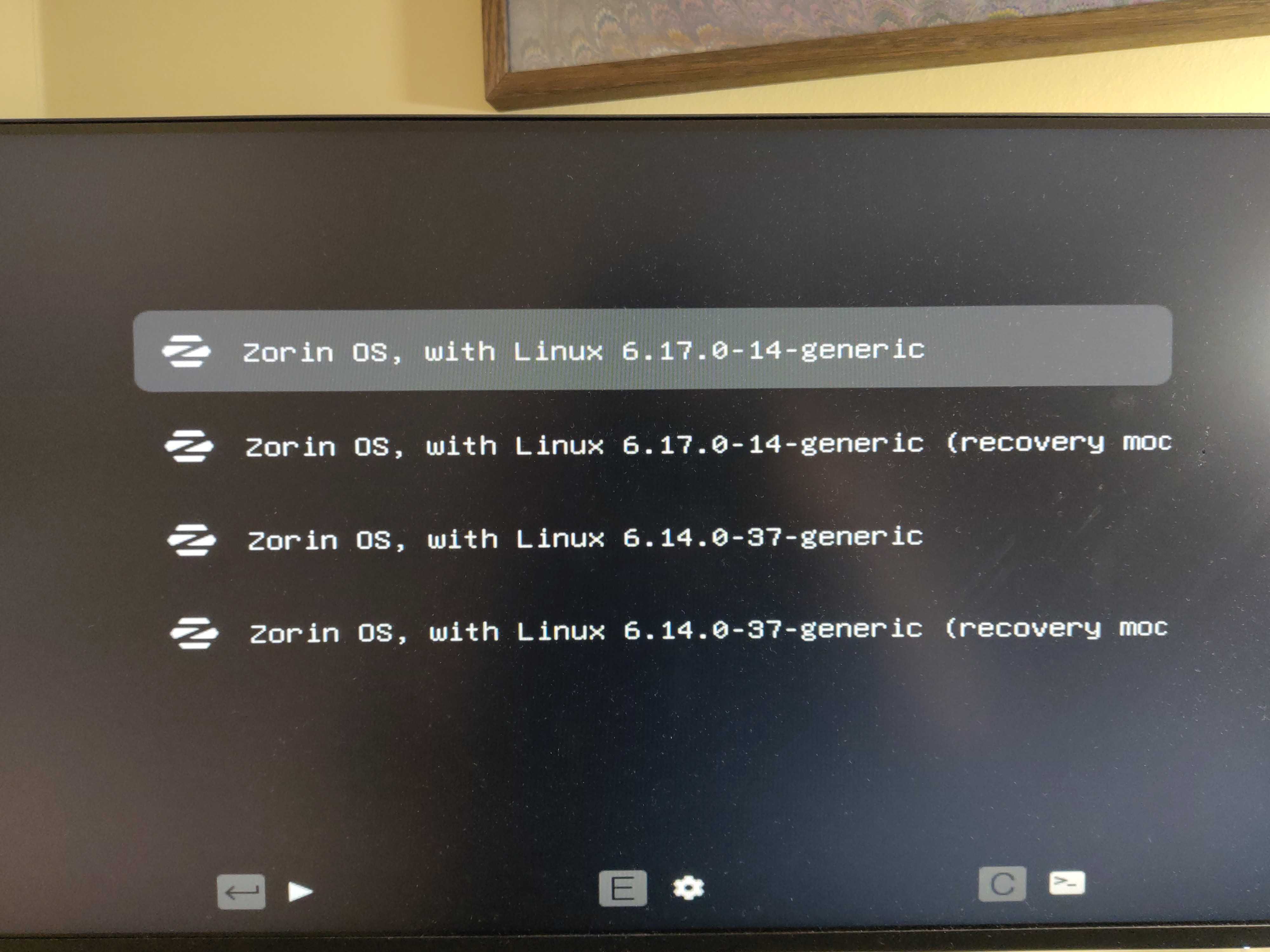
I then tried the other booting option, Zorin OS with linux 6.14.0-37-generic, which loaded fine but is acting strange (keyboard not responsive, lots of blinking). So it seems that getting 6.17 to work is necessary.
What should I do to fix it? It was working fine before that, except since a previous update I couldn't see the windows loader at the boot loader stage and I had some problems with one of my games, probably something due to my NVIDIA card, but it wasn't interfering with anything else.
Additional info:
Yes, I have fast startup and secure boot disabled!
I think that the update brought the 6.17 kernel - which means the the 6.14 had to be working fine.
From your grub menu, select the last option for 6.14.0-37 (recovery mode)
Enter the recovery menu - arrow key down to Enable Networking
With networking enabled, back up to the recovery menu and arrow key to the bottom Drop to Root Prompt
The same happened here.
To "fix" it, I booted by choosing the previous kernel, installed Grub Customizer, and changed the boot back to kernel 6.14 again.
Attempts to fix the installation of the new kernel didn't work:
sudo apt --fix-broken install
Reading package lists... Done
Building dependency tree... Done
Reading state information... Done
The following packages were automatically installed and are no longer required:
folder-color openrazer-driver-dkms
Use 'sudo apt autoremove' to remove them.
0 upgraded, 0 newly installed, 0 to remove and 1 not upgraded.
4 not fully installed or removed.
After this operation, 0 B of additional disk space will be used.
Setting up linux-image-6.17.0-14-generic (6.17.0-14.14~24.04.1) ...
Setting up linux-headers-6.17.0-14-generic (6.17.0-14.14~24.04.1) ...
/etc/kernel/header_postinst.d/dkms:
dkms: running auto installation service for kernel 6.17.0-14-generic
Sign command: /usr/bin/kmodsign
Signing key: /var/lib/shim-signed/mok/MOK.priv
Public certificate (MOK): /var/lib/shim-signed/mok/MOK.der
Building module:
Cleaning build area...
make -j24 KERNELRELEASE=6.17.0-14-generic -C /lib/modules/6.17.0-14-generic/build M=/var/lib/dkms/virtualbox/7.0.16/build...(bad exit status: 2)
Error! Bad return status for module build on kernel: 6.17.0-14-generic (x86_64)
Consult /var/lib/dkms/virtualbox/7.0.16/build/make.log for more information.
dkms autoinstall on 6.17.0-14-generic/x86_64 succeeded for openrazer-driver
dkms autoinstall on 6.17.0-14-generic/x86_64 failed for virtualbox(10)
Error! One or more modules failed to install during autoinstall.
Refer to previous errors for more information.
dkms: autoinstall for kernel 6.17.0-14-generic
...fail!
run-parts: /etc/kernel/header_postinst.d/dkms exited with return code 11
dpkg: error processing package linux-headers-6.17.0-14-generic (--configure):
installed linux-headers-6.17.0-14-generic package post-installation script subprocess returned error exit status 11
dpkg: dependency problems prevent configuration of linux-headers-generic-hwe-24.04:
linux-headers-generic-hwe-24.04 depends on linux-headers-6.17.0-14-generic; however:
Package linux-headers-6.17.0-14-generic is not configured yet.
dpkg: error processing package linux-headers-generic-hwe-24.04 (--configure):
dependency problems - leaving unconfigured
dpkg: dependency problems prevent configuration of linux-generic-hwe-24.04:
linux-generic-hwe-24.04 depends on linux-headers-generic-hwe-24.04 (= 6.17.0-14.14~24.04.1); however:
Package linux-headers-generic-hwe-24.04 is not configured yet.
dkms: running auto installation service for kernel 6.17.0-14-generic
Sign command: /usr/bin/kmodsign
Signing key: /var/lib/shim-signed/mok/MOK.priv
Public certificate (MOK): /var/lib/shim-signed/mok/MOK.der
Building module:
Cleaning build area...
make -j24 KERNELRELEASE=6.17.0-14-generic -C /lib/modules/6.17.0-14-generic/build M=/var/lib/dkms/virtualbox/7.0.16/buil
d...(bad exit status: 2)
Error! Bad return status for module build on kernel: 6.17.0-14-generic (x86_64)
Consult /var/lib/dkms/virtualbox/7.0.16/build/make.log for more information.
dkms autoinstall on 6.17.0-14-generic/x86_64 succeeded for openrazer-driver
dkms autoinstall on 6.17.0-14-generic/x86_64 failed for virtualbox(10)
Error! One or more modules failed to install during autoinstall.
Refer to previous errors for more information.
dkms: autoinstall for kernel 6.17.0-14-generic
...fail!
run-parts: /etc/kernel/postinst.d/dkms exited with return code 11
dpkg: error processing package linux-image-6.17.0-14-generic (--configure):
installed linux-image-6.17.0-14-generic package post-installation script subprocess returned error exit status 11
Errors were encountered while processing:
linux-headers-6.17.0-14-generic
linux-headers-generic-hwe-24.04
linux-generic-hwe-24.04
linux-image-6.17.0-14-generic
E: Sub-process /usr/bin/dpkg returned an error code (1)
Looks like the new kernel clashed with the existing Virtualbox package. Upgrading Virtualbox (Exterior PPA would be needed) or removing it could help users stay on 6.17.
Realistically, the vast majority of users can stick to the 6.14 kernel as the 6.17 will not bring anything new that applies to them.
Yes I tried it for 6.17 and it had the same problem.. Haven't tried it for 6.14 because the normal option launched, although it seems to have problems once started.
Thanks all for the suggestions, I will try them later today when I'm at the computer.
I hadn't realised the numbers indicated different "kernels" so that's good to know.
I'm also confused as to why is my previous kernel 6.14 and not 6.16 (if the one that failed is 6.17).
And of course I would like the latest kernel to work, I imagine it might have security updates included and it's important to have an up-to-date kernel no?
Not really. Occasionally, a later kernel can include security updates, but that is rare. Security is managed by software that is tasked to that - the kernel is not that.
So it only gets a security update for very narrow and specific driver and kernel related exploits.
A kernel needs to only be as up to date as your hardware requires.
Thanks @Aravisian , From the other links posted in this thread this seems to be the solution, but could you explain how to do this (upgrade virtualbox) in details or provide a link that does? Can I do it from the other kernel?
Thanks @Nourpon , it seems that user fixed the problem by doing the following:
"In the end I purged virtualbox from my system, I rebooted and the installation of kernel went fine. Trying to install anew the virtualbox under repositories brought error messages. So I decided to install the latest proposed virtualbox version 7.2.6 from the virtualbox website. No errors at all."
I have no idea how to do the virtual box purge especially when I can't log in with the new kernel, any chance you would know what are the steps needed to do this?
Also, do I understand well that Virtualbox is a program to run virtual machines? I don't need that so it should be fine if I uninstall it, right?
I'm quite surprised that the default behaviour in case of a clash like this is just to break everything instead of either deactivating the conflicting program (virtualbox) or preventing the entire update.. This is all quite scary as a Linux newbie.
@ab76 congrats! Would you mind explaining how you uninstalled VirtualBox without having access to the 6.17 kernel? I can access the other (6.14) kernel, could I do it from there? Thanks!
Hi all and particularly @ab76, @Nourpon and @Aravisian - I don't know if this is relevant, but I don't think Virtualbox is installed on my old (6.14) kernel. When I search for it in the menu it points me to the Software app where I have the option to install it.
But maybe it is installed in the new kernel, 6.17? I don't know if you can have different programs installed within different kernels.
Hi @Aravisian , I did what you said, here are the results (after a bunch of text that I couldn't see because it was printed too fast): apt --fix-broken install
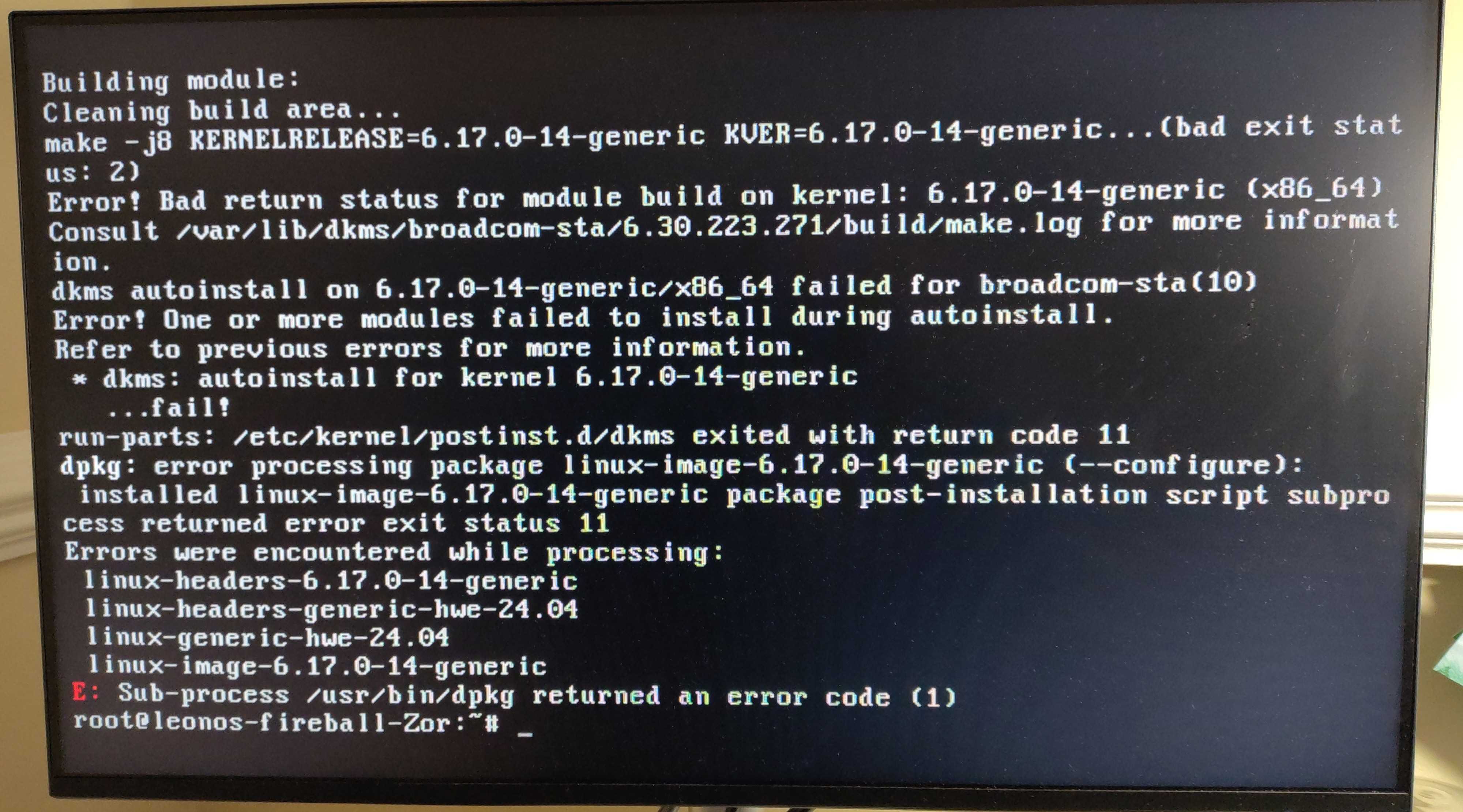
Errors were encountered while processing:
linux-headers-6.17.0-14-generic
linux-headers-generic-hwe-24.04
linux-generic-hwe-24.04
linux-image-6.17.0-14-generic
Then I ran dpkg --configure -a
And a similar list came up, here is what it settled on: