[ Edit once the solution was found: I selected one post as solution but there were at least 4 that helped. So, in summary: 1. Following problems with the new kernel, the solution was to boot back into an older kernel that worked (explained here). I also used these instructions to completely remove the new (faulty) kernel. 2. I was going to stick to that for the time being, but in the meantime the Zorin Devs released a fix. 3. Also, for some reason, I had lost my NVIDIA drivers which caused display problems, so before trying again to upgrade, I had to fix that (with this post) 4. Then, because I had purged the new kernel into outer space, I had to re-install it, explained here and here 5. Finally... I restarted into the new kernel, and it's now working! ]
Hi all,
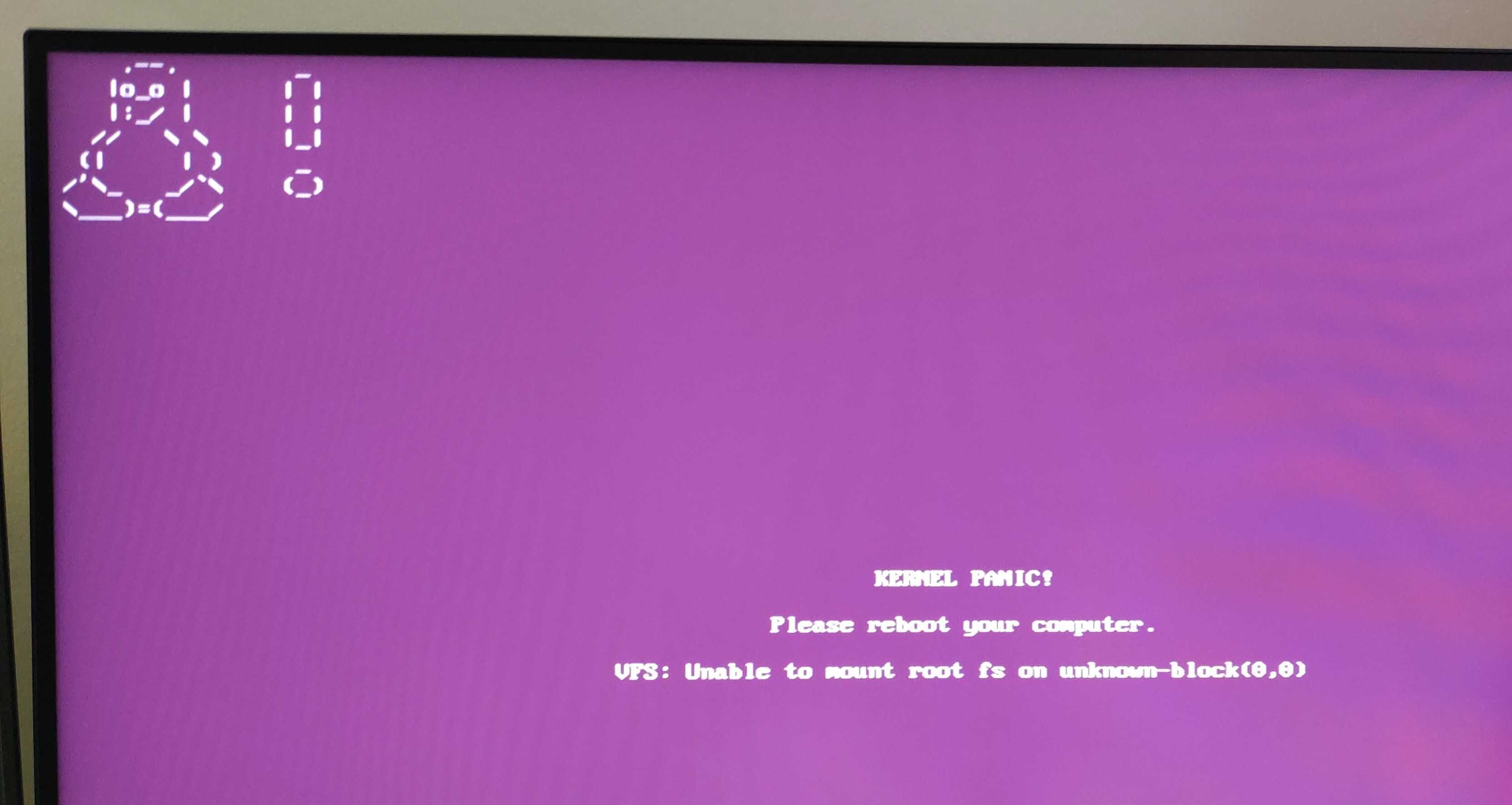
I have seen that many others have this problem, but it seems that the solutions depend on each individual configuration, and I don't want to mess things up, so could anyone help me with my own Kernel Panic following update to kernel 7.0.0-28-generic?
Context: I hadn't updated too recently, so yesterday I ran updates and it gave me an error about not all updates being able to install. Everything was still fine and I eventually switched off the computer.
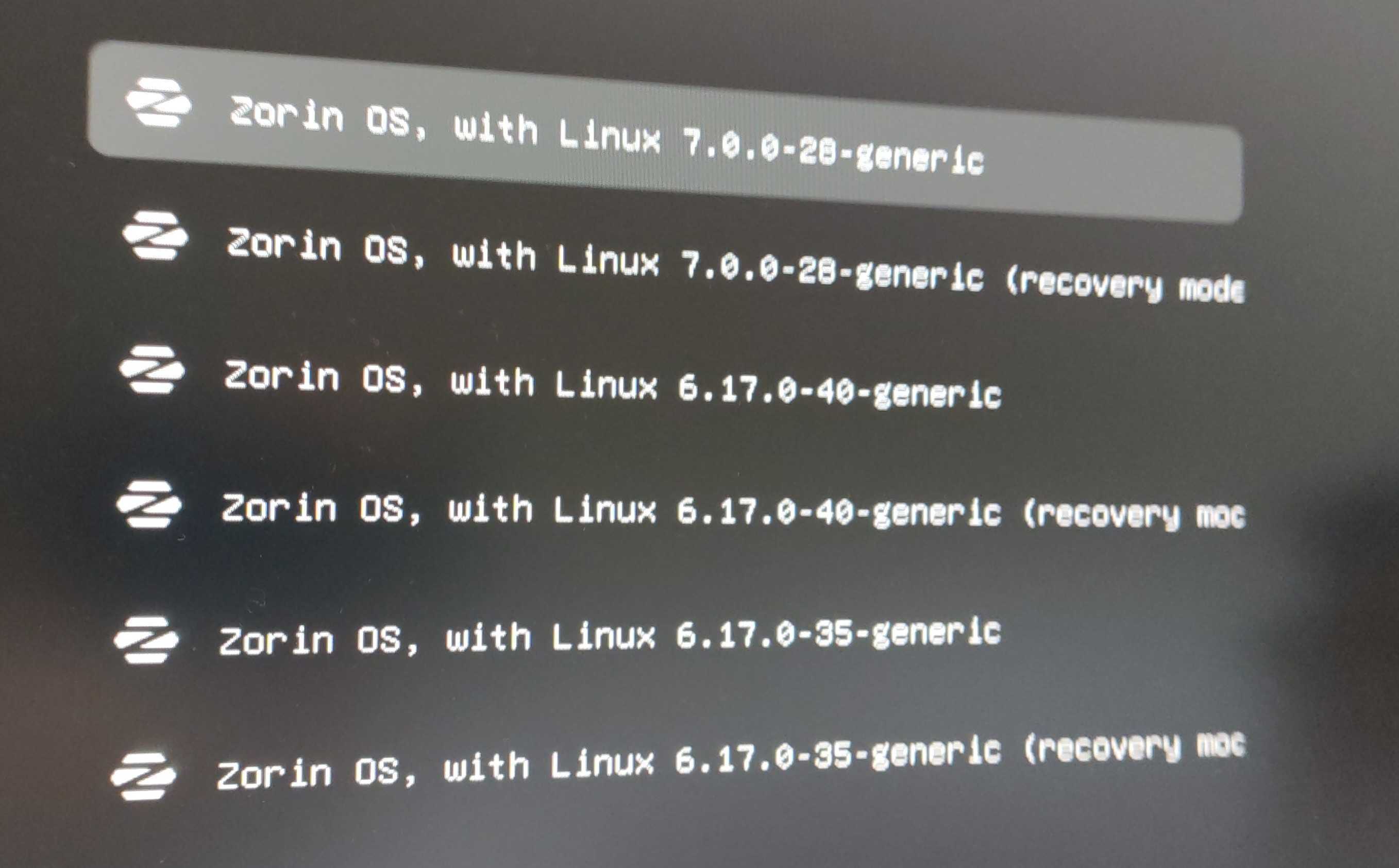
Today, after switching on, it went directly to the purple screen of death, Kernel Panic, so because this had happened to me several months ago ("Kernel Panic" after updates, Zorin 18 with Linux 6.17.0-14 not loading), I rebooted into an older kernel.
booting the immediately previous kernel (6.17.0-40-generic) kind of worked but only one of my two screens was on, with a very low res, and my internet wasn't working. So I think that kernel has also been installed recently and is also broken for me.
booting to the previous, previous kernel (6.17.0.35-generic; fortunately it was still around) worked like a charm, so it seems that's the kernel I was using until yesterday.
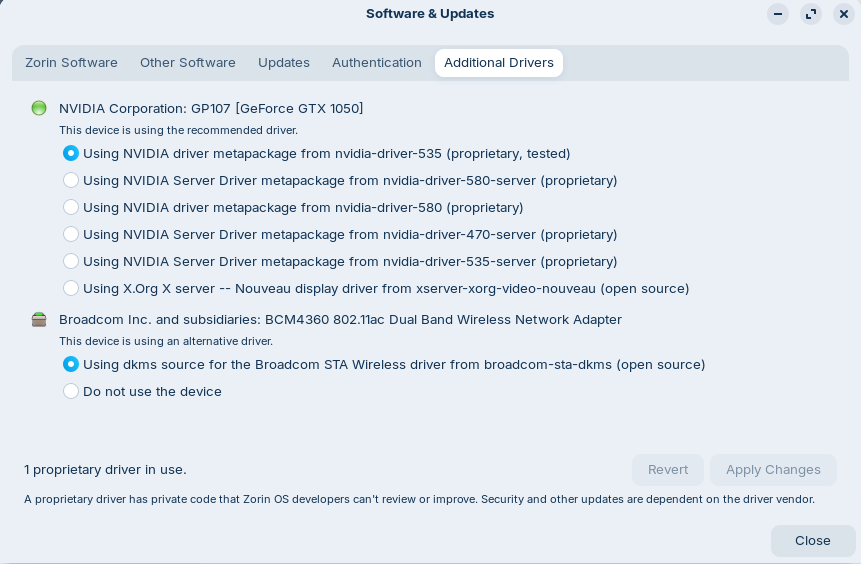
I imagine that the new kernels must have messed something up with my drivers. Here are the two drivers that could be relevant:
driver for my NVIDIA GP107 [GeForce GTX 1050] , "metapackage from nvidia-driver-535" (proprietary, tested)
driver for my wifi card Broadcom STA “dkms source for the Broadcom STA Wireless driver from broadcom-sta-dkms" (open source)
Last time this happened (see link above) I had to log in the previous kernel (6.14) and install a different version of the 'broadcom-sta-dkms' driver.
This time, I'm not sure what to do. I've also spent a lot more time configuring my Zorin OS so I don't want to mess things up. Any suggestions to fix this so that ideally I can boot into the newest kernel?
If not, is there a way to uninstall the two most recent kernels that don't work for me (7.0.0-28 and 6.17.0.40) and make sure they don't get reinstalled again?
@Nourpon Really? I looked but this doesn't explain how to fix the problem, only how to revert back to an old kernel, as far as I can see? But last time I was able to fix the problem in the new kernel by doing some stuff in the old kernel. Hopefully someone can help
Here you find the command to remove the kernel 7.0:
For the 6.17 kernel it should be similar with the numbers of the 6.17 kernel you want to remove (6.17.0-40).
The 6.17 kernel has also modules-extra, but when you remove the other parts, the kernel should no longer work.
@Nourpon this post is AI-generated so I'm not going to follow what it says blindly, I'm not a Linux pro and unable to check if it makes sense or not myself.
do what you want, but don't say there are no solution because it is explain how to boot with older kernel and how to set it, IA or not the process is the same !
@Nourpon Actually, genAI or not, it is not the same.. the genAI program is just producing words without any understanding of the content, and I do not want to break my computer further than it already is. I'll wait for someone who knows what they are talking about to provide instructions.
Anyway it seems that there is no way to currently fix it, so I'll follow @Ponce-De-Leon 's instructions and just stay on the old kernel for now - thanks!
I followed the instructions to make the current kernel as default (I think that worked) and then tried the ones to 'get the kernel nuked' but I got some errors at that stage.. probably because it wasn't installed properly in the first place?
Anyway, I've removed 7.0.0-28 and 6.17.0.40 and reboot now, wish me luck!
This was the end of my error list in case that's relevant in future..
sha256sum: WARNING: 5 listed files could not be read
dpkg: error processing package linux-modules-nvidia-535-6.17.0-40-generic (--con
figure):
installed linux-modules-nvidia-535-6.17.0-40-generic package post-installation
script subprocess returned error exit status 1
dpkg: dependency problems prevent configuration of linux-modules-nvidia-535-gene
ric-hwe-24.04:
linux-modules-nvidia-535-generic-hwe-24.04 depends on linux-modules-nvidia-535-
6.17.0-40-generic (= 6.17.0-40.40~24.04.1); however:
Package linux-modules-nvidia-535-6.17.0-40-generic is not configured yet.
dpkg: error processing package linux-modules-nvidia-535-generic-hwe-24.04 (--con
figure):
dependency problems - leaving unconfigured
Errors were encountered while processing:
linux-modules-nvidia-535-6.17.0-40-generic
linux-modules-nvidia-535-generic-hwe-24.04
E: Sub-process /usr/bin/dpkg returned an error code (1)
Generally when you get dpkg errors the usual fix is:
sudo dpkg --configure -a
You can even run it from a tty terminal.
To get to tty, use key combination Ctrl+ Alt+ F2 (through to F6).
You get a login prompt for your username. Then Password:
After entering your password you are logged in to the machine in the terminal.
This is a concise, yet accurate understanding of how A.I. works.
I could write a very long post (or a thesis) about this very topic.
It is true that information that is validated is still as accurate as vetted content is.
Which... leads back to the thesis comment. Is it wise to blindly follow what a human says?
I would offer that it isn't. If a person has determined that any source has not yet earned their trust - this is always valid.
Very likely, and Swarf has given you a tip, here.
So, should you fix packages to stay on the 7.0 kernel? I wouldn't.
Modules failing to bind can be an external regression, but the 7.0 kernel we have seen has internal regressions. Even if you get the Broadcom module to bind, and Nvidia, this will not fix the internal regressions on the 7.0 kernel that can still haunt you later.
I have the capacity to think. And if I take a moment to do so, I will do alright.
But, recently... @Forpli caught me three times in the same thread forgetting that a user was on MBR, not EFI. I was hurried, following routine thinking, instead of verifying which user was in which thread.
I am grateful I have earned some of your trust. Doesn't mean that everyone is in that same space, so we cannot apply force and suggest they do so anyway.
I can screw up, too.
Not just some... I always read your answers in any post to learn.
And of course you can screw up but you are not alone here and because we learned from you we can try to set a correction