The lat update broke my system and I can not log in anymore
Edit: I was mistaken my version is 17. 3 not 18
How is that suposed to help me?
Welcome to the Forum!
That was @Omnimaxus Way to say to use a different distro. But I understand Your Point: Isn't helpful.
To Your Issue: You wrote, You can't log in anymore. Do You come to the Login Screen or do You have a Black Screen? Could You make a Picture and post it? Do You remember what Update/s were installed? Did You take a Look at them?
Please don't post simply Links to different Distro's when someone has an Issue.
2 Likes
Do you have a Nvidia card? Is auto login enabled by any chance?
The login screen pops up but when I enter the password it loads for a second and then im back on the login screen with out a error message. The update was today
I have an AMD GPU and auto login is disabled
Att the login screen can you press ctrl+alt+F3 (or F2 for the matter) to get to CLI?
Yes t can enter cli
Try roll back to previous kernel and see if you can login after that:
How do I boot in an older kernel?
That is explained in the link I posted.
You need to to get into CLI as before you can do the steps.
At boot when grub menu is displayed select "Advanced options for Zorin" and then select an older kernel to boot from.
If the grub menu isn't displayed at boot, press continuosly key "esc" during boot.
The post tells me how i set an older kernel as default after I have booted into it but not how to actually boot into it
I apologize; I have deleted the post. (Thank you.)
Good luck to @Amnesius in trying to resolve his issue.
2 Likes
It did not help I have the same problem after changing to the older kernel @storm
Okay, so it's not regression of the AMD driver which I thought could be the problem.
Let's take a step back.
-
Do you recall which update did you recieve? I know it's a long short as we just let the system updates.
-
Have you made any changes to the system? Either editing some files or install some apps before the screen went black?
I don't remember the update and the screen did not go black I restarted my system and when I login with Xorg all my start up programs start but my screen is grey with an error message and a log out button
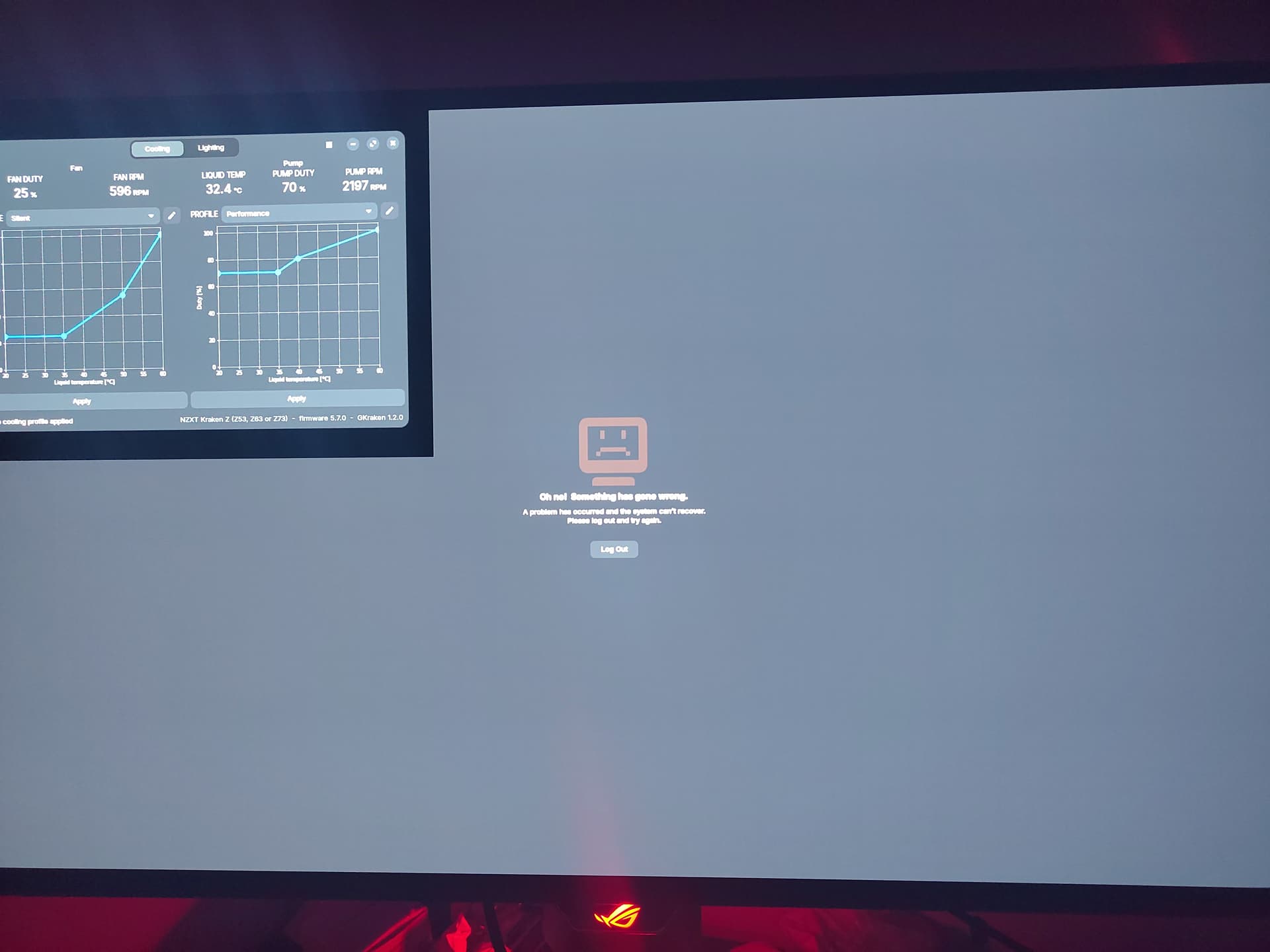
Ah Gnome's version of blue screen of death.
Try reinstall the Zorin OS within Zorin. In CLI;
sudo apt update && sudo apt upgrade
sudo apt install --reinstall zorin-os-desktop
reboot
1 Like
Curious - is your Zorin OS 18 install an upgrade from Zorin OS 17, or is it a fresh install? Be interesting to know which it is. I don't use Zorin OS, but if it's a fresh install, that's worrisome. But if it's an upgrade from Zorin OS 17, that may explain it. Who knows if the upgrade left behind remnants that might've not mixed well with the update you received? Depending on your answer, it may also be worthwhile to let the developers know so they can investigate. Thanks.
1 Like