I downloaded Zorin 18.1 Core. I successfully made the installation Flash Drive. I then booted from the Flash Drive successfully. I then added my internet connection and proceeded to install on my Hard Drive. All seems to go well and I verified thge files were on my hard drive. This is a clean installation after complete removal of windows. I removed the flash drive as instructed and tried a restart from the hard drive. I got "No Operation System Found" So then I checked my Bios settings. It is a legacy bios and doesn't have UEFI so no settings for Fast Boot in the boot tab other than selection of the boot device. No settings for Secure Boot in the Security Tab. My Hardware is a Dell Laptop r17 N7110 and it meets the system specs. How do I fix this issue?
Welcome to the Forum!
- What Tool did You use to create the Bootstick?
- Did You checked the Checksum of the ISO?
- Do You have a ''Zorin'' or ''ubuntu'' Entry in the BIOS Boot Order? If yes and it is not on the first Position change it to it.
- You have a Legacy BIOS. Did You set up the Bootstick for that?
Thanks for responding so quickly! I have some experience with Linux but it is not very current. I answered your questions below.
- What Tool did You use to create the Bootstick?
I used Etcher after downloading the Zorin 18.1 Core ISO and Etcher - Did You checked the Checksum of the ISO?
The ISO file size I downloaded is: 3,817,472KB is this correct? - Do You have a ''Zorin'' or ''ubuntu'' Entry in the BIOS Boot Order? If yes and it is not on the first Position change it to it.
No. That is probably why I get 'No Operation System Found' upon a power cycle. - You have a Legacy BIOS. Did You set up the Bootstick for that?
Yes, it is a non UEFI legacy Bios. I don't know what needs to be done to set up the boot stick for that. Can you point me in the right direction?
I really appreciate your help! I can provide you with the hardware information and current Bios settings. I also have been in contact with Zorin Support and I can also supply you with the email trail.
I want to purchase Zorin OS 18.1 Pro if I can get this to work. It will give the confidence that my laptop can accept it.
Best regards,
Bob
It sounds like you have a MBR/UEFI mismatch - installed Zorin as UEFI on a Legacy BIOS. AS first step, I would boot to your USB stick in "Try Zorin" mode and run the Boot Repair option. If you are lucky that may fix the problem. If not come back here.
I mean this:
I would make the following Suggestion here: When You have a Device with Windows on it, use that to create the Botstick with Rufus. I know, it is a bit ironic to use a Windows Tool but it is a really good Tool. I used it in the Past, too.
One good Point is: There is an Option called ''Partition Sheme''. There, You can set up the fitting Sheme for Your BIOS. GPT for UEFI and MBR for Legacy BIOS. So, use Rufus and choose on this Option MBR for Your UEFI BIOS.
Alternatively you could use Ventoy, also has mbr and uefi formatting options.
I have made a new Install Flash drive using Rufus and set it to MBR. I also checked 'Include legacy bios fixes'. I also reset my Bios to factory defaults. The new install Flash Drive works, it booted successfully and I was able to set up internet connection. I then started the Zorin OS install. I selected LVM and standalone installation. Installation completed successfully. upon restart I still got the 'operation system not found' message.
Choose only ''Erase disk'' and try it again.
Started Install. Did not select LVM. Downloaded quickhash and file is ok. Matches expected SHA256 Hash 44649b97bd307fc4c8529205d098ebbf98575a1e1ba2ee7d7005b697af1721d5
Same error 'operation system not found'
Where is the installation log written? boot stick or hard drive?
Can you boot from your Etcher stick, Try Zorin, then launch GParted. When you launch it will show the partition of your usb stick and may be shown as 'sdd' top right of the partition window. Use the drop down arrow and select 'sda', then take a screenshot and post back here please.
The file size is different from the SHA256 checksum. This may explain better: Methods of downloading Zorin OS - #8 by zabadabadoo
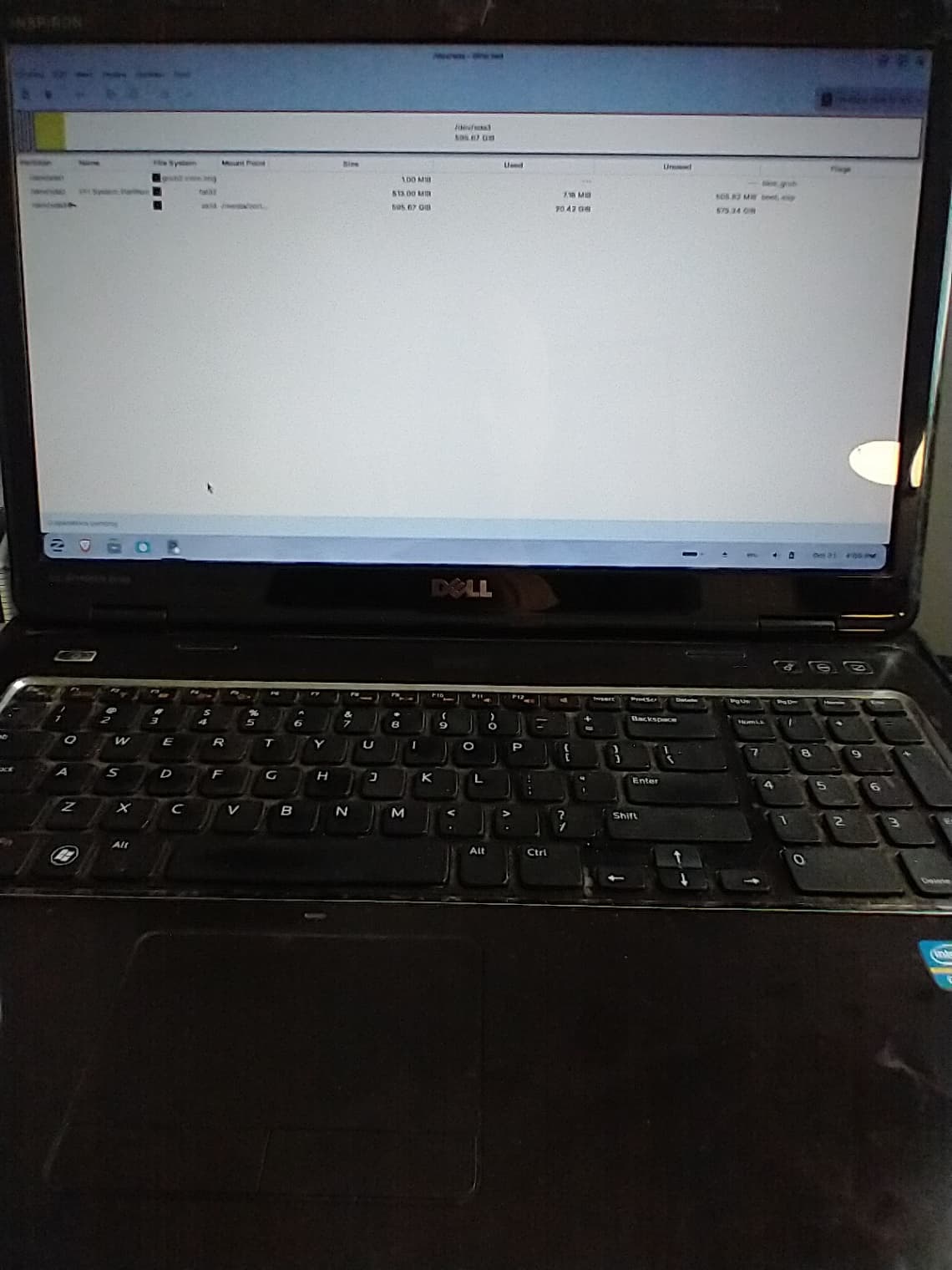
Had to use my phone even though I created a file on the Zorin OS. No way to get it off that laptop. I hope you can see it clearly.
I am afraid the screen text is not at all clear when I attempted to read it. Maybe others have different result.
If you are running Gparted from Live USB, then you should ba able to do a screenshot and copy that screenshot image file off your laptop.
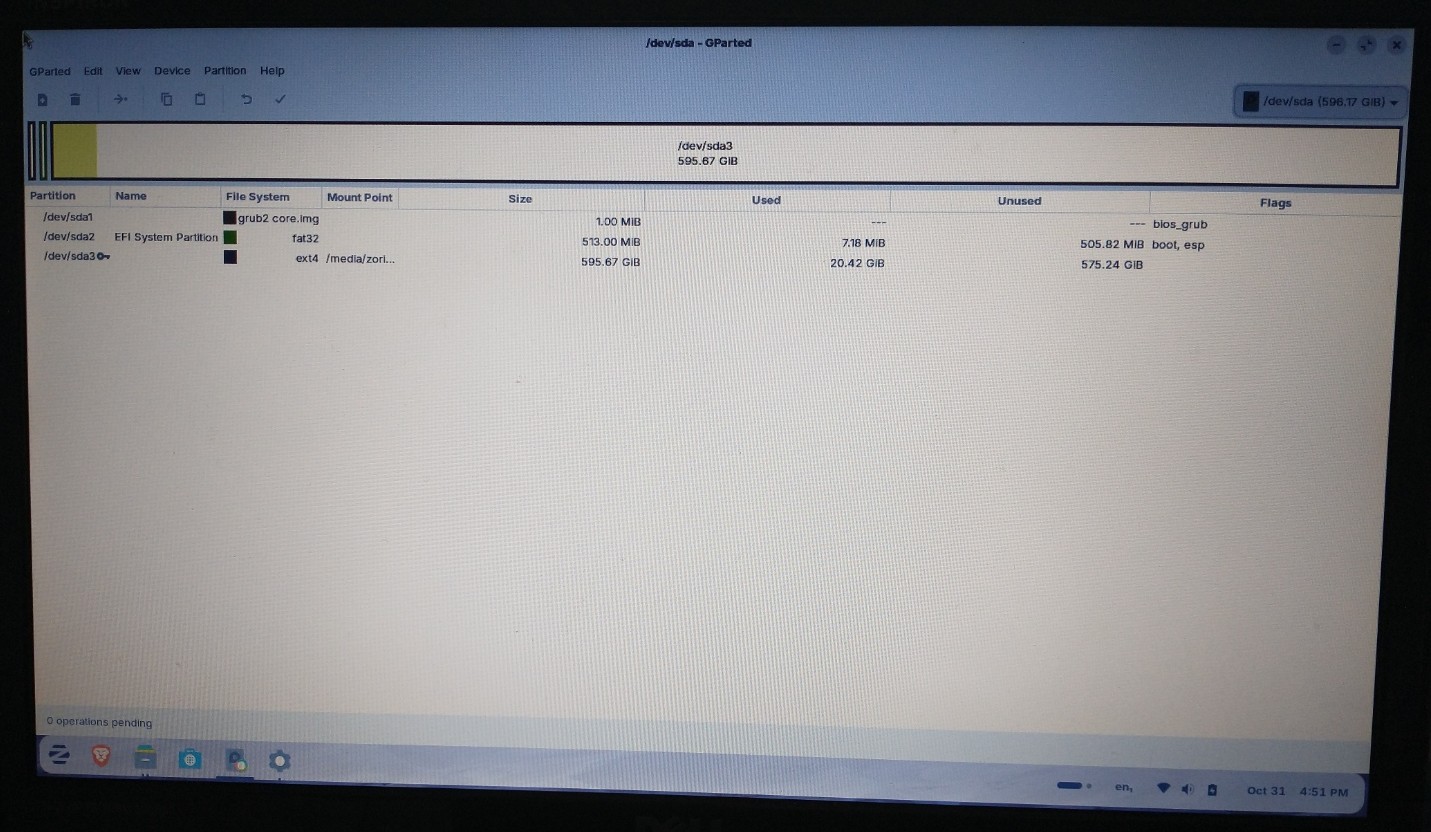
It still looks to be in UEFI based on the presence of the EFI partition but your BIOS is legacy. Also do you have bitlocker or something activated? Based on the little key icon beside the Zorin partition.
Did you ever try Boot Repair option (I suggested way back in this thread)?
This is AI generated but looks OK to me:
To install Zorin OS on a Legacy BIOS (MBR) system, you must ensure your installation media is formatted for MBR and the bootloader is installed to the master boot record rather than an EFI partition.
1. Prepare the Bootable USB
Use a tool like Rufus or Ventoy to create the bootable drive. In Rufus, explicitly select the MBR partition scheme and BIOS (or Legacy) target system. This ensures the USB is recognized by older motherboards that do not support UEFI booting.
2. Configure BIOS Settings
Enter your computer’s BIOS setup (usually via F2, F12, or Del at startup). Enable Legacy Boot or CSM (Compatibility Support Module) and disable Secure Boot . Set the USB drive as the primary boot device.
3. Manual Partitioning
During the Zorin OS installation, select "Something else" for the installation type to manually configure partitions. Standard requirements include:
- Create an msdos partition table if one does not exist.
- Create an ext4 partition mounted at / (root).
- Optionally create a swap partition (size equal to RAM).
- Crucial Step: In the "Device for boot loader installation" dropdown at the bottom of the partition screen, select the entire hard drive (e.g.,
/dev/sda) rather than a specific partition. This installs the GRUB bootloader to the MBR.
4. Post-Installation
After installation, restart the machine and remove the USB drive. If the system does not boot automatically, you may need to run sudo update-grub in a terminal to detect the OS and fix the bootloader configuration. If you are dual-booting with Windows, ensure both operating systems are installed in the same mode (Legacy); mixing Legacy and UEFI installations often causes boot failures.
I recreated the Zorin Installation boot stick using Rufus with the settings you listed. It booted on the older laptop correctly. Now I am proceeding to try the install of Zorin to the hard drive. I do not have the bios settings you mentioned and I set the BIOS to factory default. The older laptop does not have windows installed. I wiped it as it is an older laptop. In the manual configuration it seems to be for a windows laptop. What would I do to just install ZORIN Standalone?
For this, You have 2 Options:
Choose the Installation Method ''Erase disk'' and then the whole Drive will be wiped and only Zorin gets installed on it.
Option 2 would be to use the ''Something else'' Option and then delete first the whole Drive from all Partitions and then create the neccessary Partitions manually.
Option 1 would be easier because the Installer makes evrything automatically what You would have to do in Option 2 manually.