So, instead of choosing a driver, I let ubuntu-drivers decide for me. I just used the command ubuntu-drivers install without a driver version. Not sure if it's the best version, but it works. It's the latest and it's the open driver, not the one from Nvidia. Everything seems good from here.
Oh, I also forgot to mention, this is a portable install on a USB drive.
honeslty with older RTS games (rts game nerd here) since most of them were designed for purely windows, Proton is 100% the way to go via steam, however i was fortunate that my warcraft 3 cd worked instantly with Zorin App Support,
for some windows 98 games you can often find open source remakes like Julius and Augustus for Caesar 3
Good afternoon to the entire community! Here in Brazil, major channels are creating tutorials for Zorin OS18 Beta. Zorin is quite popular here among entry-level Linux users and consistently ranks in the top 5 or 10 of their lists of best distributions. It's easy for beginners and similar to Windows in that it requires minimal terminal usage. As for content creation, there are many free, generative video AIs.
I've been testing V18 Beta and one thing I've run into twice now is that after sitting overnight I find that the Desktop seems to be locked up. When I try to reboot, the process starts, but seems to freeze. Powering off and then rebooting seems to correct the problem.
I also suffered from an issue similar to what you're talking. I've been testing both XFCE and MATE on the side and they have not been suffering from these issues. Sometimes switching to X in the main desktop portion helped, but sometimes it didn't, not a 100% flawless fix for the way it was affecting me.
I just installed the beta version of Zorin OS 18, and I’ve run into a serious problem.
After installation, I explored the OS for a bit, but suddenly the entire system froze. After waiting about 7 minutes with no response, I performed a hard reset.
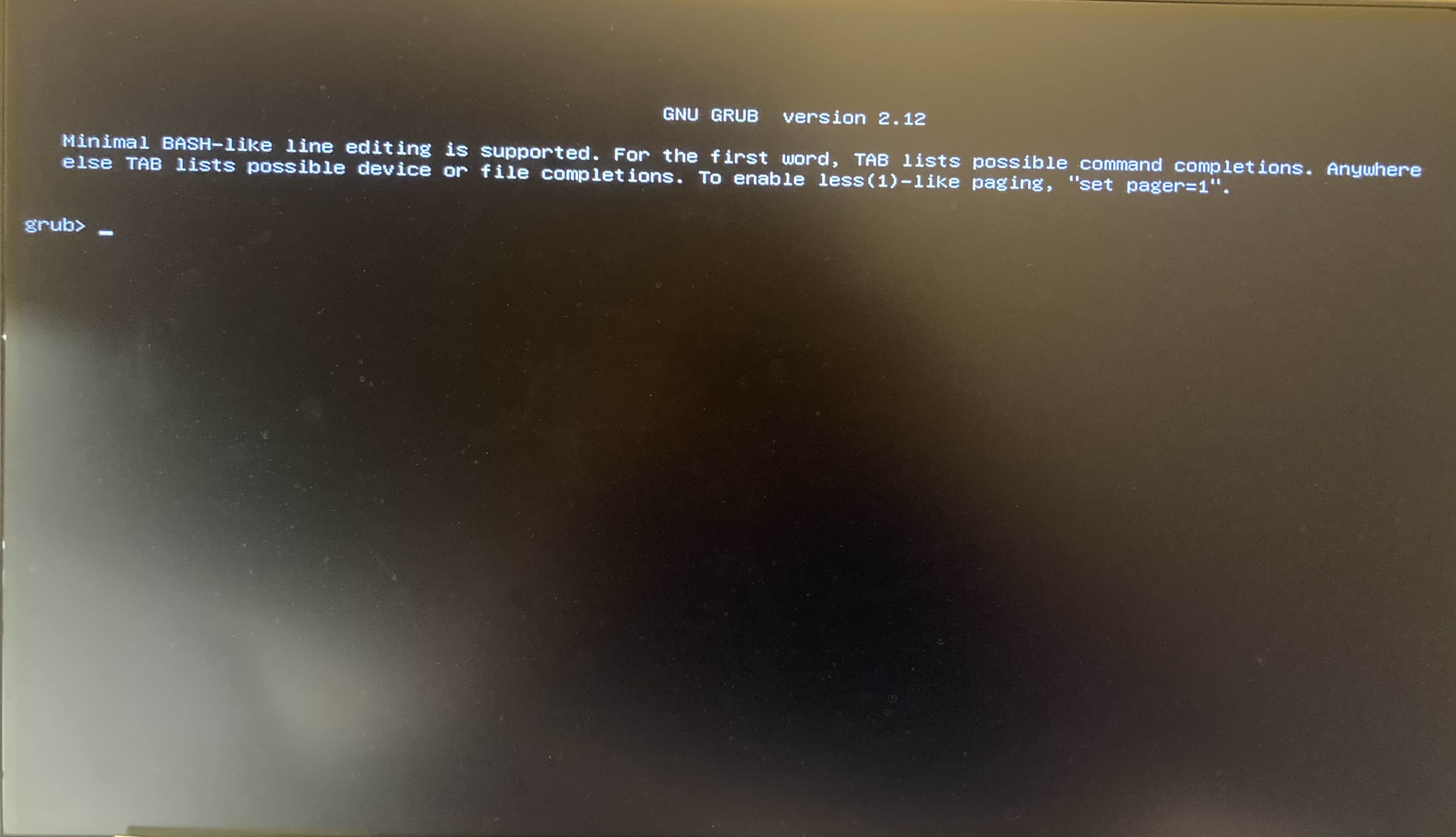
When I tried to boot again, the system no longer loaded properly — it went straight to the GRUB command-line interface (the "grub>" prompt).
Even worse, I noticed that my keyboard completely stopped working, no matter which one I use (I tried several). This means I’m stuck on this screen and can’t type any commands. I also can’t access my BIOS anymore.
For context, here’s my setup:
500 GB HDD with Ubuntu
1 TB NVMe with NixOS
64 GB SSD with Zorin OS 18 Beta
Intel Arc A750 GPU, Ryzen 7 5800X CPU, 32 GB RAM
I even tried unplugging the SSD with Zorin OS to boot from my other disks, but the problem persists — I still can’t get past the GRUB prompt, and my keyboard remains unresponsive.
Do you have any idea what could have caused this and how I can recover my system?
Arc has instabilities already. I would not recommend the Zorin OS beta on Intel's Arc's until at least the full release of Zorin OS 18.
What you can do: Try resetting CMOS by removing, then reseating the CMOS battery (after a thirty second wait with the battery out) or by using the CMOS jumper.
Then boot a LiveUSb of any Distro of your choice and run Grub Repair Utility.
This looks like a firmware conflict that corrupted the EFI partition, at a glance...
Thank you for the reply, it worked! But I discovered another problem (I don't know if this is due to my Zorin problem): I saied earlier that doesn't matter which port I was using, I wasn't able to make my keyboard work in the grub. Now it's working again, but no more on the original port (the one where the keyboard was plug before the bug) and this no matter on what distribution. Is it a known problem?
This makes an IT person want to troubleshoot. Try plugging anything else that requires USB power, and lights up. Does anything USB work in the original port you had your keyboard plugged in? I ask this, because its fairly common that USB ports die, after lots of plugging/unplugging.
Hi friends I know that doesn't quite fit, but I might have one more wish if it's okay. How about the browser history that I don't use a Brave that you are asked at the beginning which browsers you want to install, i.e. as an apt and also Flatpak.
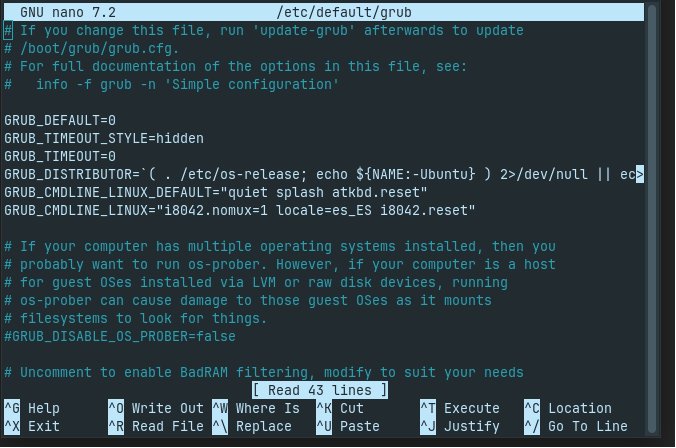
I'm enjoying it so far. I did have the dreaded keyboard and touchpad issue that prevented me from using 16 on my secondary laptop, but got it figured out in this beta. Adding my grub fix in case someone is using a Lenovo Twist s230u laptop.
So, it is only this specifitc USB Port? Is it a special USB Port? Maybe reserved for BIOS Flash or something? When You plug other stuff on it does this work? Did You checked Your BIOS if there are Settings for the USB Ports?
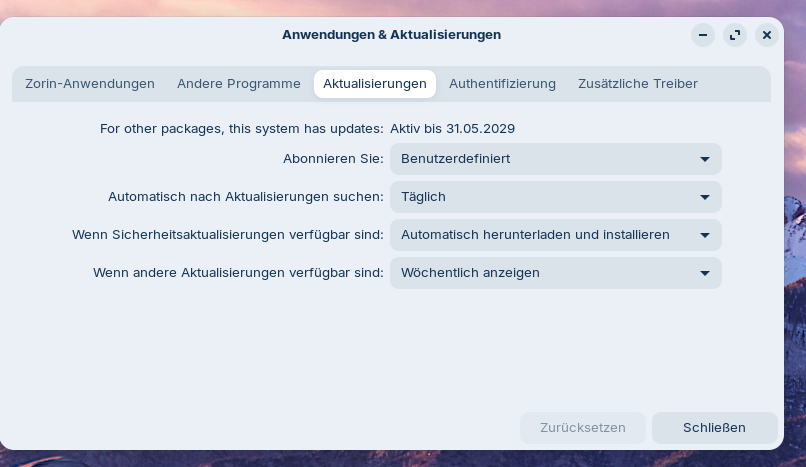
I have found something that I have known since Zorin OS 17: if you install Zorin OS, the application management can sometimes be set to user-defined, and you can't change that. Do you know how to fix it?
Why ask for a password now for updates made from the graphical interface?
And, I don't know if this concerns Zorin or the GNOME developers, but when launching an application, no graphical information is given to inform you that the work is well done.