Hello i am new to Zorin OS18 pro...i used to work with this terrible Windows...i really like the Zorin os 18 pro....only 1 problem.!
The build in Microphone is not working...please a little help..thnx Gerard
Hello i am new to Zorin OS18 pro...i used to work with this terrible Windows...i really like the Zorin os 18 pro....only 1 problem.!
The build in Microphone is not working...please a little help..thnx Gerard
Hi Gerardo and welcome to the forum.
Are other sound sources e.g. speakers, headphone working OK and only the internal microphone is not working?
Can you look at alsamixer.
Open a terminal session by typing Ctrl+Alt+T , then type:
alsamixer
In alsamixer, hit F6 to list/select soundcards.
Select a analogue soundcard.
If that is not seen easily from the F6 list, post a screenshot.
In alsamixer, hit F5 to display ALL sound channels.
Look for any Mic channels showing as [MM] , which means muted.
Use < > arrow keys to move to the muted channel and hit M to unmute. Then up arrow to increase mic volume.
Welcome to the Forum!
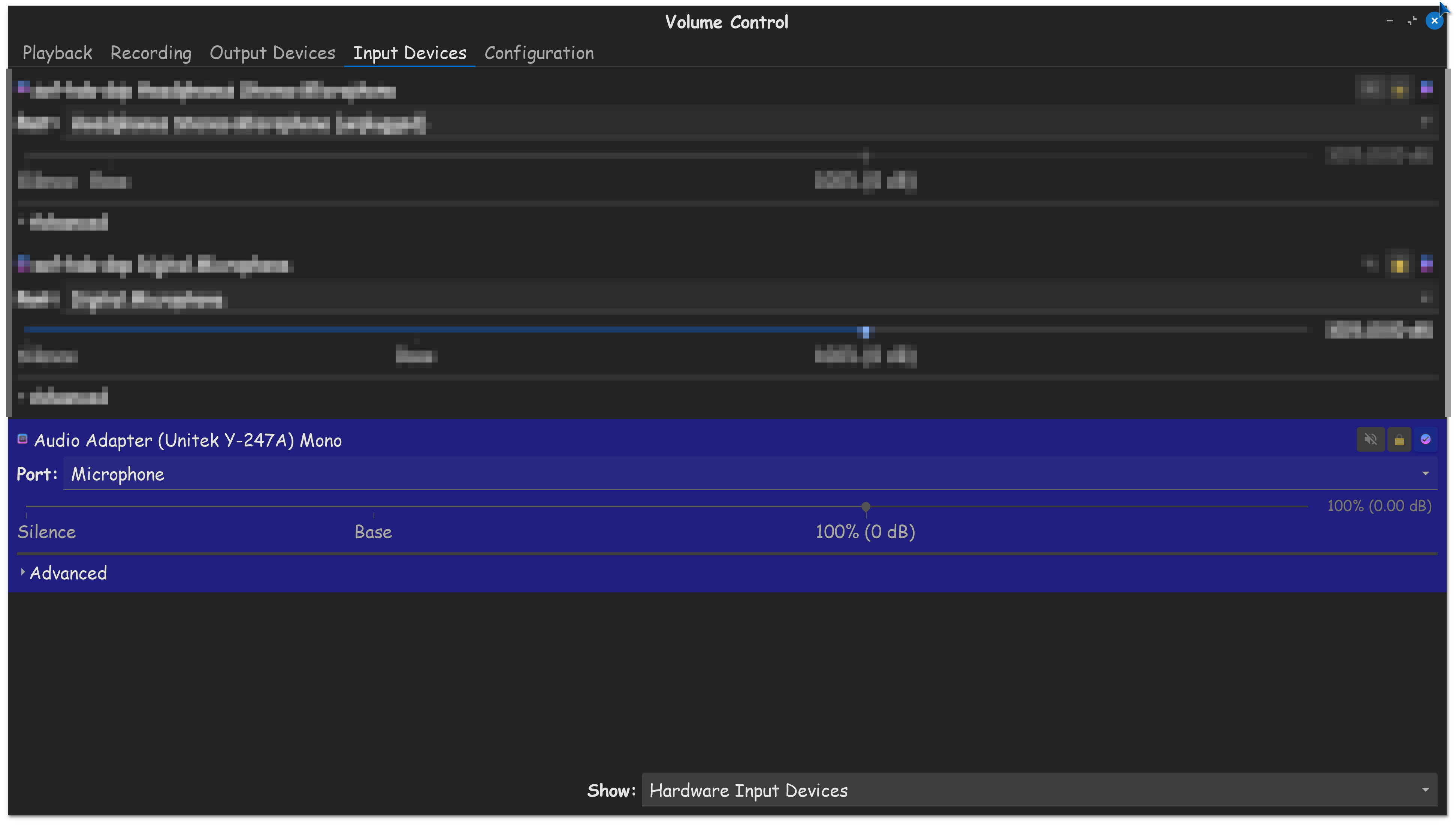
You could try the Tool Pulse Audio Volume Control which is for set up Audio Input and Output. You can install it with sudo apt install pavucontrol and after Installation, take a Look at the Input Tab and the configuration Tab for Your Mic.
i have tried the possible solutions ,unfortunately without succes...but thanks for the help
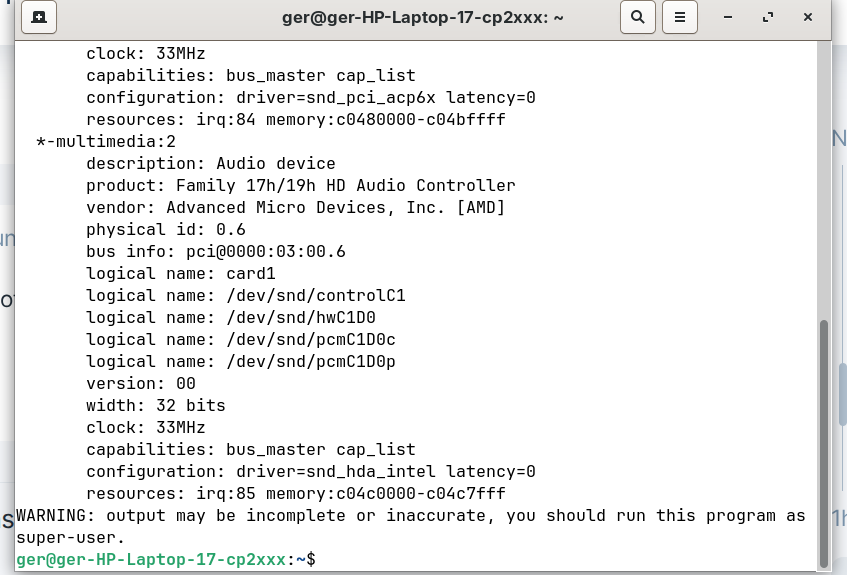
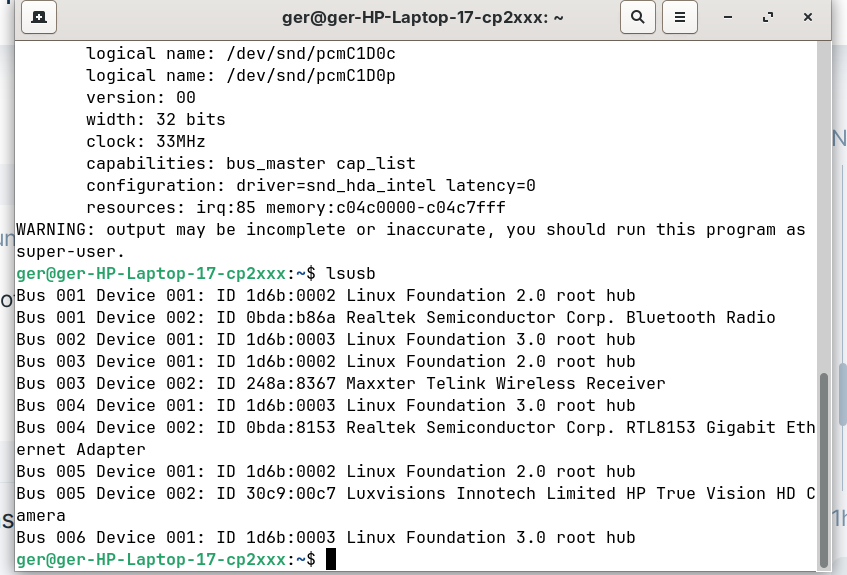
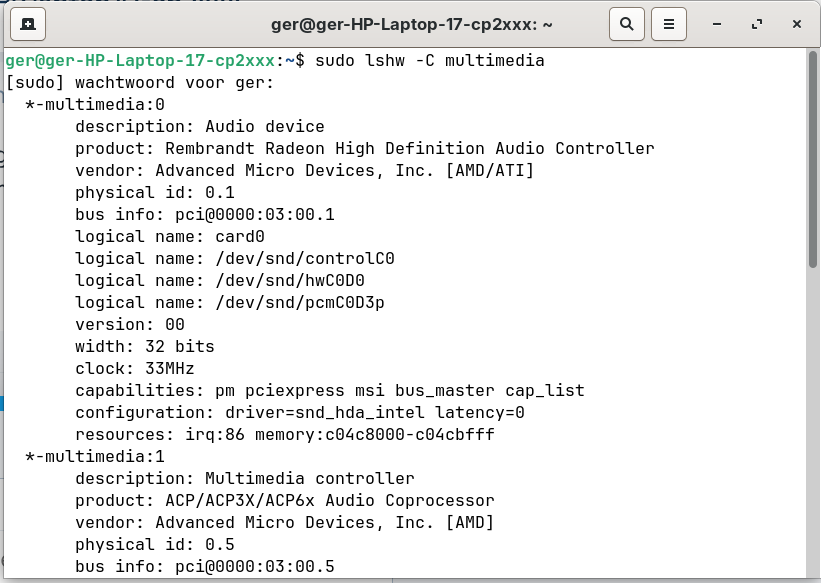
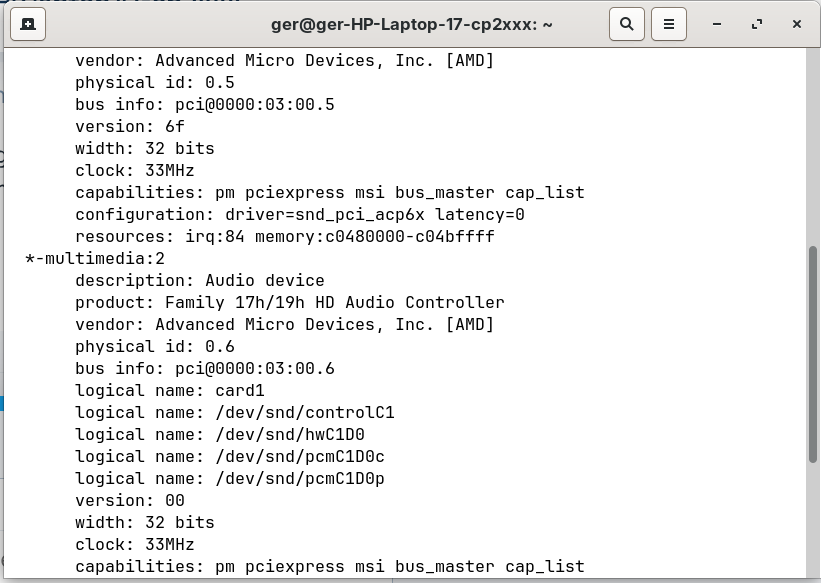
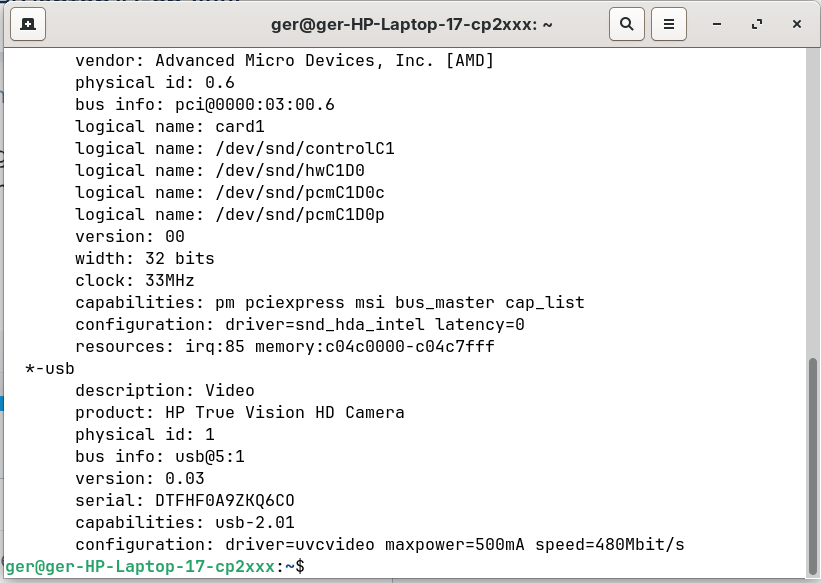
Could You post the Output of sudo lshw -C multimedia and lsusb please?
Thanks. And I have to apologize because I have made a Formatition Mistake which I corrected above. The Command have to be sudo lshw -C multimedia
is there no solution??
If you purchased Zorin OS Pro, you can also request support for the installation process for your microphone directly from the team.
Can you try:
rm -rf ~/.local/state/wireplumber
Reboot, then run to install audio controller
sudo apt install pavucontrol
Launch pavucontrol
pavucontrol
Check the Input tab for microphone and see if it is detected at all?
2 posts were split to a new topic: Sound Issue Sunrise Point-LP HD Audio
When using Pulse Audio APP:
In the Input Devices tab, look for the adapter that has your microphone. If you look on my screenshot, you will see that I have mine muted, its the speaker icon, to the left of the lock icon.
Make sure the speaker icon is not highlighted like mine. As long as the microphone is not muted, then just make sure you set the microphone volume to 100%, you should be able to hear it.
Use of alsamixer and pulse audio volume control (pavucontrol) were suggested quite early in the thread (posts#2,#3) and since repeated, I guess that route to success may be insufficient.
It would maybe have helped if the OP posted screen shots of their alsamixer and pulse audio results to aid diagnosis. But heyho we are were we are.
Lately it has been Intel sound hardware that has been prominent regarding sound issues with ZorinOS/Ubuntu, so odd that AMD/ATi hardware, which is usually directly supported by linux kernels. So my thoughts were then maybe use a different kernel.
I have just done a websearch using as searchterm: "Rembrandt Radeon High Definition Audio Controller No Mic Ubuntu 24.04"
and found this: https://askubuntu.com/questions/1552769/no-audio-after-fresh-install-24-04
Maybe that will help or give some clues. It may also be worth the OP doing other websearches with that searchterm, considering Z18 is based on Ubuntu 24.04.
Supplementary Question: Does the Mic work when you run "Try Zorin" from the live USB?
EDIT: Just thought. Noone has asked about installation conditions. e.g. BIOS Secure BOOT, Fast Boot, Windows fast start-up. Maybe worth looking at pre-installation advice here to see if anything was missed: Before you install
This topic was automatically closed 90 days after the last reply. New replies are no longer allowed.