Hi,
I was trying to install Zorin OS 17.3 Core with a rufus USB key beside my Windows 11 install on my Dell G3 laptop hybrid Intel and nVidia GTX 1650.
I let an empty space of about 40Go for Zorin...
First, the installation with modern nVidia drivers failed so go back to the default try or install.
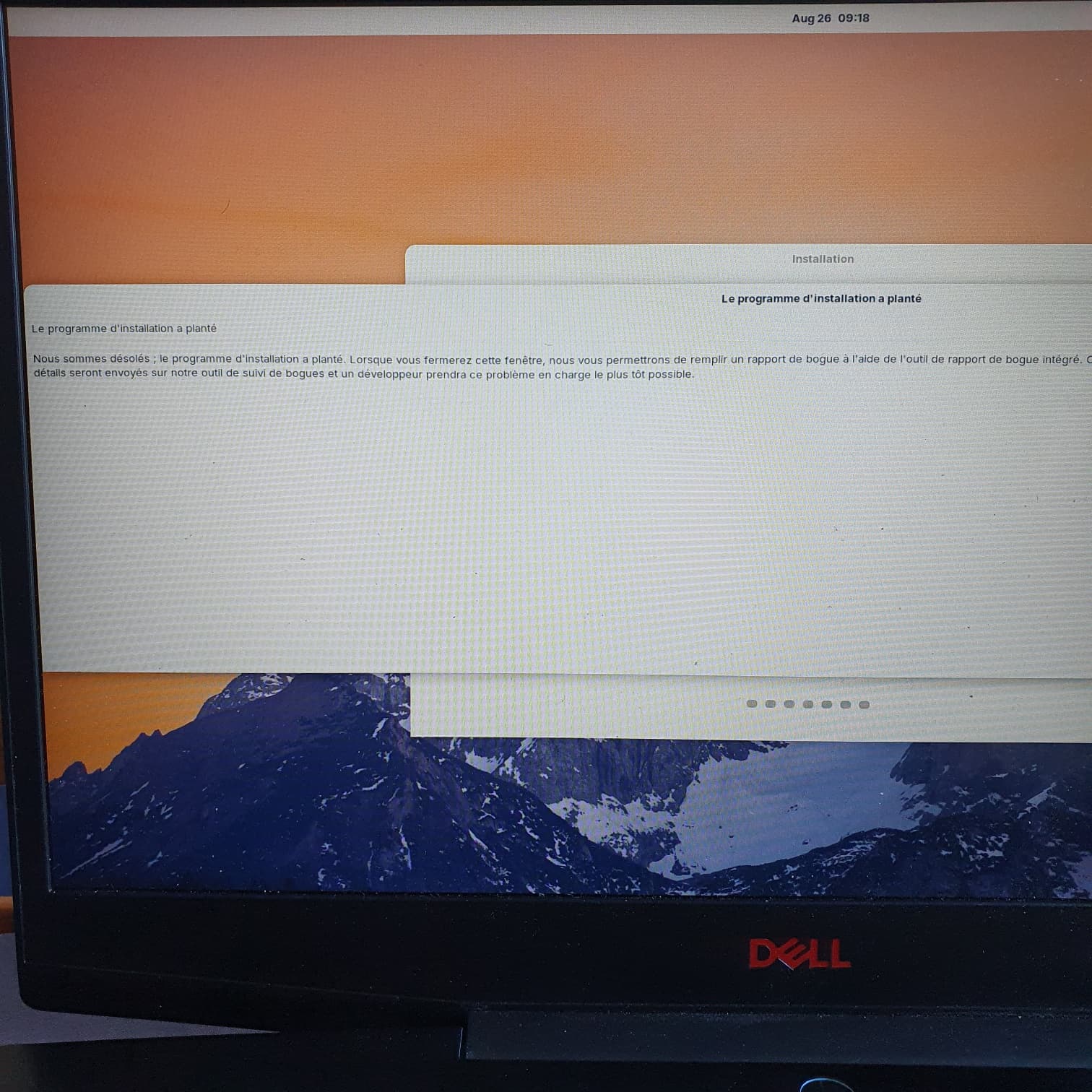
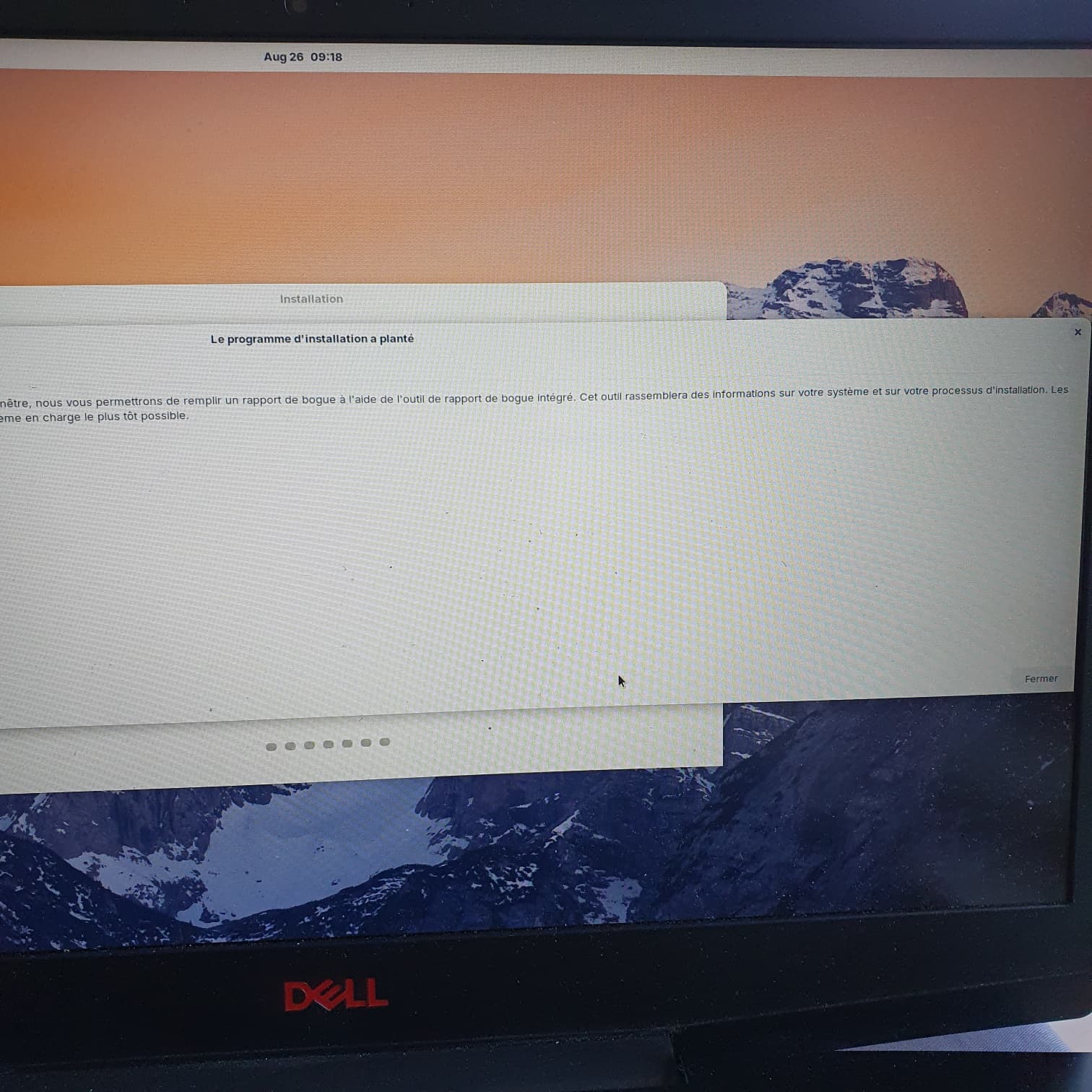
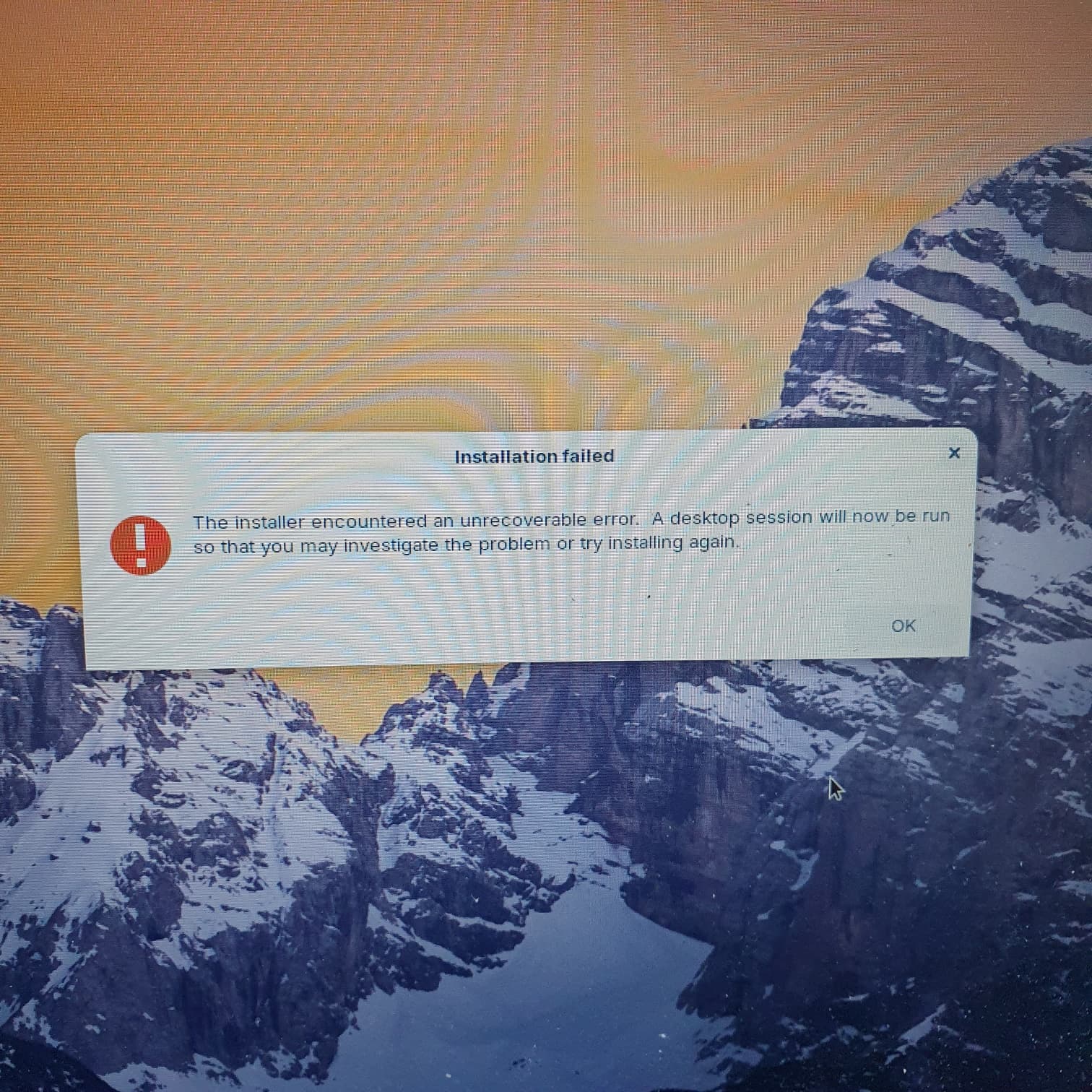
Everything OK until I wanted to install Zorin. Acknowledge the change on partition but right after a message appears telling me that the partition tool has failed... So Install not finished and apparently just a live session...
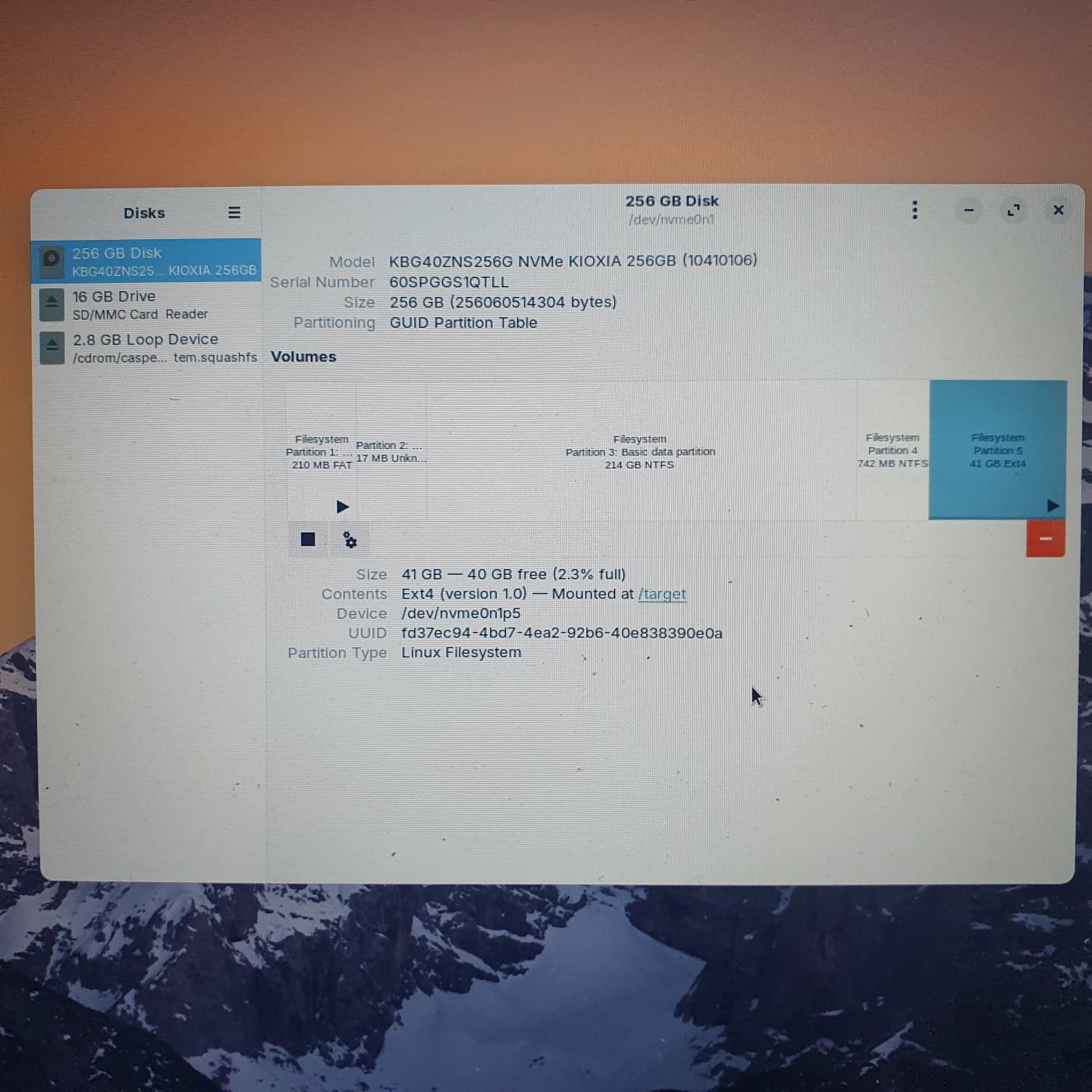
Was there an error message shown when the partition failed? 40 GB is more than enough for a basic installation, so there should be no problem. It would be good to know the disk's current layout to see how the drive is partitioned at the moment.
You can do this through the live USB by launching Disks, and selecting the drive where you want to install Zorin OS.
Another thing you can check is if the ISO image that you downloaded is not corrupted:
Hi,
Integrity checked : no errors found.
Restarted a new install with a non allocated partition of 40GB with the choice "something else" since the "alongside Windows" doesnt seem to work.
But here are the screenshots of the failure :
Download a new ISO in case the original is corrupted, and use a different tool to flash your key: Etcher is available for Windows and has often solved this type of problem.
While there is no absolute guarantee of success, you have nothing to lose by trying this method alongside everything else that has already been suggested.
I didn't come here to argue, but to offer a solution to an old problem. I owe it to you, given that I have benefited greatly from @Aravisian's advice myself.
But based on my experience, I would disagree.
While the quality of Rufus is beyond reproach, its complexity can potentially lead to errors among less experienced users. As a result, several distributions refuse to answer questions about it.
And I maintain that Etcher has solved many installation problems without destroying any more keys.
And isn't Etcher the recommended application on Zorin website?
I have witnessed and experienced Balena Etcher destroying USB sticks. In reality, most disks are not destroyed, just rendered unreadable. They can be repaired.
There is much information to be found on the web of a long standing series of user complaints about Etcher:
Etcher has addressed it multiple times denying culpability - yet also admitting a need to have to restore a USB stick after using Etcher:
"Le programme d'installation a planté.
Nous sommes désolés ; le programme d'installation a planté. Lorsque vous fermerez cette fenêtre, nous vous permettrons de remplir un rapport de bogue à l'aide de l'outil de rapport de bogue intégré. Cet outil rassemblera des informations sur votre système et sur votre processus d'installation. Les détails seront envoyés sur notre outil de suivi de bogues et un développeur prendra ce problème en charge le plus tôt possible."
"The installer crashed.
We're sorry; the installer crashed. When you close this window, we'll allow you to file a bug report using the built-in bug reporting tool. This tool will gather information about your system and installation process. The details will be sent to our bug tracker, and a developer will take charge of this issue as soon as possible."